
Livraison le jour même ou le lendemain

Qualité garantie

Débloquez vos offres de bienvenue: Livraison GRATUITE | Jusqu'à -80 % | 30 jours d'essai gratuits à JoyPlus
Téléchargez l'application
An ergonomic gaming chair isn’t just about its sporty looks. Whether you’re gaming on PC, working remotely, or watching films on a console, it needs to suit your body shape, your space, and your habits. A poorly adjusted gaming chair can quickly become bulky, hard to maintain, or uncomfortable.
Before you place an order, three common pitfalls keep cropping up:
A gaming office chair should let you adjust the seat height so your feet rest flat on the floor. A reclining backrest is also handy for switching from concentration to relaxation. Check the range stated: some models recline from 90 to 150°, while others go up to 170°.
Adjustable armrests play a key role in keeping your shoulders relaxed. Even a simple height adjustment can make it easier to fit your desk. Models with multi-directional armrests offer more flexibility, but their mechanism needs to be sturdy and precise.
A high backrest, a headrest, and a gaming chair with lumbar support can accommodate different positions. An adjustable cushion is generally more practical than built-in support: you can move it to better follow the curve of your back.
The structure also deserves your attention. Product specs may mention a steel frame, a wide base, a certified gas lift, or references like BIFMA and SGS. These details correspond to checks or features stated by the manufacturer, but they don’t replace following the instructions, regularly checking that screws are tight, and never exceeding the maximum weight limit.
A gaming chair in faux leather can usually be wiped clean with a soft cloth – a real advantage after a meal or a spill. On the downside, it can retain more heat depending on the room and the season. Fabric or a mesh section often helps with airflow, while velvet offers a different feel.
Measure your desk, the space behind the backrest, and the width of doorways. A gaming chair with a footrest also needs enough depth when the support is extended. Finally, look at the seat width and depth rather than relying solely on a “large size” label.
The models below are presented based on the features stated in their product listings. Comfort may vary depending on body shape, adjustments, and how long you use the chair.
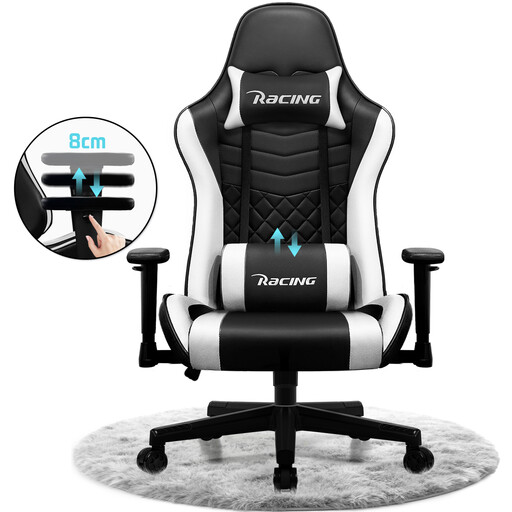
Why this choice suits this profile: this gaming chair brings together the essential adjustments for getting started: seat height, vertically adjustable armrests, adjustable lumbar support, and a reclining backrest.
The listing states a steel frame, a wide base, and a 150 kg capacity – details to weigh against your needs rather than relying on looks alone.
High-density foam stated, 360° swivel, and PVC/PU upholstery described as easy to clean.
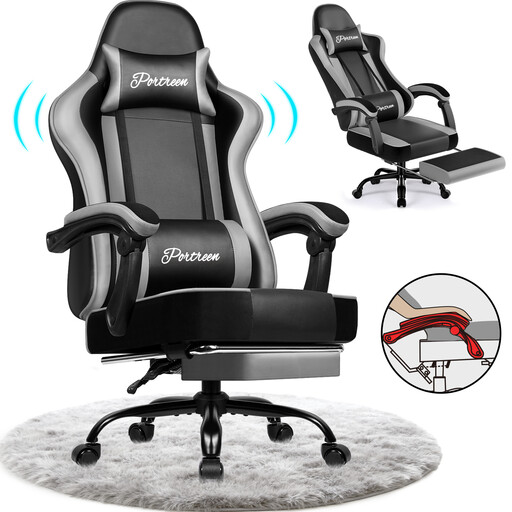
Why this choice suits this profile: this gaming chair with footrest is ideal for those who switch between gaming, work, reading, and relaxing in the same room.
The backrest is stated to recline from 90 to 170° and the footrest sits on a metal frame – still, check its locking mechanism before using it.
Headrest, lumbar support, 10 cm height adjustment, and PU upholstery described as water-repellent.
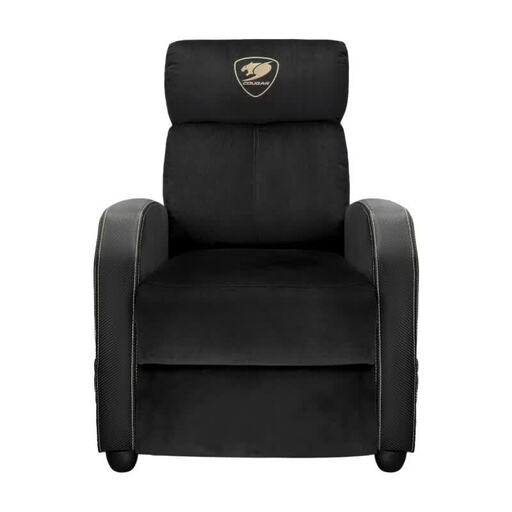
Why this choice suits this profile: its gaming sofa format and velvet upholstery appeal to users who prioritise style and relaxation in a dedicated space.
The three stated backrest positions – 95°, 135°, and 160° – are clearly defined. However, this model is limited to 135 kg and must be placed on a stable surface.
Foldable footrest, side pocket, and steel frame as stated in the product listing.
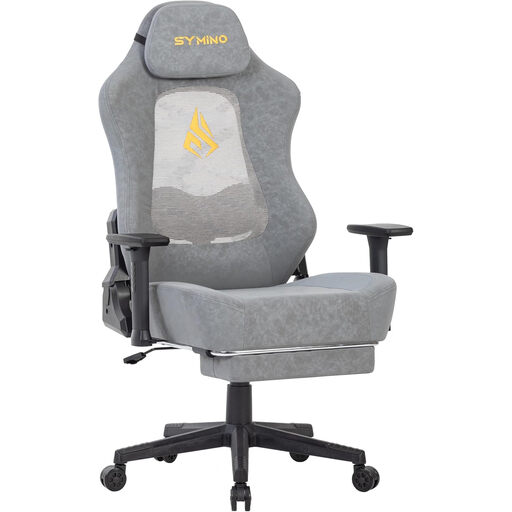
Why this choice suits this profile: its open mesh backrest can be a good option in a warm office or for use that alternates between gaming and work.
The listing specifies a recline of 90 to 155° and a 12° rocking function. Still, consult the manual for detailed safety instructions.
3D lumbar support stated, class 3 gas lift, and a maximum capacity of 150 kg.
We’ve put together a complete selection, updated in real time, of products that meet these demanding criteria as well as European safety requirements.
Adjust the height so your feet rest flat on the floor. Keep your knees in a comfortable position, bring the armrests close to your desk, and place the lumbar support in the natural curve of your back. For working, the backrest can stay close to 90° before being reclined further for breaks and relaxation.
It all depends on the weight supported, how often you use it, the quality of the mechanisms, and how well you maintain it. Regularly check the screws, castors, gas lift, and recline mechanism. Clean the faux leather or fabric following the manufacturer’s recommendations. If a part is faulty, replace it rather than continuing to use a chair that lacks stability.
A mechanical footrest doesn’t use any electricity. A USB-powered massage function only needs a connection when it’s switched on. To avoid unnecessary power consumption, unplug the cable after use and check the voltage stated in the manual.