
Livraison le jour même ou le lendemain

Qualité garantie

Débloquez vos offres de bienvenue: Livraison GRATUITE | Jusqu'à -80 % | 30 jours d'essai gratuits à JoyPlus
Téléchargez l'application
An ergonomic gaming chair with footrest can be just as at home in front of a screen as it is behind a desk or in a relaxation corner. But a flattering photo and a long list of features aren't enough to guarantee the right purchase. Between the oversized reclining gaming chair, the footrest that lacks stability and the upholstery that marks within weeks, some flaws only become apparent with use.
This guide is aimed at PC and console gamers, remote workers and office employees alike. The goal: to compare the features that really matter, rather than being impressed by the number of accessories.
A gaming chair advertised as reclining to 170° can be pleasant for reading or relaxing. However, this position isn't necessarily suitable for typing at a keyboard. For work, pay particular attention to the stability of the backrest between 90° and 110°, as well as the range of adjustment for height and armrests.
A telescopic footrest should slide without excessive play and stay firmly in place when your legs are resting on it. Also check for a non-slip surface and make sure it can be fully retracted before moving the chair.
The word ergonomic doesn't correspond to a standardised configuration. A gaming chair with lumbar support may include a removable cushion, support built directly into the backrest, or simply a reinforcement. As for the gaming chair with massage, it typically offers a vibrating function in the lumbar cushion – nothing like a medical device.
For an adjustable height gaming chair, compare the minimum and maximum seat positions with the height of your desk. Your feet should remain flat on the floor, without tension in your knees. Also remember to measure the seat depth and the space available between the armrests.
A 150 kg gaming chair can suit users looking for a structure described as robust. However, this value remains a maximum weight stated by the manufacturer. It doesn't replace the need to check the chair's stability, the strength of the base and the quality of the recline mechanism.
A gaming chair with headrest should support your head without pushing your neck forward. The lumbar cushion should sit at the natural curve of your lower back and have sufficient density not to flatten too quickly.
For versatile use, prioritise:
A gaming chair in faux leather or polyurethane leather can generally be cleaned with a soft cloth. However, this type of upholstery can be more sensitive to heat and perspiration than a breathable fabric. Water-repellent PU, mentioned on some models, simplifies everyday cleaning. Avoid abrasive products and regularly check the screws and castors.
References that mention BIFMA or SGS checks deserve a careful look at their product sheet. These mentions don't automatically mean that all components meet all applicable requirements in the UK. Also check for a responsible party established in the European Union before ordering.
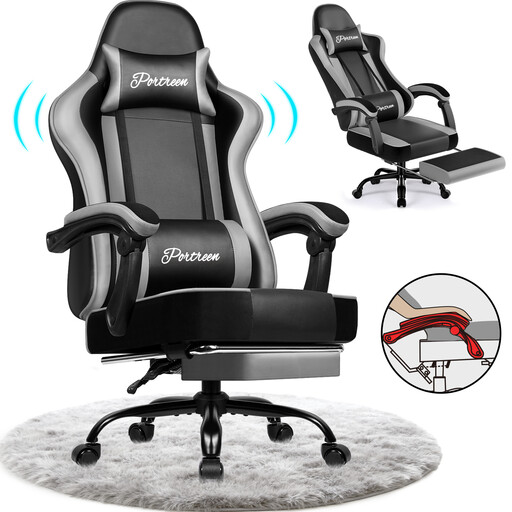
Why this model suits this profile: it brings together the useful features for gaming, working or reading, with a stated maximum weight of 150 kg and assembly described as achievable in 10 to 15 minutes.
The product sheet indicates a recline range of 90 to 170°, a height adjustment of 10 cm and a metal frame for the footrest.
PU upholstery described as water-repellent and stain-resistant; reclining backrest, headrest and lumbar support included.
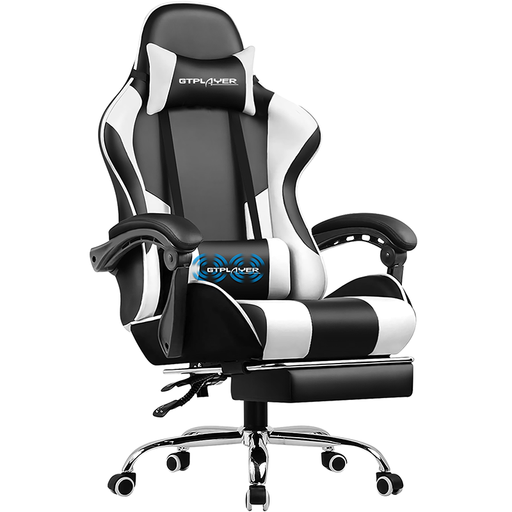
Why this model suits this profile: its features are aimed at those who switch between gaming sessions, remote work and relaxation time.
The product sheet distinguishes the vibrating lumbar cushion from the recline mechanism, stated at up to 135°, without presenting the massage as a health solution.
Metal frame and base; padded seat; adjustable height, synchronised armrests and stated maximum weight of 150 kg.
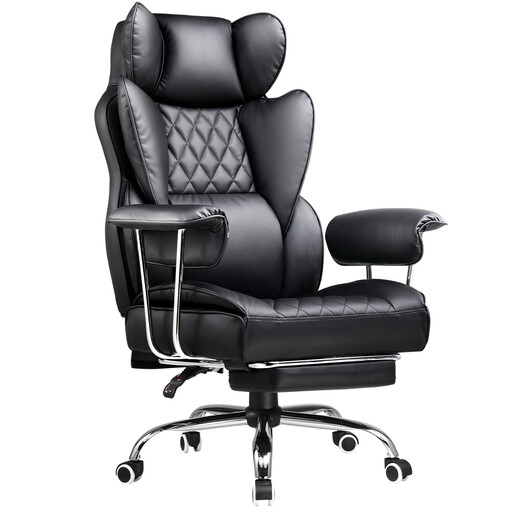
Why this model suits this profile: its high backrest and office chair design suit those who want a versatile seat for working and gaming.
Check the weight capacity, dimensions and adjustments on the product sheet before ordering: a high backrest doesn't automatically suit all body types.
Swivel chair with footrest and lumbar support mentioned in the description; design intended for office and computer use.
Before first use, tighten all fixings and place the chair on a level floor. With a built-in leg rest, check that it is fully extended and locked before resting your legs on it. The castors should move freely, without catching on a thick rug or obstacle.
To extend the life of your chair:
A gaming chair with telescopic footrest also needs enough clearance behind the backrest. In a small room or shared office, measure the total depth of the chair when reclined.
Discover an updated selection of reclining gaming chairs with footrests. Compare their features according to your use, available space and budget.
Yes, provided you adjust the backrest, height and armrests correctly for working. The footrest is primarily for relaxation. After several hours at the keyboard, your feet should remain on the floor and your shoulders shouldn't be raised.
It all depends on the weight supported, the frequency of adjustments, the quality of the mechanism and maintenance. Regularly inspect the screws, gas lift, castors and footrest to quickly spot wear or unusual play.
Power consumption varies depending on the vibrating system and duration of use. As it's generally an independent electrical module, activate it only when you need it and consult the power information supplied with the product. The chair remains usable without this function.