
Livraison le jour même ou le lendemain

Qualité garantie

Débloquez vos offres de bienvenue: Livraison GRATUITE | Jusqu'à -80 % | 30 jours d'essai gratuits à JoyPlus
Téléchargez l'application
Whether you're gaming or working from home, spending hours in front of a screen puts a real strain on your body. An ergonomic gaming chair isn't a luxury; it's the cornerstone of your setup for protecting your comfort and health. The catch? The market is saturated with models making enticing marketing promises that often fall short.
To avoid regretting your investment, learn to spot the 3 most common traps.
Forget about looks for a moment and focus on the objective technical specifications. Here are the points to examine closely.
The choice of material directly impacts your comfort and the chair's durability.
A good gaming office chair should adapt to you, not the other way around.
This is an often-overlooked technical detail, yet it's critical. The foam's density (in kg/m?) determines the firmness of the seat and its ability to hold its shape over time.
We've selected products that check all the boxes, for different profiles and budgets.
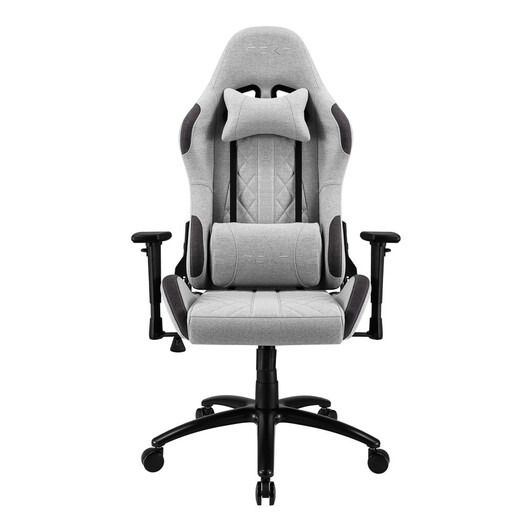
Why this model: Designed for those who spend over 8 hours a day seated, this chair checks all the boxes for both gaming and office work. Its versatility makes it the perfect ally for intensive, mixed use.
Its breathable Elastron fabric upholstery eliminates the risk of cracking PU leather. Its 100% metal frame and base, along with its high-density foam of 55 kg/m?, guarantee support that won't sag over time.
Its full range of adjustments (3D armrests, recline, cushions) allows for finely-tuned ergonomic customisation, with durability designed for the long haul.

Why this model: For those who think about their workspace holistically, the desk is just as crucial as the chair. This L-shaped model offers an XXL work surface, perfect for multiple monitors and top-notch organisation.
It avoids the trap of a desk that's too small, which ruins your posture. Its large L-shaped surface allows for ideal positioning of monitors, keyboard, and mouse for overall ergonomics, in perfect synergy with a good chair.
Its reversible design (drawers on the left or right) and ample storage (4 drawers, 2 shelves) create a functional and consistently tidy workspace.
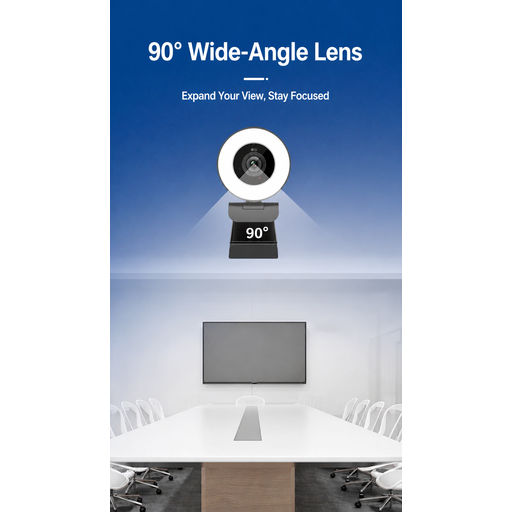
Why this model: Ergonomics is a complete system. For those who want to perfect their setup, a vertical mouse is essential for preventing strain in the wrist and forearm.
It avoids the trap of focusing solely on the chair while neglecting other contact points. A good chair can't fix a bad hand position, which is a source of musculoskeletal disorders (MSDs).
Its vertical shape promotes a natural handshake grip and a neutral wrist position, reducing fatigue during long work or gaming sessions.
A good chair is the first building block. Complete your station with a suitable desk and ergonomic peripherals. Discover our selection of products that combine design, functionality, and durability.
It all depends on the quality of its components. A model with a steel frame, a metal base, high-density foam (> 50 kg/m?), and quality fabric upholstery can easily last 5 to 10 years. Conversely, an entry-level chair with a plastic base and low-grade PU leather will show obvious signs of wear after just 1 or 2 years.
Yes, and it's non-negotiable. Good lumbar support is fundamental for maintaining the natural curve of the lower back (the lumbar lordosis). Without it, you tend to slouch, which compresses the intervertebral discs and can cause pain. Always opt for a height-adjustable cushion or an integrated support system over a simple fixed cushion for a perfect fit for your body.
Follow these steps to find your ideal posture: