
Livraison le jour même ou le lendemain

Qualité garantie

Débloquez vos offres de bienvenue: Livraison GRATUITE | Jusqu'à -80 % | 30 jours d'essai gratuits à JoyPlus
Téléchargez l'application
Spending hours in front of a screen, whether for work or play, puts a major strain on our bodies. A good chair is no longer a luxury, but a necessity. Yet, the ergonomic gaming chair market is saturated with marketing promises that too often hide design flaws. Before you invest, it's crucial to know how to avoid the common pitfalls to make a choice that will protect your back and ensure long-term comfort.
As a product expert at Joybuy, my mission is to help you see things more clearly. Let's skip the technical jargon and focus on what's essential. Here are the three most common mistakes to avoid at all costs.
To avoid falling into the trap, focus on the technical specifications that truly define the quality and comfort of an ergonomic office chair.
The choice of material is crucial for your comfort, especially during long sessions.
True ergonomics isn't visible—it's hidden in the chair's structure and its range of adjustments.
There's an ideal chair for every body type and use case. Here are a few models that passed our tests with flying colours, meeting all the quality criteria we've just discussed.
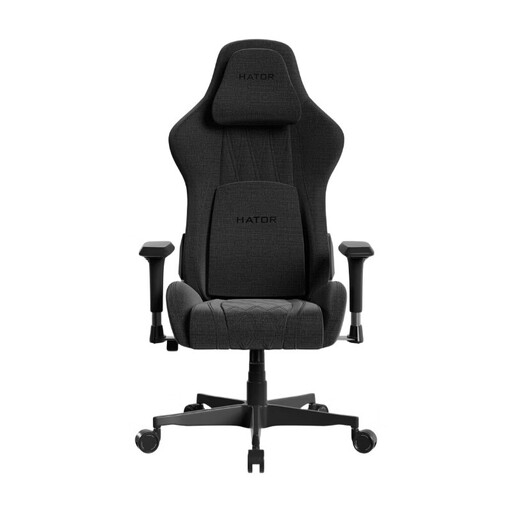
Why we chose it: Ideal for those who spend more than 8 hours a day seated. Its breathable fabric upholstery and advanced adjustment options make it a great ally for long gaming or work sessions.
With its CloudTouch fabric upholstery, issues of wear and discomfort from faux leather are a thing of the past. The magnetic lumbar support offers precise adjustment, far more effective than basic cushions.
Magnetic cushions with ChillFoam memory foam for adaptive comfort and custom-fit ergonomics.
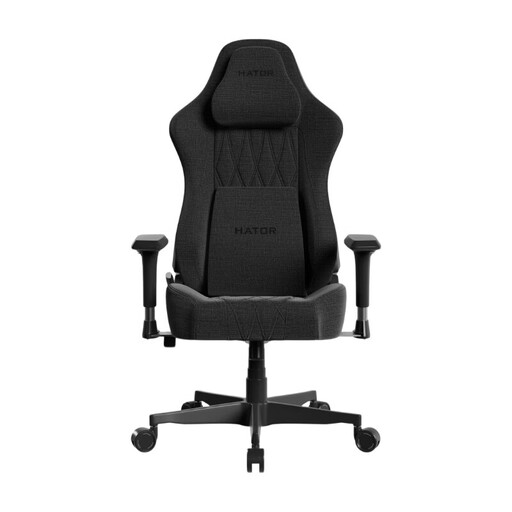
Why we chose it: The L size is specifically designed to offer more space and support for taller or larger individuals, with a wider seat and backrest.
Its steel frame and reinforced BIFMA-certified base are designed to support a higher load without any risk of failure, unlike standard models which are often undersized.
Generous dimensions (54 cm seat width, 83.5 cm backrest height) for uncompromising comfort, even for the largest body types.
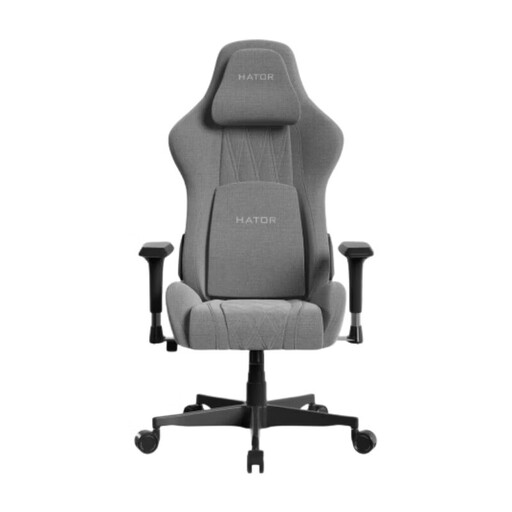
Why we chose it: The grey colour and minimalist design of the Hator gaming chair Darkside 3 blend perfectly into a contemporary office or living room, far from the sometimes aggressive "gaming" aesthetic.
It proves that a subtle design doesn't mean compromising on quality. It features a full steel frame and comprehensive ergonomic adjustments, where many "designer" chairs sacrifice functionality.
Aesthetic versatility. It offers all the features of a high-end gaming chair in a sleek package that fits just as well in a workspace as it does in a living room.
We have compiled a complete, up-to-date list of products that meet these strict selection criteria and safety standards.
The longevity of a fabric gaming chair primarily depends on its build quality. An entry-level model will show signs of wear after 1 to 2 years. In contrast, a chair with a steel frame, high-density foam, and abrasion-resistant fabric can easily last over 5 years of heavy use while retaining its comfort and original appearance.
For an optimal setup, follow these simple steps:
Yes, and it's a decisive advantage. Unlike cushions with straps, which have a fixed or very limited position, a magnetic system allows for free and precise vertical adjustment. You can place the support exactly where your back needs it, ensuring tailor-made support that is far more effective at preventing lower back pain. This is a feature found on well-designed models like the Hator Darkside 3.