
Livraison le jour même ou le lendemain

Qualité garantie

Débloquez vos offres de bienvenue: Livraison GRATUITE | Jusqu'à -80 % | 30 jours d'essai gratuits à JoyPlus
Téléchargez l'application
The low ink light always seems to flash at the worst possible moment. Finding the right replacement cartridges can then turn into a real headache: with similar-looking model numbers, questionable compatibility claims, and confusing capacity formats, it's easy to make a mistake. A poor choice not only leads to mediocre print quality but can, in some cases, also damage your printer.
This guide is here to cut through the confusion and help you choose the right model, with a focus on the Epson 603XL ink cartridge multipack, a popular choice for home users and small businesses. We'll explain the pitfalls to avoid and the criteria to check for a confident purchase that's perfectly suited to your needs.
Before you start, keep in mind the two most common mistakes. They can be costly, both in money and peace of mind.
To avoid these disappointments, you just need to check three essential points. They will ensure you choose the right Epson 603 ink pack for your equipment.
The Epson 603 ink range is easily identifiable by its pictogram?: a starfish. This is the first visual cue to look for on the packaging. These cartridges are designed for very specific printer models, primarily the Epson Expression Home and WorkForce series.
Here is a non-exhaustive list of the most common compatible models?:
Verifying that your printer model is on the product's compatibility list is a non-negotiable step.
Epson offers its cartridges in two formats to suit different printing volumes?:
The Epson 603XL multipack often combines a high-capacity black cartridge (603XL) with standard-capacity colour cartridges (603). This configuration is ideal for users with predominantly office-based needs.
Genuine Epson 603 cartridges use a hybrid ink technology?:
This combination ensures excellent versatility, whether you're printing a professional report or family photos.
Based on these criteria, here are a few options perfectly suited for different user profiles.
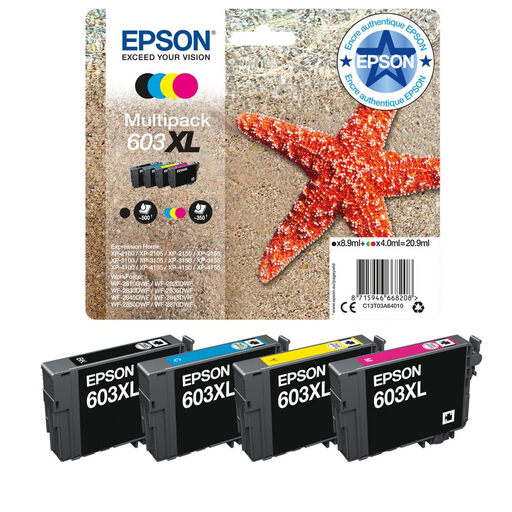
Why it's a great fit : Ideal for small businesses or individuals who print high volumes of text documents. The XL black cartridge offers a reduced cost per page, while the standard-size colours are sufficient for occasional graphic printing.
This mixed pack optimises costs by aligning with real-world usage: lots of black, less colour. It prevents you from paying for high-capacity colour that would go unused.
Yield of 500 pages for black (XL) and 130 pages for colours (standard). Pigment-based black ink for crisp, long-lasting text.
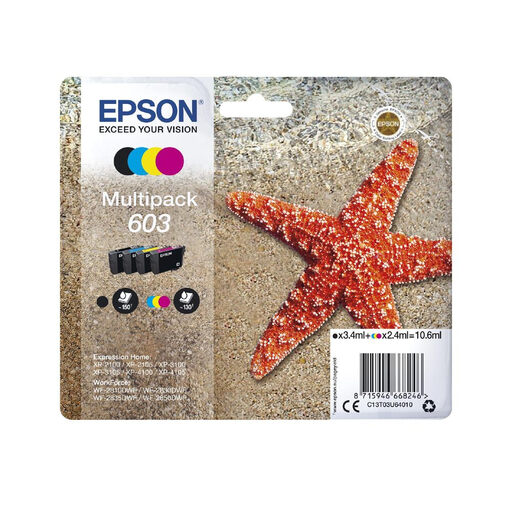
Why it's a great fit : For moderate home use (homework, tickets, a few photos), this standard pack is a balanced choice. It provides all the necessary colours without investing in a capacity that might not be used before the ink dries out.
By offering standard capacity for all colours, it avoids the high initial cost of a full XL pack, which is ideal for low and varied print volumes.
Complete 4-colour pack. A budget-friendly solution for occasional printing. Genuine Epson ink quality to protect your printer.
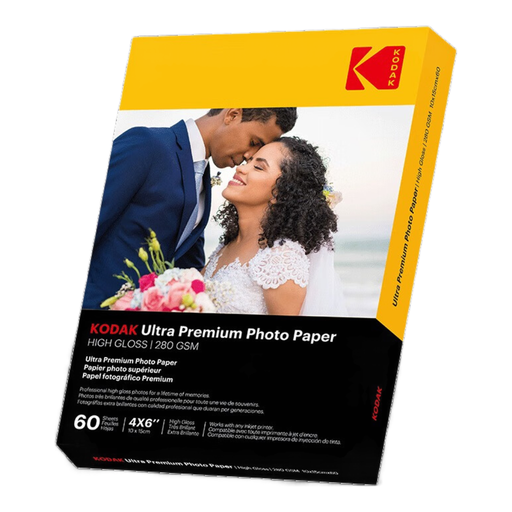
Why it's a great fit : To get the most out of the dye-based colour inks in your Epson 603 pack, quality photo paper is essential. This Kodak paper offers a glossy finish and a high weight (280 g/m?) for prints with vibrant colours and long-lasting results.
It avoids the disappointment of dull photo prints on plain paper. Combining genuine ink with specialised paper is the key to achieving results that meet your expectations.
Ultra-glossy finish for brilliant colours. Instant-dry for smudge-free prints. Compatible with all inkjet printers.
We've compiled a complete, up-to-date list of products that meet our strict selection criteria.
The difference is simply the amount of ink and, therefore, the number of pages you can print. The 603XL "high capacity" version contains more ink than the 603 "standard" version. It offers a lower cost per page, making it more economical if you print frequently.
Yes, absolutely. This is actually the most common and sensible configuration for office use. Compatible printers accept this combination without any issues, allowing you to tailor your purchase to your actual consumption of black and colour ink.
The safest way is to check your printer's manual or consult the compatibility list on the cartridge's product page. This ink series is notably compatible with printers like the Epson XP-2100 or WF-2810DWF. In any case, the starfish symbol on the packaging is the most reliable indicator.