
Livraison le jour même ou le lendemain

Qualité garantie

Débloquez vos offres de bienvenue: Livraison GRATUITE | Jusqu'à -80 % | 30 jours d'essai gratuits à JoyPlus
Téléchargez l'application
By the Joybuy Editorial Team, 07/09/2026
Your printer's ink light is flashing, an alert pops up on your screen?: one or more of your cartridges have run dry. It's a familiar situation for owners of Epson Expression Home or WorkForce printers. But when faced with the jungle of part numbers, capacities, and packs, choosing the right Epson 603 cartridge can quickly become a headache.
This guide is here to cut through the confusion. We'll help you find the perfect cartridge for your needs, decode the differences between models, and make the right choice, whether you're printing business reports or your holiday photos.
Before you buy your Epson ink, there are a few key points to check to ensure perfect compatibility and a yield that matches your needs.
This is step one—the most obvious, but also the most crucial?: making sure the cartridge is compatible with your printer model. The 603 series, recognisable by its starfish icon, is compatible with a wide range of all-in-one printers.
To be absolutely sure, check the list of compatible models directly on the cartridge packaging or on its online product page. A search like "?epson xp-2100 ink?" or "?epson wf-2810dwf cartridge?" will easily point you to the right part number.
Epson offers its cartridges in two sizes to suit all printing volumes.
If several of your cartridges are running on empty at the same time, the Epson 603 multipack is the most convenient and often the most economical solution compared to buying four individual cartridges. This Epson 603 ink pack brings together the four colours (black, cyan, magenta, yellow) and ensures you always have a full replacement set on hand.
To help you see more clearly, here is our selection of Epson supplies suited for different user profiles.
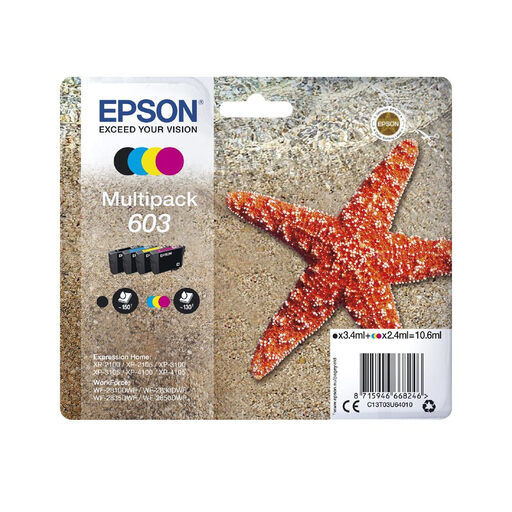
Why We Chose It This pack is the go-to choice for users of compatible Expression Home and WorkForce printers. It offers an all-in-one, ready-to-use solution to replace all your inks at once.
Highlights
Who is it for?? Ideal for individuals, students, and small offices with moderate and varied printing needs, from simple text documents to colour photos.
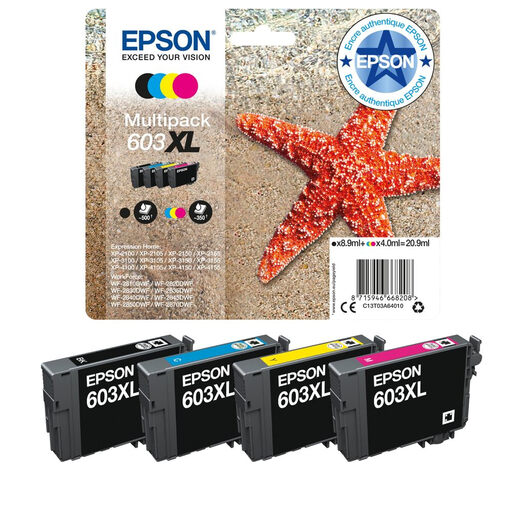
Why We Chose It This pack is a very smart solution for those who primarily print black and white documents. It combines a high-capacity black cartridge (XL) with standard colour cartridges, drastically optimising the cost per page for text printing.
Highlights
Who is it for?? The ideal user?? Remote workers, freelancers, and small businesses who regularly print invoices, reports, or correspondence, while retaining the option to print in colour from time to time.
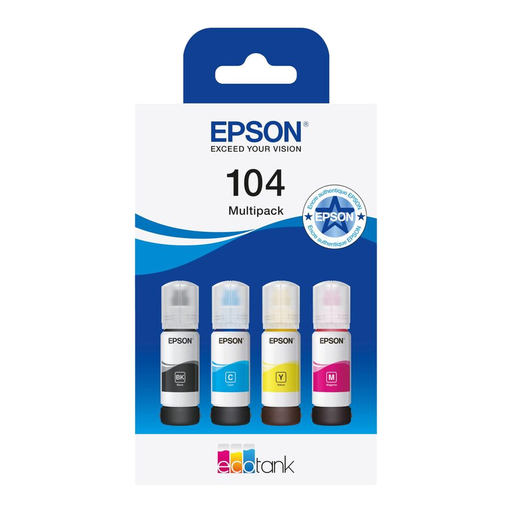
Why We're Mentioning It Note: this is not a cartridge pack, but a set of refill bottles for the Epson EcoTank printer range. We're mentioning it as an alternative to consider for heavy ink users who might be thinking about changing their printer. The EcoTank principle?? It replaces cartridges with fixed ink tanks that you refill yourself.
Highlights
Who is it for?? Exclusively for owners of Epson EcoTank printers (like the ET-2710 or ET-4700). This is a path worth seriously exploring if you print several hundred pages per month and your supplies budget is a key concern.
The range of printer supplies is vast. If the products above don't match your hardware or if you're looking for a specific part number, other options are available.
Explore our full department to find the ink cartridge or bottle you need.
The difference lies in the ink volume and, consequently, the page yield. The Epson 603XL (high-capacity) cartridge contains more ink than the standard 603 version. It therefore prints more pages and has a lower cost per page, making it more cost-effective in the long run for regular use.
The easiest way is to check your printer's manual or look directly on the device, often near the cartridge housing. Compatible models are also listed on the cartridge packaging and on online product pages. As a reminder, the 603 series is symbolised by a starfish, a handy visual cue.
You can indeed find "compatible" or "generic" cartridges on the market, manufactured by third-party brands. Unsurprisingly, Epson recommends using its genuine inks to guarantee optimal performance and consistent print quality. Using non-genuine supplies is not without risks?: degraded print quality, clogged printheads, or, more simply, the printer not recognising the cartridge.