
Livraison le jour même ou le lendemain

Qualité garantie

Débloquez vos offres de bienvenue: Livraison GRATUITE | Jusqu'à -80 % | 30 jours d'essai gratuits à JoyPlus
Téléchargez l'application
Buying engraving tools and machines isn’t just about comparing power or the number of accessories included. A device designed for wood can prove ill-suited to metal, while a laser machine intended for a professional workshop will often be overkill for a few hobby projects.
The most common mistakes come down to three pitfalls:
Here are the key criteria to consider before choosing a laser engraver, a rotary tool or a cordless engraving pen.
Start by listing the surfaces you actually plan to work on:
For versatile use, a multi-function engraving tool with adjustable speed generally offers more control than a single-speed device. Conversely, a laser engraver is more suitable for reproducing patterns, logos or text with consistent positioning.
Power should always be considered in relation to the task at hand. For finishing, small touch-ups or DIY projects, a moderate speed makes handling easier. For polishing, light cutting or drilling, a wider adjustment range can prove useful.
The Tilswall featured below claims a power of 160 W, six speed levels and a range of 8,000 to 33,000 rpm. These figures provide an objective basis for assessing its versatility, but the result will also depend on the bit fitted and the material being worked.
With a laser machine, also look at the onboard technology. A model combining a diode laser and a fibre laser can cover several types of work, particularly on wood and certain metals. An integrated camera aids positioning, but it doesn’t replace the need to check settings and safety devices before each use.
A kit packed with accessories can be handy, provided the bits supplied actually match your needs. In particular, check:
For a laser machine, take the time to read the manual, warnings and conditions of use. Some models are reserved for professional and commercial use, as stated on the xTool F2 product page. Also check the compliance information for France and the European Union, especially before installing one in a workshop.
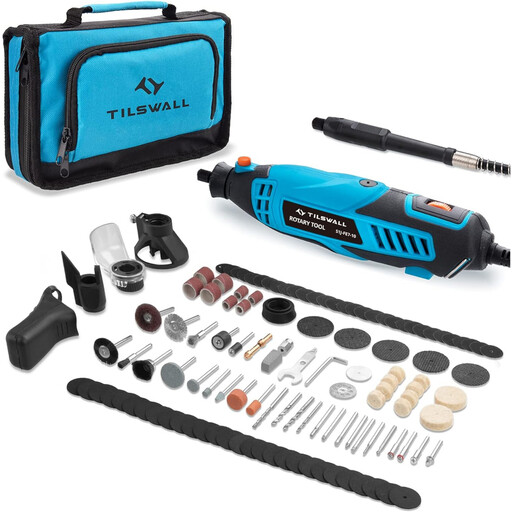
Why this choice suits this profile: It’s aimed at DIYers who want to engrave, sand, polish, drill and make small cuts with a single device, on wood, metal, glass, aluminium or plastic.
Its six speeds let you adapt the rate to each task, rather than having to work with a single setting.
Motor rated at 160 W, range of 8,000 to 33,000 rpm, LED lighting, auxiliary handle and 145 accessories.
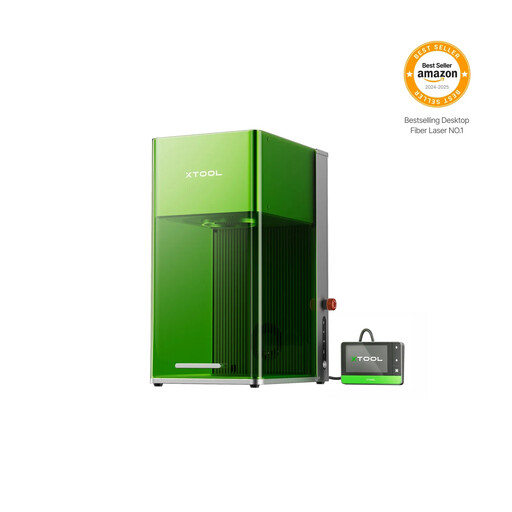
Why this choice suits this profile: Its dual technology targets personalisation workshops and jewellery makers looking for a 3D engraving machine capable of working with multiple materials.
Combining a fibre laser and a diode laser prevents the machine from being limited to a single family of surfaces, provided material compatibility is checked.
Rated power of 20 W, speed up to 10,000 mm/s, smart camera and wood and metal machining functions.
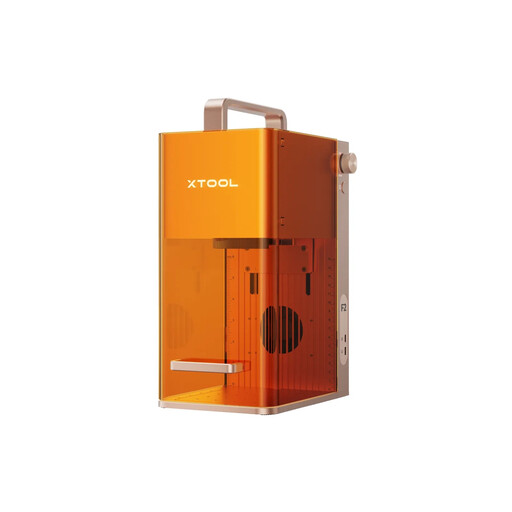
Why this choice suits this profile: This model is aimed at professionals in commercial material processing, for small-batch personalisation and on-site marking.
The product page states that the machine is reserved for professional and commercial use – a useful indication to avoid buying it thinking you’ll simply use it at home.
5 W infrared laser, 15 W diode, integrated 50 MP camera and speed up to 6,000 mm/s.
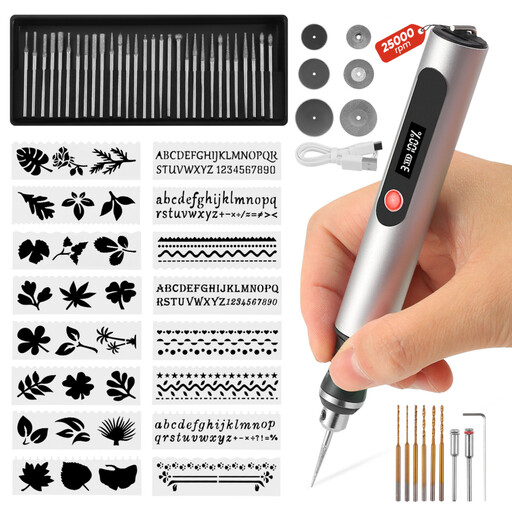
Why this choice suits this profile: Its compact format is ideal for touch-ups, small objects and DIY engraving projects, with no mains cable to get in the way while you work.
The digital display and three speeds make adjustments clearer than with a model lacking any indication.
USB-C charging, three speed settings and 30 tips stated for wood, metal and glass.
We’ve compiled a comprehensive, real-time selection of products that meet these demanding criteria, while also taking European safety regulations into account.
Engraving accessories have a direct impact on precision and the lifespan of your equipment. Plan for several bit shapes, discs suited to the materials, supports to hold workpieces and a closed storage box. With an engraver intended for wood and metal, don’t use the same accessory without checking its condition and compatibility.
Clean the chuck and ventilation openings of a rotary tool regularly. For a laser machine, follow the maintenance frequency stated in the manual and install it in a well-ventilated space. Dust and residue can degrade the finish, interfere with the camera or reduce visibility of the work area.
For a personalised gift, an engraved music box offers another way to approach engraving. The Alphynix “Can’t Help Falling in Love” model is made from solid wood and fitted with a manual wind-up metal mechanism. The Romantic Musical Gift Alphynix music box could suit Valentine’s Day, a wedding anniversary or a ceremony. For a message intended for your wife, the Alphynix “To My Wife” music box features a similar presentation. A dry cloth is enough to clean them – just avoid moisture.
A rotary tool with adjustable speed is generally the most accessible choice for learning the right techniques, testing different bits and working on small pieces. However, make sure it offers a stable grip, isn’t too heavy and that replacement accessories are easy to find.
No. Compatibility depends on the laser technology, the composition and thickness of the material. Consult the manual before engraving plastic, glass, painted metal or any material whose composition isn’t clearly identified. Never use a laser without following the protections and instructions provided by the manufacturer.
The cost isn’t limited to electricity consumption. You also need to factor in consumable bits, lenses and maintenance items for a laser, supports, extraction or ventilation, as well as any spare parts. A versatile device can avoid buying several tools, but only if the accessories supplied actually match your projects.