
Livraison le jour même ou le lendemain

Qualité garantie

Débloquez vos offres de bienvenue: Livraison GRATUITE | Jusqu'à -80 % | 30 jours d'essai gratuits à JoyPlus
Téléchargez l'application
Are you a streamer, content creator, or a professional seeking peak efficiency? Juggling countless applications and keyboard shortcuts can quickly become a headache. A streaming console like the Elgato Stream Deck promises to bring order to this chaos. But with different versions and the siren call of marketing, the risk of making the wrong choice is real. This guide breaks down the key points to help you choose wisely.
Before you even start comparing spec sheets, keep these two common mistakes in mind that often lead to buyer's remorse.
For an informed choice, focus on these aspects that will make a difference in your daily use.
The heart of a Stream Deck is its keys. The Elgato Stream Deck MK.2 features 15 customizable LCD keys. These mini-screens display static or animated icons that adapt to the active application or profile. This visual feedback is essential for acting on the fly without taking your eyes off your main task. Assess your actual needs: for most uses, from streaming to video editing, 15 keys organized into folders are more than enough.
While the Stream Deck is the perfect companion for OBS, Twitch, or YouTube, its potential doesn't stop there. Its strength lies in its native integrations and community-built plugins. Make sure it's compatible with your everyday tools:
The ability to trigger complex customizable keyboard shortcuts (macros) with a single press is a phenomenal time-saver for any professional.
Instead of an exhaustive list, here is a targeted recommendation for a very common use case to help you visualize the product in action.
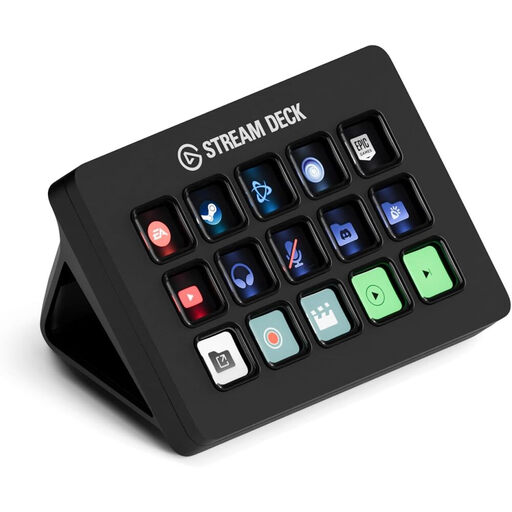
Why it's the right choice: Perfect for streamers, YouTube creators, and professionals who want advanced control without the bulk of an oversized peripheral. It's the ideal entry point into the Elgato ecosystem, offering the best balance of form factor, features, and price.
No need to overpay for superfluous keys. Its 15 buttons, combined with profiles and folders, can trigger hundreds of actions. This is more than enough for even the most demanding workflows.
Its unlimited access to the Stream Deck Store, with thousands of plugins, icons, and sound effects. The integration is seamless with hundreds of apps like OBS, Twitch, Spotify, and the Adobe suite.
Discover our full selection of products that meet our quality criteria and current standards.
A few answers to the most common questions before you take the plunge.
No, setup is a breeze. Just plug the device in via USB, download the free Stream Deck software from the Elgato website, and start customizing. The drag-and-drop interface is crystal clear: you pick an action from the right and drop it onto your chosen key on the left. Getting started is almost instantaneous.
Absolutely. It's also a fantastic productivity tool. Many professionals use it for video editing (shortcuts for cuts, color grading, exports), photo editing (Photoshop actions), music production (controlling a DAW), or even for office tasks (launching a Zoom meeting, pasting canned responses, controlling a presentation).
Stream Decks are known for their durability. With no complex moving parts, they are built to last. The lifespan will depend on your usage, but the build quality is top-notch. Most importantly, Elgato's exemplary software support ensures your device won't become obsolete anytime soon. To maintain it, simply dusting it regularly with a soft, dry cloth is all it takes.