
Livraison le jour même ou le lendemain

Qualité garantie

Débloquez vos offres de bienvenue: Livraison GRATUITE | Jusqu'à -80 % | 30 jours d'essai gratuits à JoyPlus
Téléchargez l'application
For a content creator or streamer, image quality is paramount. You've invested in a next-gen console like the PS5 or Xbox Series X, and you want to share your gameplay in flawless clarity. The problem?: The capture card market is a jungle of technical jargon and marketing promises that don't always deliver.
Choosing the wrong equipment is a surefire way to waste time and money—and above all, to degrade the quality of your content. Before you make a purchase, here are the three pitfalls you must absolutely avoid.
To avoid falling into the trap, focus on the few specifications that truly matter and define a capture device's performance.
It's essential to understand the difference between these two features?:
Modern consoles like the PS5 and Xbox Series X feature cutting-edge display technologies. Your capture card needs to keep up?:
Good hardware should be seamless. Opt for a plug-and-play model that doesn't require any complex driver installations. Compatibility with leading streaming software, like being an OBS-ready capture device or working with Streamlabs, is also essential. Finally, make sure it supports all your consoles, including the PS5, Xbox, and even the upcoming Nintendo Switch 2.
Instead of an endless list, we've matched products to specific needs to help you find the gear that's truly right for you.
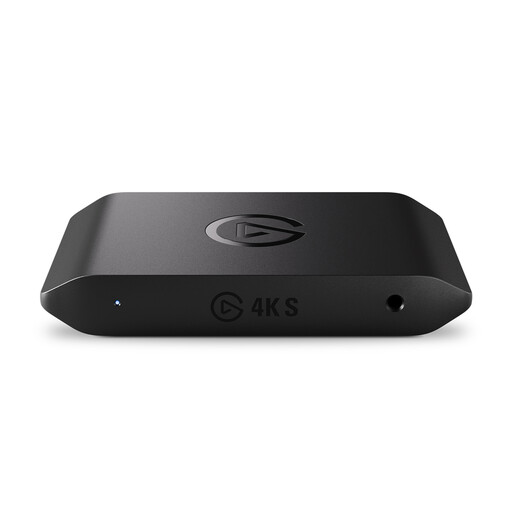
Why it's the right choice : Perfect for the streamer who strives for excellence. This device is built for next-gen consoles and guarantees professional production quality, hassle-free.
No false promises here : we're talking true 4K60 capture and high-refresh-rate modes (up to 1440p120). It handles VRR passthrough and HDR10 capture (on Windows), checking all the boxes to prevent nasty surprises.
Plug-and-play driverless setup, ultra-low latency that lets you play directly in the OBS window, and broad compatibility (Windows, macOS, iPadOS, PS5, Xbox).
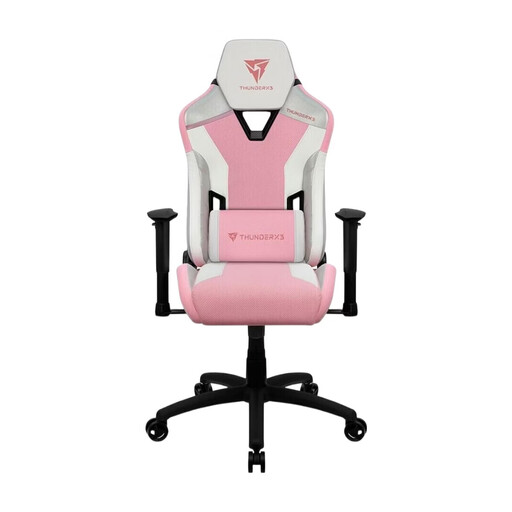
Why it's the right choice : A multi-hour stream takes preparation. And while image quality is crucial, your comfort is just as important for maintaining energy and focus—something your audience will notice.
The classic trap is to focus entirely on capture hardware and forget the most important component : you. Getting a good chair is an investment in your own stamina and the longevity of your channel.
High-density foam for firm, durable support. Adjustable head and lumbar cushions for perfect spinal alignment during long sessions.
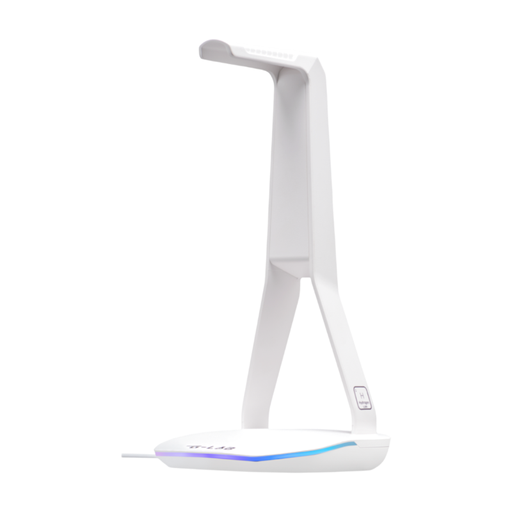
Why it's the right choice : A clean desk, a clear mind. For a streamer, an organised setup is the key to a stress-free session. This stand doesn't just store your headset; it centralises your connectivity.
No more headaches from tangled cables or a lack of nearby USB ports. This accessory frees up space and mental load so you can focus on what matters : your content.
Its built-in hub (2x USB 2.0, 1x USB-C) is perfect for connecting a mouse, keyboard, or charging your smartphone. Its non-slip base ensures rock-solid stability.
Discover our full selection of tested and approved gear that meets the demands of today's creators.
Absolutely. Capturing and encoding a 4K60 feed in real time is very resource-intensive. To avoid any slowdowns and ensure a smooth stream, a powerful PC is a must. Aim for a recent processor (like a late-generation Intel Core i7 or AMD Ryzen 7) and a dedicated graphics card (NVIDIA GeForce 30-series or an AMD equivalent). When in doubt, always check the manufacturer's recommended system requirements.
It's very simple. First, disable HDCP in your PS5's settings (System > HDMI > Disable HDCP). Then, follow the connections?: run an HDMI cable from the PS5 to the card's "HDMI IN" port, and another from the card's "HDMI OUT" port to your monitor. All that's left is to connect the card to your PC via USB, and your streaming software will automatically detect it as a new video source.
Be aware that support for advanced features like HDR10 often depends on your operating system. For most devices, including the Elgato Game Capture 4K S, HDR10 capture is officially supported on Windows. If you're on macOS, it's crucial to check the manufacturer's spec sheet before buying to avoid disappointment.