
Livraison le jour même ou le lendemain

Qualité garantie

Débloquez vos offres de bienvenue: Livraison GRATUITE | Jusqu'à -80 % | 30 jours d'essai gratuits à JoyPlus
Téléchargez l'application
Spending long hours sitting, whether you're working from home or at the office, often takes a toll on your back and morale. To combat a sedentary lifestyle and its negative effects, one solution is gaining traction: the electric standing desk. By allowing you to effortlessly switch postures throughout the day, it's the key to improved well-being and renewed productivity.
But the market is flooded with models, and it's easy to get lost. Don't worry: this guide is here to give you all the insights you need, with crystal-clear selection criteria and our top picks to help you find the ergonomic desk that will transform your daily routine.
Before you take the plunge, let's review the crucial points to check to ensure your future desk perfectly meets your expectations.
The first and most obvious step: assess the space you have available and your surface area needs. A 120 x 60 cm desktop is usually sufficient for a laptop and one monitor. However, if your setup includes multiple monitors or if you like having space for notebooks and other peripherals, a more generous model, like a 160 x 70 cm, will be much more comfortable. Don't forget to measure your room to ensure the desk will fit in harmoniously, even when adjusted to its maximum height.
The motor is the heart of your future desk. A quiet model is a non-negotiable criterion to preserve your concentration and the peace of those around you. The other life-changing feature is position memory. It allows you to save your ideal working heights (sitting and standing) to switch between them with a single press. Say goodbye to approximate adjustments! Finally, small perks like an integrated USB-C port for charging your devices can be very practical for keeping an adjustable workstation clean and well-organised.
Your desk must be able to support all your equipment without wobbling. Take a look at the maximum load capacity: a value around 70 kg, for example, is a solid standard that covers most remote work desk setups, even with a PC tower and multiple screens. The sturdiness of the frame, often made of steel, is just as crucial. It ensures the overall stability and prevents annoying shakes, especially when the desk is in its highest position.
We have selected three models for you that stand out for their value for money and features, catering to different needs and budgets.
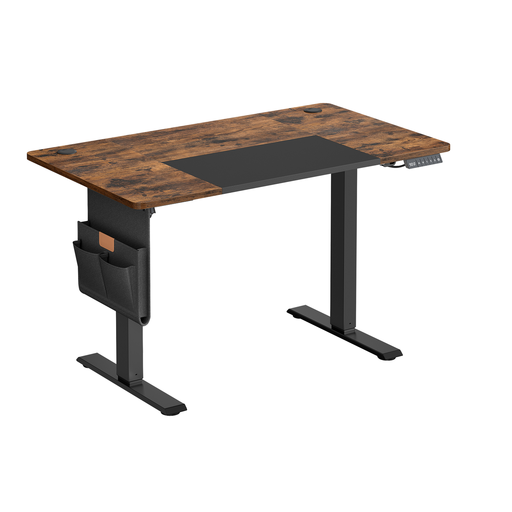

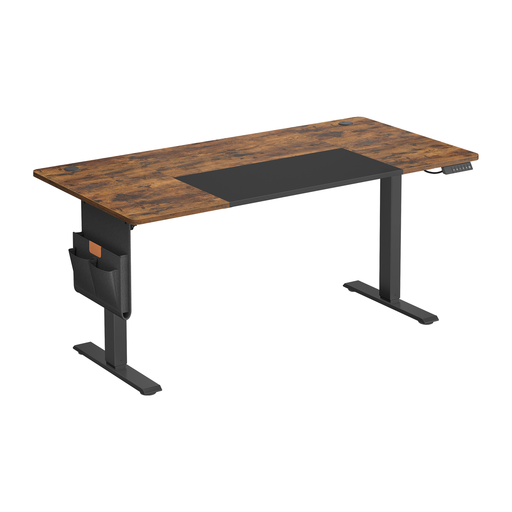
The classic rectangular desk doesn't suit every room. If your layout requires a different shape or if you're looking for integrated storage, other options are available.
To optimise a corner and maximise your work surface, feel free to check out our selection of corner desks with storage for remote work.
Yes, and it's even a must-have if you plan to use it daily. No more of the chore of finding the perfect height every time! One press of a button, and the desk adjusts. This is what will encourage you to actually alternate positions without thinking about it.
Most quality models, like the ones in our selection, support a static load of around 70 kg. This is more than enough for a standard setup with one or two monitors, a laptop, a PC tower, and a few accessories. However, you should still check this specification to ensure it's compatible with the weight of your equipment.
Manufacturers have made huge strides in simplifying assembly. Today, most desks come with clear instructions and well-labelled parts. Assembly is therefore within everyone's reach, even if you're not a DIY expert. One piece of advice, though: plan to have a second person to help you handle the heavy desktop and frame without difficulty.