
Livraison le jour même ou le lendemain

Qualité garantie

Débloquez vos offres de bienvenue: Livraison GRATUITE | Jusqu'à -80 % | 30 jours d'essai gratuits à JoyPlus
Téléchargez l'application
Back pain, a stiff neck, general fatigue… Long days spent sitting, whether at the office or working from home, eventually take their toll. One solution is becoming increasingly popular for regaining energy and comfort: the electric standing desk.
Simply alternating between sitting and standing improves well-being and boosts concentration. But with an overwhelming number of options available, how do you navigate the choices? This guide is here to help you see things more clearly, breaking down the essential criteria and presenting a selection of models that have caught our eye.
Purchasing an ergonomic desk shouldn't be taken lightly. To ensure you make the right choice, here are the criteria to examine closely.
First step: out with the tape measure! Measure your available space. Your future desk needs to fit into the room without overwhelming it. Next, ask yourself how much workspace you really need: one or two monitors? A laptop? Room for documents?
Finally, make sure you like the desktop material, both in terms of aesthetics and durability.
The motor is the heart of your electric desk. A good motorised desk must offer smooth, fast, and, above all, quiet height adjustment. No one wants to hear the sound of a power drill just to switch from sitting to standing.
Certain features can really make your life easier:
Stability is non-negotiable. A height-adjustable desk must be rock-solid, even at its highest position. A sturdy steel frame is often a sign of quality. Also, check the maximum load capacity (in kg): it must be able to support all your gear (monitors, PC, peripherals...). A capacity of 70?kg is a good benchmark that covers most setups.
After extensive testing and comparison, here are the models that caught our eye, designed for different users and workspaces.
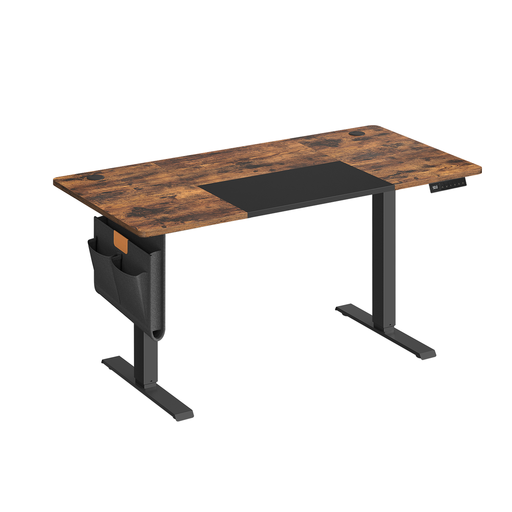
Why it stands out: This model offers an excellent balance between compact size and features. With its 140?x?60?cm dimensions, it's perfect for home offices or spaces where every square inch counts. The motor ensures a smooth transition (from 72 to 120?cm), and the control panel makes customisation easy.
Key features:
Who is it for? It's the smart choice for remote workers or students who want a complete, well-equipped ergonomic solution without sacrificing their entire space.
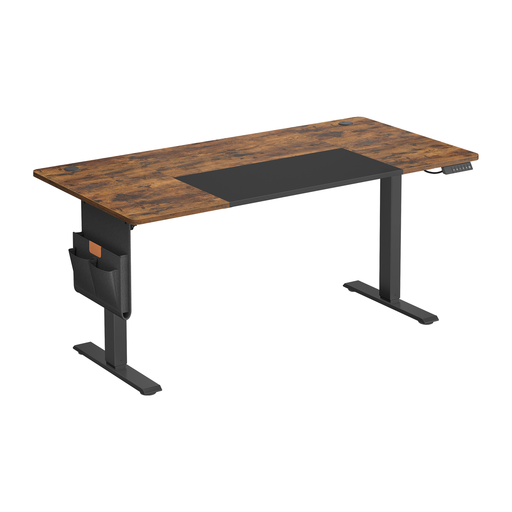
Why it stands out: This model takes it up a notch with a spacious 160?x?70?cm desktop. It's the ideal work surface for those who like to have plenty of room, juggling multiple screens, paper documents, and various gadgets. It retains the key strengths of the previous model (quiet motor, position memory) but with XXL user comfort.
Key features:
Who is it for? Perfect for freelancers, creatives, and any professional who needs a large work surface to organise their setup and projects without feeling cramped.
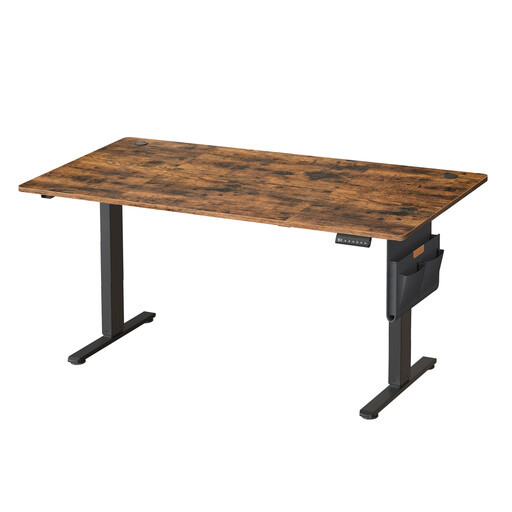
Why it stands out: This model proves that ergonomics can go hand-in-hand with elegance. It combines the benefits of a large height-adjustable desk with a stylish rustic brown finish. The work surface is nearly identical to the previous model (160.1?x?70.1?cm), and it includes everything you'd expect from a great electric desk: a quiet motor, 4 height memory presets, and a heavy-duty frame.
Key features:
Who is it for? For those who refuse to choose between ergonomics and style. This is the ideal desk if you want your workspace to integrate seamlessly into your home decor.
Didn't find a model that checks all your boxes? Looking for a different style or other materials? Our catalogue is full of other solutions to help you create your dream workspace.
Discover our collection of MDF and metal tables
There's no single magic number; it all depends on your body! Here is the golden rule of ergonomics:
Rest assured, your electricity bill won't skyrocket. A motorised desk only consumes energy during the few seconds it takes to adjust the height. In standby mode, its consumption is negligible, comparable to any other device plugged in and on standby.
Generally, no. Most modern desks are designed for simple assembly. The models in our selection, for example, come with clear instructions and well-identified parts to guide you step-by-step. While it's possible to do it alone, having a second person is always helpful, especially for handling the heavy desktop safely.