
Livraison le jour même ou le lendemain

Qualité garantie

Débloquez vos offres de bienvenue: Livraison GRATUITE | Jusqu'à -80 % | 30 jours d'essai gratuits à JoyPlus
Téléchargez l'application
By our Joybuy product experts, July 28, 2026
Remote work, freelancing, studying… Long hours spent in front of a screen take a toll on the body. Sitting for too long is a recipe for discomfort and flagging concentration. The electric standing desk has emerged as the ideal solution for bringing movement back into our days, allowing you to effortlessly alternate between working postures.
But with so many options available, how do you choose? This guide breaks down the essential criteria and presents a selection of models to help you create a workspace that is as functional as it is comfortable.
Before you take the plunge, a few technical points deserve your attention. They will make all the difference in your daily routine. Here are three criteria to guide you.
The first step is to measure your available space. A height-adjustable desk needs to fit into your room without cluttering it. Also, consider the desktop surface area you need for your equipment: a single laptop has different requirements than a setup with two monitors, a graphics tablet, and paper documents. Common sizes range from 120 x 60 cm for compact spaces to 180 x 80 cm for those who need a large work surface.
The heart of an electric desk is its motorised system. A quality motor ensures a smooth and quiet transition between sitting and standing positions—an essential feature for staying focused and not disturbing others.
Perhaps the most practical feature is a desk with height memory. It allows you to save several preset heights (for example, one for sitting, another for standing). A single button press is then all it takes to adjust the desktop to the ideal height, without having to find it manually each time. Some motorised workstation models even include USB-C ports to charge your devices, a game-changing detail for keeping your workspace clutter-free.
An ergonomic desk is about more than just its height adjustment. Storage and cable management options are essential for maintaining a tidy and functional workspace. Check for cable grommets, hooks for hanging a headset or bag, and side storage pockets. These accessories, often seen as minor details, make a real difference in daily comfort and productivity, especially for an electric desk for remote work.
To help you see more clearly, we've reviewed three models that cater to various needs and budgets.
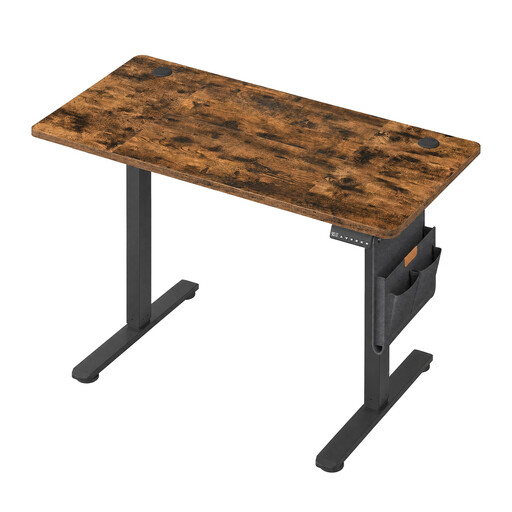
Why it stands out: This model is an excellent option for optimising a small workspace without compromising on essential features. Its compact dimensions (120 x 60 cm) make it easy to fit into a bedroom, studio, or office nook.
Advantages:
Who is it for? Ideal for students, remote workers with limited space, or those with a simple setup (a laptop and one monitor).
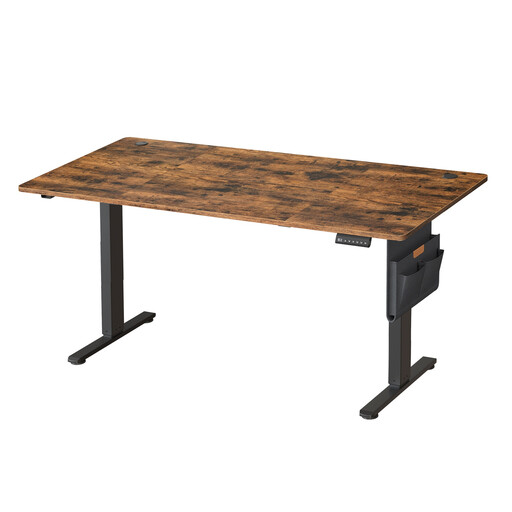
Why it stands out: With its very generous desktop, this desk offers a vast and comfortable work surface, ideal for professionals who juggle multiple monitors, documents, and various peripherals.
Advantages:
Who is it for? Perfect for creative professionals, developers, architects, or anyone who needs a vast workspace to organise their equipment and projects.
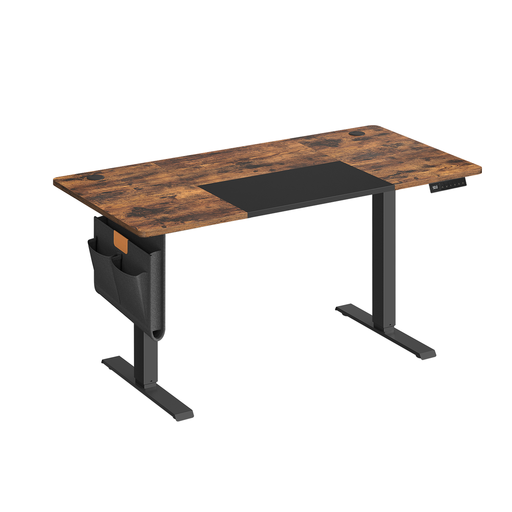
Why it stands out: This model strikes an excellent balance between a comfortable work surface and a manageable footprint. It includes thoughtful features like a USB-C port and sit-stand reminders.
Advantages:
Who is it for? A highly versatile choice that will suit most remote workers and freelancers looking for a functional desk with modern comfort features.
The models featured here have a rustic brown finish that easily blends into many decors. If you like this style, discover other variations and sizes in our collection.
Discover Our Selection of Brown Desks
That's a valid concern. Rest assured, modern models are particularly discreet. The motor's noise level during adjustment is often below 50 decibels, which is equivalent to a quiet conversation or a modern refrigerator. You can adjust it without disturbing your concentration or those around you.
No, most manufacturers have greatly simplified the process. The desks are delivered in a kit with detailed instructions and numbered parts. By following the step-by-step guide, one person can complete the assembly in under an hour, with no special technical skills required.
It's very simple. When sitting, adjust the height so your forearms form a 90° angle with your upper arms, with your elbows resting on the desktop. Your feet should rest flat on the floor. For the standing position, the rule is the same: your elbows should be at a 90° angle when your hands are on the keyboard. This is where the height memory feature really shines: it allows you to save these two positions and return to them in an instant.