
Livraison le jour même ou le lendemain

Qualité garantie

Débloquez vos offres de bienvenue: Livraison GRATUITE | Jusqu'à -80 % | 30 jours d'essai gratuits à JoyPlus
Téléchargez l'application
Upgrading an older car with a 10.4-inch 1 DIN CarPlay Android Auto car stereo can transform your journeys, making navigation, calls and music easier to manage. But with extra-large screens, built-in GPS, smartphone mirroring and claims of universal compatibility, product descriptions can sometimes be confusing. Here are a few things to check before you order.
A 1 DIN car stereo has a compact installation format. That doesn’t mean the screen has to fit within the dimensions of the dashboard opening: it can extend well beyond it. A 10.4-inch model with a floating or rotating screen won’t install like a conventional, fully recessed car stereo.
Check the dimensions of the dashboard aperture, the available depth, the shape of the dashboard fascia and the space around the air vents. Even if a car stereo is described as “universal”, you may need a trim adaptor, wiring harness or modified mounting bracket.
Wireless CarPlay and wireless Android Auto generally rely on your smartphone for navigation, calls, messages and compatible apps. The car stereo then displays the phone’s supported features. This doesn’t necessarily mean it has its own internet connection or built-in maps.
The term “GPS” can also refer to compatibility with your smartphone’s navigation apps. Check the technical specifications carefully to distinguish between built-in GPS, a GPS antenna, screen mirroring and Android Auto.
Compatibility with steering wheel controls, original speakers, an amplifier or a reversing camera depends on your vehicle. You may need a CAN bus adaptor, a vehicle-specific wiring harness or an interface to keep the original controls working.
Before ordering, take a photo of the connectors behind your car stereo and check the manual. This simple step can help you avoid returns caused by an incomplete or incompatible installation.
The 1 DIN format is the first thing to check. However, a large touchscreen also needs a stable mount and enough clearance to rotate. A 90° rotating IPS screen can make it easier to see from the driver’s or passenger’s seat, as long as it doesn’t block the controls or your view of the road.
A resolution of 1024 × 600 pixels, as advertised for some models, is enough for menus and navigation. An IPS panel and a claimed 178° viewing angle can also make the screen more comfortable to read, although they don’t guarantee perfect visibility in bright sunlight.
For everyday use, look for features such as:
Bluetooth is enough for calls and music, but it won’t necessarily replace CarPlay or Android Auto for navigation and apps.
An advertised output of 4 × 45 W is the figure supplied by the manufacturer. The final sound also depends on your speakers, amplification and the car’s sound insulation. If you use an external amplifier, check the available outputs carefully.
When driving, use voice controls and make adjustments when parked. The screen shouldn’t distract you or obstruct your view. Before installing a reversing camera, check the voltage, signal type and trigger method. A camera input doesn’t necessarily mean a camera is included.
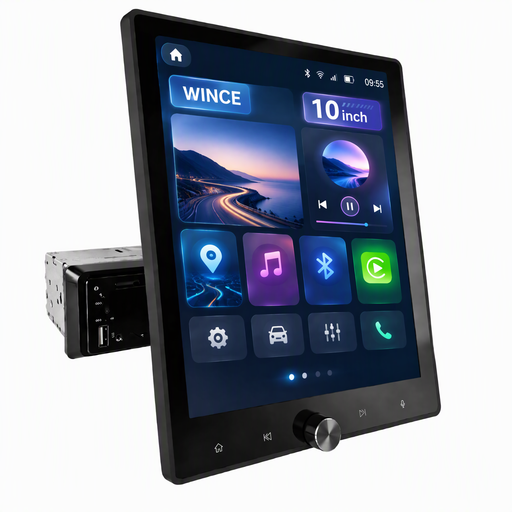
Why this suits you : This multimedia player brings all the essentials together in one unit : a 10.4-inch touchscreen, wireless CarPlay and Android Auto, Bluetooth, FM, USB, AUX and TF. It’s ideal for drivers who want everything in one place without having to collect extra accessories.
The product details specify the single-DIN format, manual 90° rotation and 1024 × 600 pixel resolution. You’ll still need to check which mounts and adaptors your vehicle requires.
Rotating capacitive IPS screen, Bluetooth 4.2, reversing camera input, advertised output of 4 × 45 W and the option to retain steering wheel controls, depending on your vehicle’s wiring.
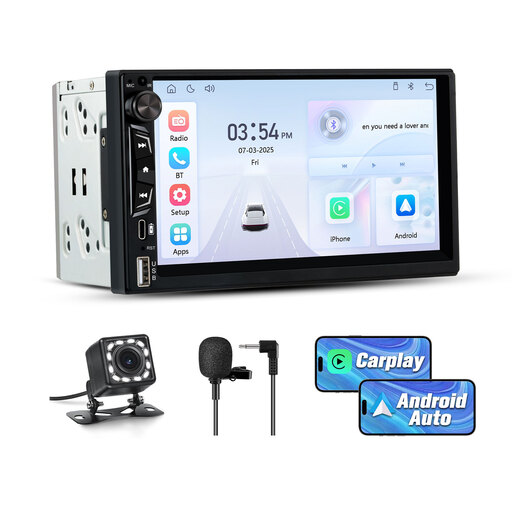
Why this suits you : This option is for owners whose dashboard can accommodate a 2 DIN unit and who want a more conventional fit, with a 7-inch IPS screen, GPS, Bluetooth and a rear camera.
The 2 DIN format is clearly stated, helping you avoid ordering this car stereo for a 1 DIN aperture without first checking what adaptations your vehicle needs.
CarPlay and Android Auto with or without a cable, 1024 × 600 screen, camera input, stated steering wheel control compatibility and an external microphone supplied, depending on the configuration.
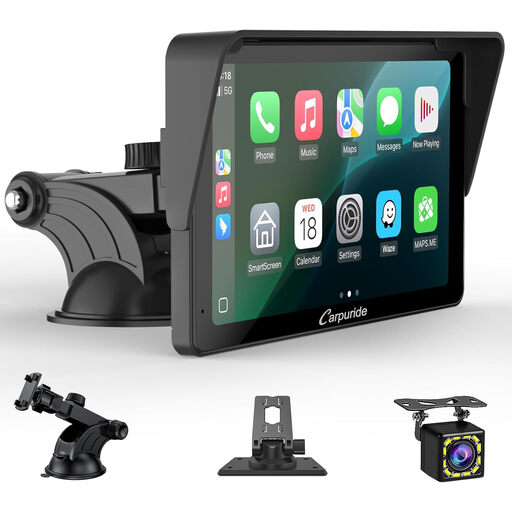
Why this suits you : This portable display is ideal if you don’t want to take apart your dashboard or you use more than one vehicle. It’s a convenient alternative to replacing a 1 DIN car stereo altogether.
Its portable design helps avoid issues with dashboard fascia compatibility. Still, check the power supply and mount to make sure the display stays completely secure.
7-inch 1080p screen, AirPlay and wireless Android Auto, Bluetooth 5.0, MirrorLink function and an advertised 720p reversing camera.
We’ve put together a comprehensive selection, updated in real time, of products that meet these demanding criteria while taking European safety regulations into account.
Yes, if the screen is mounted on a floating fascia or a rotating mechanism. The chassis remains 1 DIN, but the screen takes up more space in front of the dashboard. Measure the available area carefully before you buy.
Compatibility depends on the operating system, your phone’s software version and the car stereo’s specifications. Check compatibility with Apple CarPlay and Android Auto separately. A USB connection can be a useful backup if the wireless connection is unstable.
Not necessarily. However, installation may require some knowledge of power connections, earth, video signals and steering wheel controls. If your car has an amplifier, a multiplexed system or a factory-fitted camera, you may need a compatible interface. A secure, properly fitted installation can also help preserve your vehicle’s original functions.