
Livraison le jour même ou le lendemain

Qualité garantie

Débloquez vos offres de bienvenue: Livraison GRATUITE | Jusqu'à -80 % | 30 jours d'essai gratuits à JoyPlus
Téléchargez l'application
The reign of the cotton swab—often discouraged because it tends to push earwax deeper rather than remove it—is coming to an end. Enter the ear cleaner with a camera, also known as a smart otoscope, for a more precise and visual approach to at-home ear hygiene. The problem?: the market is flooded with models making questionable claims, and it's easy to fall into traps that turn a potentially useful purchase into a disappointing, or even risky, experience.
Before you dive in, here are the three main pitfalls that can turn a practical tool into a useless, or even dangerous, gadget:
camera ear pick is nothing without a solid connection to your smartphone. A buggy app, repeated Wi-Fi disconnections, or incompatibility with your operating system (iOS or Android) will render it completely useless.To avoid these nasty surprises and make the right choice, focus on objective technical specifications. These are the true markers of quality and safety for an ear endoscope.
Successful visual ear cleaning depends on a perfectly clear image. Don't just trust the marketing claims.
Here, safety is paramount. The choice of tips is a non-negotiable criterion.
earwax removal kit includes several tip sizes or shapes to fit your specific needs.The entire user experience hinges on a smooth connection between the otoscope and your phone.
Rather than an exhaustive list, we've selected a few products that match specific user profiles, based on the safety and performance criteria discussed above.
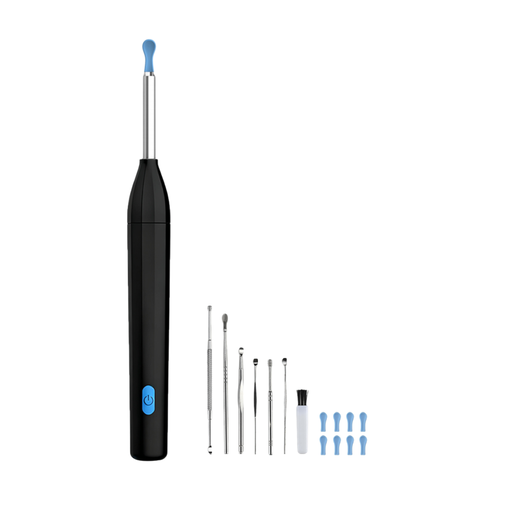
Our take : Perfect for getting started with visual ear cleaning without the hassle. It offers an excellent balance of features and ease of use for a first-time experience.
Its 5 MP camera provides sufficient image quality for a precise clean, sidestepping the trap of low resolutions. The included soft silicone tips prevent any risk of irritation.
It comes with a complete 7-piece accessory kit and has a washable camera head (IPX5), making it a ready-to-use, comprehensive, and hygienic solution.
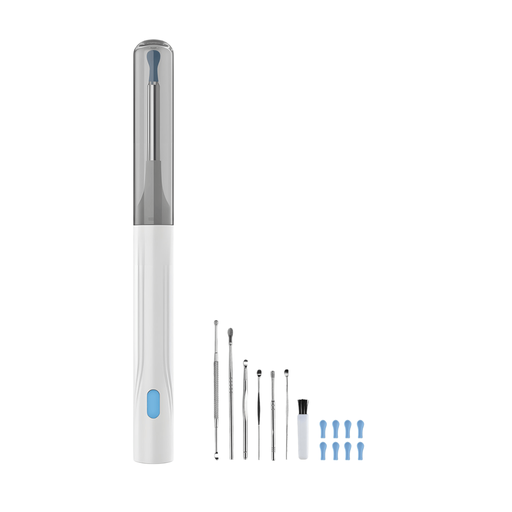
Our take : For those who refuse to compromise on image clarity. Its high resolution allows you to see the finest details, ensuring safer handling and maximum confidence.
With its 10 MP HD camera, it directly solves the problem of poor-quality images. The clarity is so sharp that you can easily distinguish earwax from the ear canal wall.
The superior image resolution, combined with the 6 LEDs, offers a level of detail that makes all the difference for safely `removing earwax buildup at home`.
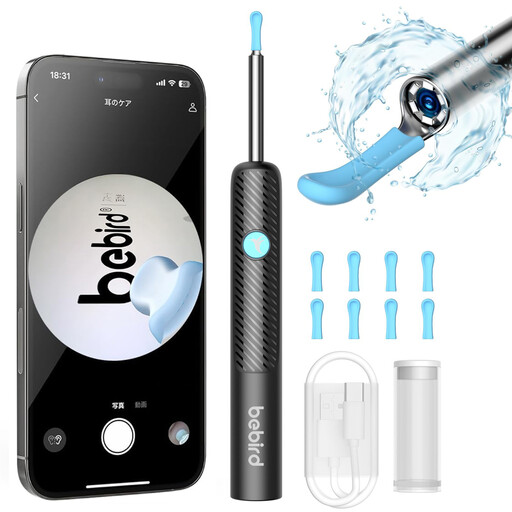
Our take : An excellent option for parents or individuals with sensitive ears, thanks to its very slim tip and built-in safety features.
It addresses the fear of dangerous tips with its ultra-thin 3.5 mm design and safety stoppers that prevent overly deep insertion. This is a particularly reassuring feature for use on children (under supervision, of course).
Its IP67 waterproof rating (for the lens) allows for easy cleaning of the tip, ensuring perfect hygiene between uses. A real bonus for shared use within the family.
We have compiled a complete selection of products that meet our quality criteria and safety standards.
When used correctly, it's a compelling alternative to traditional methods. The key to safety is simple?: always follow the user manual, never insert the device too deeply, and use slow, gentle movements. The advantage of the camera is that you can see exactly what you're doing. In case of pain, discomfort, or a pre-existing medical condition (perforated eardrum, infection, etc.), you must consult a healthcare professional.
Hygiene is paramount. After each use, remove the silicone tip and clean it with soapy water or a disinfectant solution. The camera lens is often water-resistant (check the IP rating, e.g., IPX5 or IP67), which allows you to rinse it gently. Be careful never to submerge the entire device in water. Dry all components thoroughly before storing the device.
No, and this is an important point. The otoscope creates its own local Wi-Fi network that your smartphone connects to directly. This means you can use it anywhere, even without access to your home router or cellular network. Simply enable Wi-Fi on your phone and select the device's network.