
Livraison le jour même ou le lendemain

Qualité garantie

Débloquez vos offres de bienvenue: Livraison GRATUITE | Jusqu'à -80 % | 30 jours d'essai gratuits à JoyPlus
Téléchargez l'application
Gone are the days of stacking notebooks and losing notes. For professionals and students alike, going digital has become a clear necessity. An E-Ink note-taking tablet promises an ideal world: a writing experience as natural as paper but without the distractions, flawless organisation, and smart features. Be warned, however: the market is a jungle of marketing promises that too often lead to disappointment. As a product expert at Joybuy, my mission is to guide you through this advertising fog so you can make the right choice, fully informed.
Before you pull out your credit card, it's crucial to know the three common traps that can turn a promising purchase into a daily headache.
To avoid these pitfalls, focus on the technical specs that truly matter and define the quality of a good digital notepad with a stylus.
It all starts with the screen. Two indicators must be scrutinised:
A smart digital notebook should, as its name suggests, actually save you time.
The right tablet for you depends primarily on your needs. Here are a few profiles to help you identify which type of product is the best fit.

Why it's a great pick: Ideal for those who juggle meetings, classes, and project management. It centralises everything: note-taking, PDF reading, planning... all powered by an AI designed for productivity.
It sidesteps the closed ecosystem trap thanks to its Google Play compatibility. Its voice transcription, which iFLYTEK claims supports 16 languages, checks the versatility box. Finally, its 300 PPI screen and low latency ensure a comfortable and responsive writing experience.
Multi-device sync (PC and mobile) and Google Calendar integration for perfectly centralised organisation.

Why it's a great pick: For those who want a do-it-all tablet: drawing, colour note-taking, and video streaming. Note that this is not an E-Ink screen, but an excellent alternative if colour and video fluidity are your priorities.
As a classic Android tablet with a 2K screen, it's free from the refresh rate limitations of E-Ink displays. It's built for multimedia, an area where e-ink tablets clearly struggle.
Its large, high-resolution colour screen and power (Helio G99 processor) make it an ideal tool for drawing, multitasking, and entertainment (video, games).
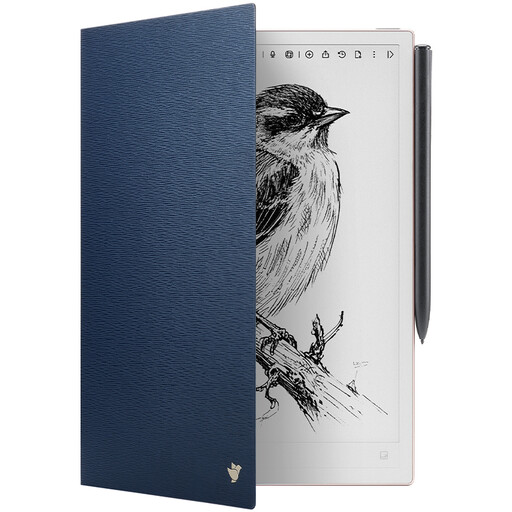
Why it's a great pick: For those who have invested in a tablet as slim as the AINOTE 2 and want to protect their work tool from the hazards of daily life.
It guards against the most basic pitfall: physical damage. A device this thin is inevitably more susceptible to scratches and bumps. This case, tailor-made for the AINOTE 2, ensures a perfect fit and optimal protection.
Reliable magnetic attachment and an auto sleep/wake function to preserve precious battery life.
We've compiled a complete, up-to-date list of products that meet our strict selection criteria.
One of the major advantages of E-Ink technology is its negligible power consumption. Where an LCD/OLED tablet runs out in a day or two, an E-Ink tablet can last for several weeks on a single charge with moderate use. For example, the AINOTE 2 model boasts up to 14 days of typical use.
Yes, absolutely. Most of these devices are also excellent e-readers. They support common file formats like PDF, EPUB, and MOBI. The e-ink screen, without tiring direct backlighting, offers a reading comfort very close to paper, ideal for limiting eye strain during long sessions.
The reliability of transcription (OCR) depends on two things: the legibility of your handwriting and the performance of the software. Recent models, whose AI has been trained on millions of handwriting samples, show stunningly accurate results. To optimise recognition, write as clearly as possible and choose a device with a reputation for high-quality software.