
Livraison le jour même ou le lendemain

Qualité garantie

Débloquez vos offres de bienvenue: Livraison GRATUITE | Jusqu'à -80 % | 30 jours d'essai gratuits à JoyPlus
Téléchargez l'application
By the Joybuy Editorial Team
Our smartphones and hard drives are overflowing with thousands of photos—precious memories that too often remain hidden in a digital gallery. The digital photo frame is the perfect solution to bring these moments back to life and share them with your loved ones. Whether it's to decorate your living room or as a gift idea for the family, choosing the right model can quickly become a headache given the plethora of available options.
This guide is here to break down the key features and present our top picks to help you make the right choice.
To ensure you make the right decision, it's essential to understand the features that set each model apart. Here are the criteria to examine closely to find the perfect frame for you.
How you add your photos is a fundamental deciding factor.
The display quality is at the heart of the experience.
A digital frame doesn't always just display photos. Many models also act as a photo and video player, allowing you to watch short video clips. Some can even play background music during the slideshow. Remember to check the internal storage capacity (in GB) and whether it can be expanded with a memory card.
To guide you, we've reviewed three models with distinct profiles.

Its Strengths This Kodak model takes a classic approach with its wood-effect finish and incredible ease of use. It gets straight to the point: displaying your memories with beautiful image quality, without the hassle of a Wi-Fi connection. Versatile, it can be placed on a piece of furniture or mounted on the wall.
Key Features
Who is it for? This frame is an excellent option for those looking for a reliable, 100% offline solution. It's perfect for people who prefer to manage their photos manually via a memory card or USB drive, without bothering with an app and its settings.
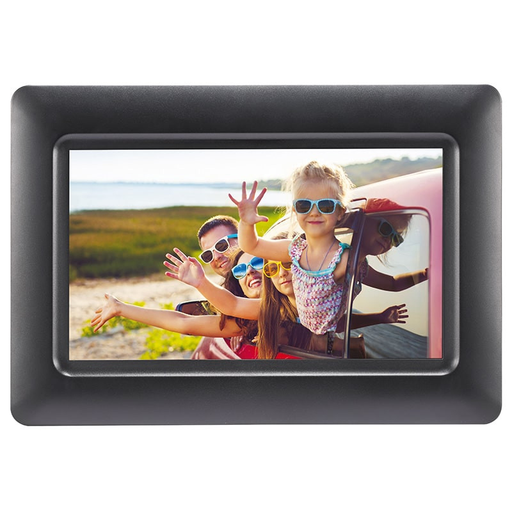
Its Strengths The AgfaPhoto APF700 is a compact and functional model. Its key advantage? Smart programming features, like the timer to automatically turn it on and off. A smart way to manage its energy consumption.
Key Features
Who is it for? Perfect for those looking for a discreet frame to place on a desk, in a bedroom, or any other small space. Its energy-saving function and simplicity make it a smart choice for hassle-free daily use.
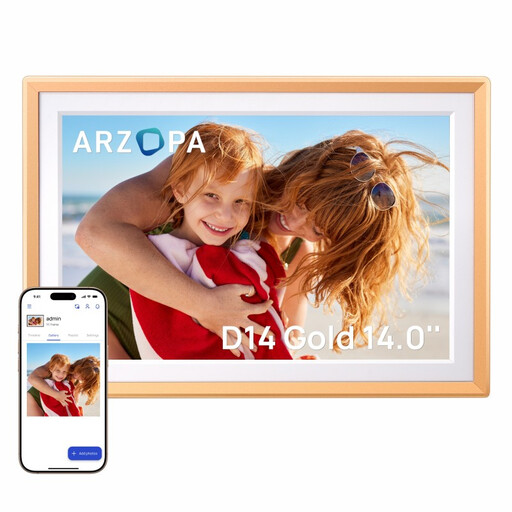
Its Strengths This ARZOPA model is the connected and premium option in our selection. With its large Full HD touchscreen, Wi-Fi connectivity, and generous internal storage, it's designed for a remote photo-sharing experience that is both seamless and immersive.
Key Features
Who is it for? This connected photo frame is the ideal gift for families who want to stay close despite the distance. It allows everyone to send their latest snapshots to their grandparents' or parents' frame, live and from anywhere.
Our selection highlights specific use cases, but the world of digital frames is much broader. Whether you're looking for a different screen size, a unique design, or specific features, many other options are available.
Discover all our digital photo frames
It all depends on the model. With a connected photo frame (Wi-Fi), everything is done through an app on your smartphone to send photos wirelessly. For a non-connected model, you just need to copy your files to an SD card or USB drive and then insert it into the frame's port.
Yes, almost all digital frames do not have a battery and must be plugged into a power outlet to work. Some models, like the AgfaPhoto APF700, include a timer function to automatically turn off at night and on again in the morning to save energy.
The choice mainly depends on where you plan to place it. A 7 to 8-inch screen is sufficient for a nightstand or a desk. The 10-inch size offers excellent viewing comfort in a living room or kitchen. Models that are 14 inches or larger are more like an animated painting and become a centerpiece of your decor.