
Livraison le jour même ou le lendemain

Qualité garantie

Débloquez vos offres de bienvenue: Livraison GRATUITE | Jusqu'à -80 % | 30 jours d'essai gratuits à JoyPlus
Téléchargez l'application
Are your holiday photos, your children's first steps, or the latest family gatherings piling up on your phone? Sharing these precious memories with your loved ones, especially with grandparents, isn't always easy. The digital photo frame is the perfect solution to bring your snapshots back to life and display them for the whole family to see, instantly and wherever you are.
But with the jungle of available models, it can be hard to know where to start. This guide breaks down the essential criteria to help you find the frame that perfectly meets your needs, whether you're looking for the perfect gift for grandparents or want to add a high-tech touch to your home.
To ensure you make the right choice, let's review the key points to check before you buy.
This is arguably the first criterion to consider, as it shapes the entire user experience.
The screen size, measured in inches, directly impacts viewing comfort. A 10-inch photo frame offers an excellent balance between visibility and a small footprint. For a more immersive effect, models of 14 inches or larger are also available.
Resolution is just as crucial. A high definition (e.g., 1920?x?1200 pixels) ensures sharp, detailed images, while a more modest resolution (like 1024?x?600) will suffice for smaller screens and tighter budgets.
The storage capacity determines how many photos your frame can hold.
We've selected three models that stand out from the crowd, each catering to different needs and budgets.
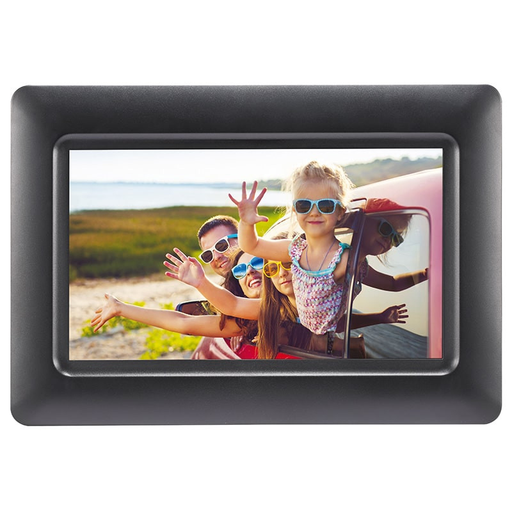
Why it stands out: This model is all about simplicity and efficiency. With no Wi-Fi or app, it gets straight to the point: displaying your photos, and that's it.
Key features:
Who is it for? Ideal for those who aren't tech-savvy or don't have a Wi-Fi connection. It's the quintessential simple and thoughtful gift that works right out of the box.

Why it stands out: The Magic Frame stands out with its AI animation feature, which can bring old photos to life. Its unlimited cloud storage is another major advantage.
Key features:
Who is it for? Perfect for families looking for a fun and modern way to share their memories. It's an excellent gift for grandparents, allowing them to receive picture updates from their children and grandchildren.
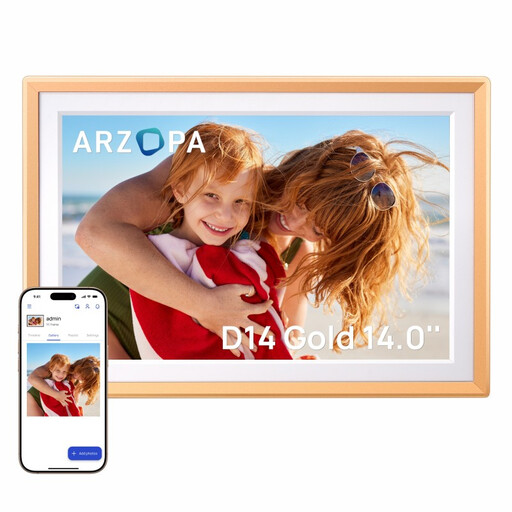
Why it stands out: With its huge 14-inch screen and metallic finish, the ARZOPA D14 is a true decorative piece that enhances your photos.
Key features:
Who is it for? For those seeking a high-end solution with a very large screen for their living room or office. It will delight fans of beautiful high-tech gadgets who demand the best display for their memories.
If a digital device isn't what you're looking for, or if you prefer the timeless charm of printed photos, a traditional multi-photo frame remains an excellent alternative. It allows you to create a collage of your favourite moments in a single decorative piece.
? Discover our selection of 4-picture photo frames for a more traditional approach.
For a Wi-Fi connected photo frame, sharing is done via a specific mobile app. After downloading the app and pairing it with the frame, you simply select the photos on your phone and send them. You can also invite other people to use the app so they can share their pictures on the same frame too.
Yes, almost all digital photo frames need to be plugged into a power outlet to work. They are rarely equipped with an internal battery, as they are designed for continuous display. However, most models include sleep modes or scheduling features to automatically turn off at night and save energy.
The capacity varies greatly from one model to another. Entry-level devices rely on an external memory card (up to 32?GB or more). Connected frames, on the other hand, often offer 16 to 32?GB of internal storage, enough to hold thousands of photos. Finally, some models like the Magic Frame offer unlimited cloud storage, removing any space limitations.