
Livraison le jour même ou le lendemain

Qualité garantie

Débloquez vos offres de bienvenue: Livraison GRATUITE | Jusqu'à -80 % | 30 jours d'essai gratuits à JoyPlus
Téléchargez l'application
A desk might seem simple to choose… until it’s time to set it up. A worktop that’s too shallow gets in the way of your screens, a structure that lacks stability quickly becomes annoying in daily use, and poorly thought-out storage ends up reducing the available space. Whether you’re a remote worker, a student, a couple or a gardener, your needs won’t be the same.
Before comparing styles and prices, it’s best to avoid three common pitfalls:
For a computer desk or a home office desk, depth directly affects comfort. A 120 x 60 cm desk works well for a laptop, one monitor and a few accessories. With two monitors, however, you’ll need to plan the layout carefully.
A 160 x 70 cm desk gives you more distance and space for a widescreen monitor, documents or a lamp. The 180 x 80 cm desk is better suited to spacious rooms, creative activities and a double desk shared by two people.
Also remember to measure:
A worktop made from particle board or MDF can be perfectly fine for everyday use, provided its thickness is adequate and the support is sturdy enough. A steel frame generally provides a more rigid base, but stability also depends on the quality of the assembly and the feet.
Here are the details to compare as a priority:
A laminated or treated worktop is easier to clean, but that doesn’t mean it can withstand prolonged exposure to water. For a potting table, place it in a sheltered spot and wipe up any splashes quickly.
A height-adjustable desk, also called a sit-stand desk, lets you alternate between positions throughout the day. Before choosing a model, check its adjustment range, the supported load, the control system and the safety instructions.
On an electric model, in particular, check for:
These features don’t replace proper installation: leave enough space around the worktop and keep electrical components away from any source of water.
The models below meet different needs. The dimensions, materials and features correspond to the product listings available at the time of writing.
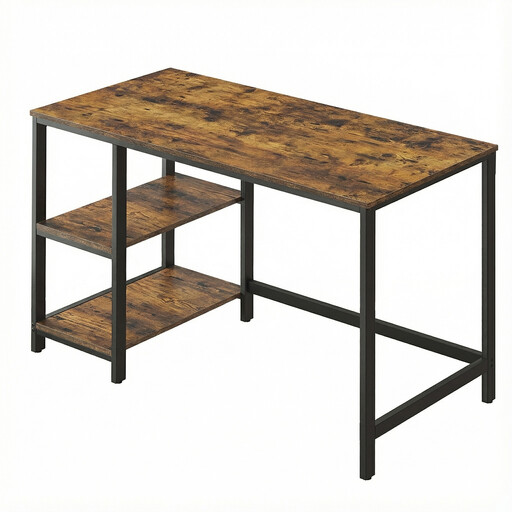
Why this choice suits this profile: its compact size fits easily into a bedroom, studio or office corner. Its two removable shelves let you adapt the storage to the equipment you use.
The adjustable feet compensate for small unevenness in the floor, while the shelves can be moved or removed depending on your equipment.
A 120 x 60 cm worktop, a steel frame, a stated load capacity of up to 50 kg and two removable storage shelves.
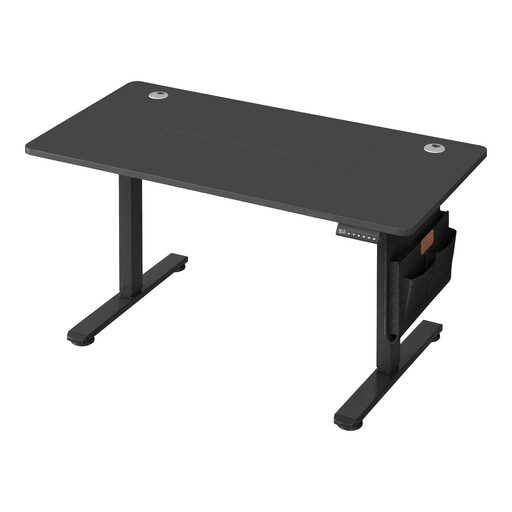
Why this choice suits this profile: this electric sit-stand desk is designed for those who want to alternate between sitting and standing work, with a surface well suited to home working.
The adjustment range of 72 to 120 cm, the memory function and the control lock make changing positions easy in daily use.
A USB-C port, two cable grommets, a fabric organiser, a hook and a stated static load capacity of 70 kg.
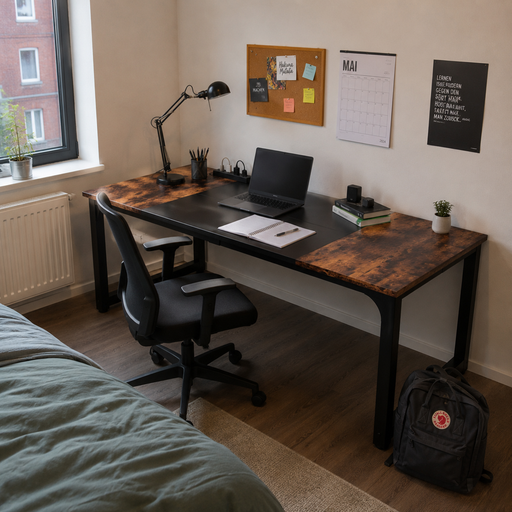
Why this choice suits this profile: its large worktop is ideal for a couple, a shared house or someone who works with multiple monitors and lots of documents.
The adjustable feet make levelling easy, while the metal frame limits movement across a width of 180 cm.
A 180 x 80 cm surface, steel legs, a 1.5 cm laminated worktop and a stated maximum load capacity of up to 260 kg.
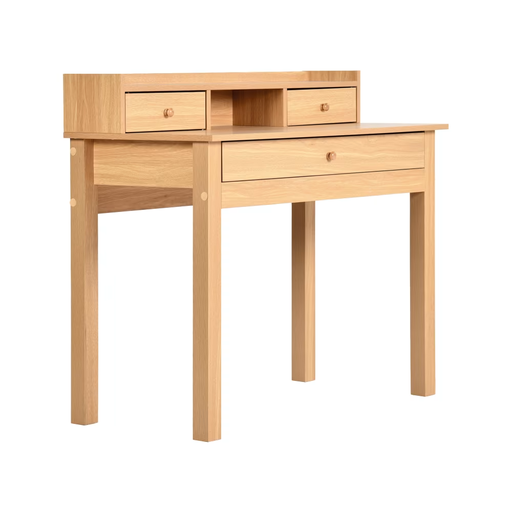
Why this choice suits this profile: this 100 x 50 x 90 cm unit can serve as a potting table on a covered balcony, in a greenhouse or on a shaded patio.
The built-in storage stops tools from piling up on the worktop. Using it in a sheltered spot and cleaning with a damp cloth limits prolonged exposure to moisture.
Three drawers, one open compartment, a light wood finish and a stated two-year guarantee against manufacturing defects.
We’ve put together a comprehensive, real-time updated selection of products that meet these selection criteria as well as the requirements of European safety regulations.
Once you’ve chosen your study desk, take the time to check that the screws are tight and the worktop is level. On an uneven floor, adjustable feet reduce wobbling. For an electric desk, test the raising and lowering without any obstacles, then keep cables away from moving parts.
To extend its lifespan:
A depth of 60 cm is enough for a compact setup. With a large monitor, a separate keyboard or for prolonged use, go for 70 to 80 cm to give yourself more distance and a better organised space.
The power consumption depends on how often you adjust it and the motor used. It generally remains low during movements, but it’s best to check the technical specifications of the model. Unplug the desk before cleaning it and avoid any contact between electrical components and liquids.
It all depends on the structure and the amount of storage. Models with labelled parts and an illustrated manual are generally easier to put together. Allow a clear workspace, check that all the parts are present before you start, then tighten the fixings again after a few days of use.