
Livraison le jour même ou le lendemain

Qualité garantie

Débloquez vos offres de bienvenue: Livraison GRATUITE | Jusqu'à -80 % | 30 jours d'essai gratuits à JoyPlus
Téléchargez l'application
The world of 3D printing is vast, and choosing the right equipment can seem complex. As a discerning consumer, you rightly expect hardware that is reliable, high-performing, and offers excellent value for money. The Creality brand is often mentioned for its wide range of machines, but how do you navigate the different models and their surrounding accessories?
My role, as a Joybuy Product Recommendation Officer, is to help you find clarity. I filter through market information to offer practical buying advice based on product features and their relevance for real-world applications. The goal is to guide you toward an informed decision, free from pure marketing jargon.
Before diving into specific models, a few core principles can guide your decision and ensure a smoother experience.
In Europe, all electrical devices must meet strict safety standards. Before any purchase, check for the CE marking. This symbol certifies that the manufacturer declares the product compliant with EU requirements for safety, health, and environmental protection. It's a mark of reliability that protects you from electrical hazards and ensures the device was designed according to rigorous specifications.
A Creality 3D printer is the heart of your workshop, but the quality of your prints also depends on its environment. Well-chosen 3D printing accessories can radically transform your results. For example, filament that has absorbed moisture can ruin a multi-hour print. Likewise, the ability to use multiple colours opens up new creative possibilities. Therefore, think about the entire workflow: from filament storage to the final printed object.
Two technical terms come up constantly: automatic levelling and direct drive extruder.
Here is a selection of hardware from the Creality ecosystem that meets specific needs, from the beginner seeking a reliable machine to the creator looking to push the boundaries of their production.
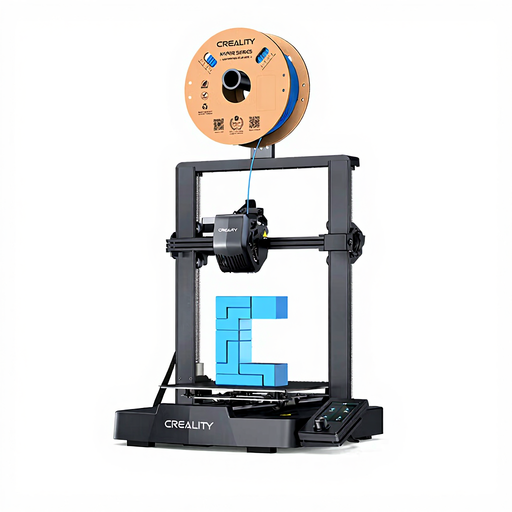
Why we recommend it
The Creality Ender 3 V3 SE strikes an excellent balance between affordability and modern features. It incorporates technologies once reserved for more expensive machines, such as CR Touch automatic levelling and a "Sprite" direct drive extruder. Its advertised print speed of up to 250 mm/s allows you to produce parts quickly without sacrificing ease of use.
Pros
Who is this product for? This model is a smart choice for hobbyists and beginners looking for their first high-performance, upgradeable 3D printer. It is also suitable for more experienced users who need a reliable second machine for small-batch production or rapid prototyping.
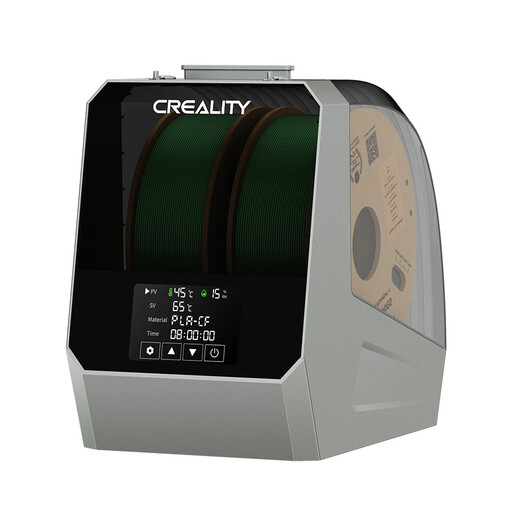
Why we recommend it
A 3D filament dryer is often the most worthwhile investment after the printer itself. Many filaments, such as PETG, nylon, or TPU, are hygroscopic: they absorb moisture from the air. This causes printing defects (bubbling, stringing, rough surfaces) and weakens the final part. The Space Pi Filament Dryer Plus heats the filament in a controlled manner to extract moisture, thereby restoring its original properties.
Pros
Who is this product for? This accessory is for any user concerned with the quality and repeatability of their prints. It becomes almost essential for those working with technical filaments or living in a humid environment.
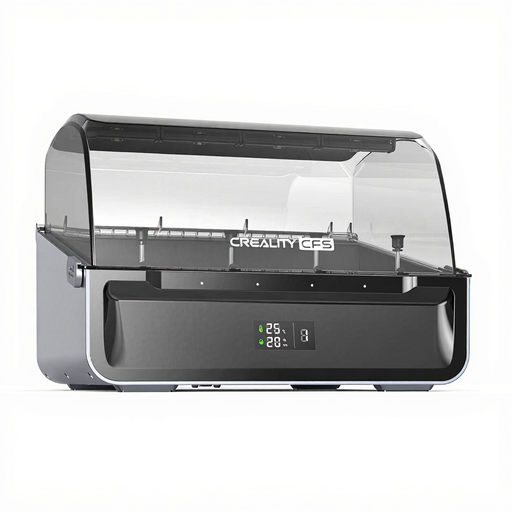
Why we recommend it
The Creality Multi-Color System (CFS) is a clever solution for creating multi-colour prints without investing in a complex and expensive multi-extruder printer. This smart unit manages up to four different filaments and switches between them automatically during printing. It also serves as an anti-moisture storage box.
Pros
Who is this product for? This system is aimed at makers, designers, and prototyping professionals who want to produce more aesthetically pleasing and functional parts. It's an excellent way to upgrade the capabilities of a compatible printer (K2 Plus/Hi series) to explore new creative applications.
The selection above highlights solutions for specific needs. However, the 3D printing ecosystem is rich and diverse. If these products don't perfectly match your project or budget, other models and accessories are available.
To explore a wider range, feel free to browse our complete category of 3D printers.
1. Which Creality 3D printer is best for a beginner? For a beginner, a model like the Creality Ender 3 V3 SE is an excellent choice. Its assistive features, such as automatic levelling and quick assembly, reduce the learning curve and help you achieve great results quickly.
2. Is a 3D filament dryer really necessary? It's not mandatory to start with, especially if you mainly use PLA filament in a dry environment. However, it becomes highly recommended as soon as you want to ensure consistent print quality, or if you use more moisture-sensitive materials like PETG, TPU, or nylon. It's a tool that prevents many print failures.
3. Are Creality printers compatible with all filaments? Creality printers use the 1.75 mm diameter filament standard, making them compatible with the vast majority of filaments available on the market (PLA, PETG, TPU, ABS, etc.). However, you should always verify that the printer's maximum extrusion temperature is suitable for the temperature required by the filament you intend to use.