
Livraison le jour même ou le lendemain

Qualité garantie

Débloquez vos offres de bienvenue: Livraison GRATUITE | Jusqu'à -80 % | 30 jours d'essai gratuits à JoyPlus
Téléchargez l'application
Choosing the right CPU cooler helps maintain stable performance, reduce noise and protect the reliability of a desktop PC. The problem is that technical specifications often combine advertised cooling power, RGB lighting and promises of quiet operation. Whether you are a gamer, content creator or workstation user, focus first and foremost on compatibility, size and the type of workload your processor will handle.
TDP is a useful indicator, but it is not enough to predict the real-world performance of an air CPU cooler. The processor, motherboard settings, airflow inside the case and ambient temperature also play a part. A high TDP rating alone therefore does not guarantee low temperatures in every configuration.
A 360 mm liquid cooler requires space for a radiator that can measure around 394 mm in length, depending on the model. A dual-tower air cooler, meanwhile, may exceed the available height or interfere with the memory modules. Before ordering, carefully compare the cooler’s dimensions with those specified by the case manufacturer.
An ARGB CPU cooler can add extra style to your build, but LEDs do nothing to improve heat dissipation. Check the connector type, particularly the 3-pin ARGB connector, and make sure your motherboard has a compatible header. An LCD screen on an AIO liquid cooling kit adds display functions, but also extra cables and additional software settings.
Recent Intel processors use LGA 1700, LGA 1851 and other sockets depending on their generation. For AMD, AM5 and AM4 sockets remain very widespread. A simple mention of “Intel LGA compatible” or “AMD compatible” is not enough: always look for the precise list of supported sockets.
Several models in this selection are compatible with Intel LGA 1700/1851 and AMD AM4/AM5. You should still check the mounting system supplied, particularly if you are upgrading an existing PC.
With an air cooler, total height is the first thing to check. The MSI MAG Corefrozr AA13 is 152 mm high, while some larger models reach 159 mm. The position of the front fan can also make it harder to install RAM modules with large heatsinks.
A dual-tower air cooler generally provides a larger heat-exchange surface, but requires more space around the socket. Cut-outs in the fins and the adjustable fan height can make installation easier when using tall memory modules.
The advertised noise level in dB(A) generally relates to a specific condition, often measured at maximum speed. It therefore does not necessarily reflect the noise produced during everyday use, when the fan is controlled by the motherboard. If you are looking for a quiet CPU cooler, choose a 4-pin PWM fan and configure a gradual fan curve in the BIOS.
With a CPU liquid cooler, you also need to consider pump noise. The MSI MPG Coreliquid P13 360 lists 20 dBA for the pump and 28.7 dBA for its fans, according to the manufacturer’s data. These figures are still technical indications: only compare them when the measurement conditions are similar.
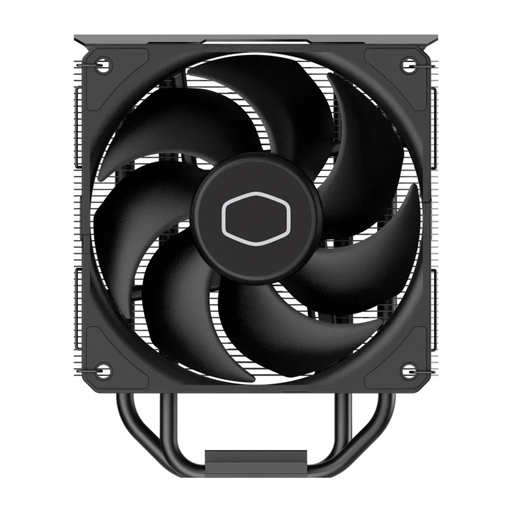
Why this choice suits this profile : This CPU air cooler retains a compact 125 × 74 × 152 mm design and supports Intel LGA 1700/1851 as well as AMD AM4/AM5. It is a great first upgrade for a family PC or gaming build.
Its four direct-contact heat pipes and the supplied CryoFuze thermal paste mean you do not have to buy the components needed for installation separately.
120 mm PWM fan, advertised maximum airflow of 70.7 CFM and a 2-year warranty.
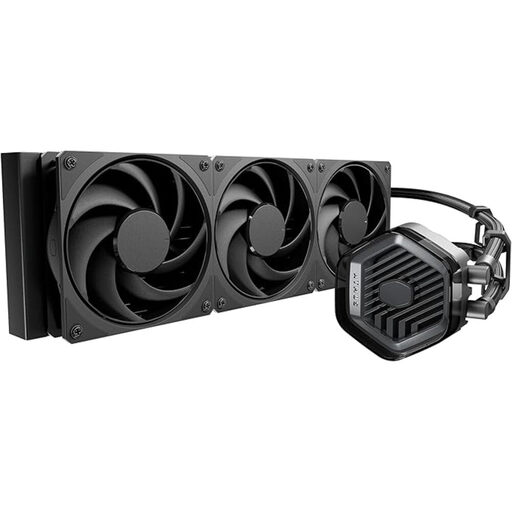
Why this choice suits this profile : This 360 mm AIO liquid cooling kit is designed for high-performance builds, provided your case supports a 394 × 119.2 × 27.2 mm radiator.
The Mobius 120 fans are pre-installed, reducing the number of assembly steps. The circuit is sealed and must not be opened or modified.
Three PWM fans, a pump rated at 3 400 rpm and a 5-year warranty.
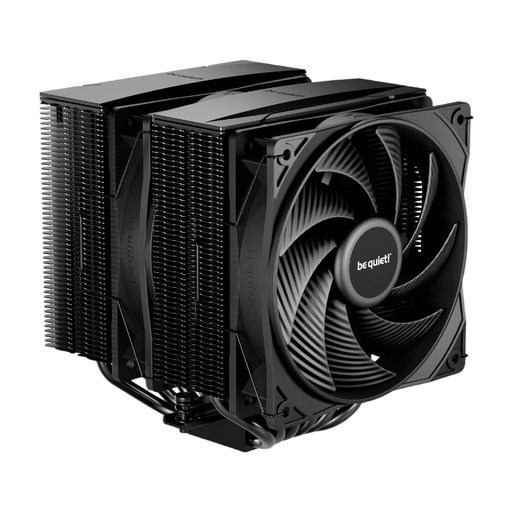
Why this choice suits this profile : This dual-tower air cooler is suitable for workstations and gaming PCs under heavy loads for extended periods, provided the case offers enough space.
The adjustable height of the front fan helps clear tall RAM modules, a detail that is often overlooked during installation.
Six 6 mm heat pipes, two 120 mm Pure Wings 3 fans and an advertised maximum noise level of 34.8 dB(A).
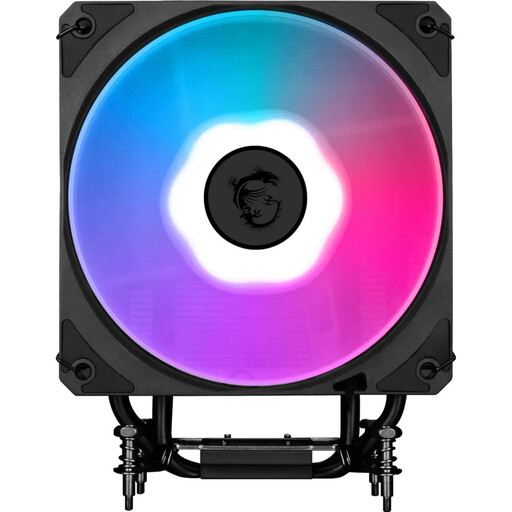
Why this choice suits this profile : At 152 mm high, this gaming cooler offers a good balance between size, ARGB lighting and its advertised capacity for compatible Intel and AMD processors.
The thermal paste is pre-applied and support for Intel LGA 1700/1851 is included, making installation easier. However, check that your motherboard has a 3-pin ARGB connector.
Four 6 mm heat pipes, 120 mm PWM fan, ARGB lighting and an advertised TDP of up to 240 W.
We have brought together a complete, real-time-updated selection of products that meet these strict criteria, as well as European safety requirements.
Start by checking the list of supported sockets, followed by the dimensions permitted by the case. The Cooler Master Hyper 212 Black, MSI MAG Corefrozr AA13 and be quiet! PURE ROCK PRO 3 list compatibility with LGA 1700 and AM5 sockets.
Not necessarily. A correctly sized air cooler is sufficient for many gaming builds. A 240 or 360 mm liquid cooler may be worthwhile if your case supports it, your processor is under heavy load or you are looking for a particular aesthetic. In that case, you must consider pump noise, additional cables and the need to monitor the system for leaks.
It depends on the quality of the fans, dust accumulation, temperature and intensity of use. Regular maintenance helps maintain stable performance. With a liquid model, the pump and seal integrity are two additional elements to monitor, even when the manufacturer offers a long warranty.