
Livraison le jour même ou le lendemain

Qualité garantie

Débloquez vos offres de bienvenue: Livraison GRATUITE | Jusqu'à -80 % | 30 jours d'essai gratuits à JoyPlus
Téléchargez l'application
An overheating processor can lead to sluggish performance, unexpected crashes, and, in the long run, a shorter lifespan for your valuable components. Whether you're an avid gamer, a content creator, or simply an enthusiast building your own rig, choosing the right CPU cooler is a crucial step. It's what ensures the stability and efficiency of your build.
But when it comes to choosing between a traditional air cooler and a PC liquid cooling system (or AIO water cooler), the decision can quickly become a headache. This guide is here to cut through the noise and present our selection of the best models, so you can make an informed choice that's perfectly suited to your needs and your machine.
Before diving into our selection, let's review the key criteria that will determine the performance and compatibility of your future processor cooler.
This is often the first dilemma: should you opt for air cooling (an air cooler) or liquid cooling (water cooling)??
Compatibility is a non-negotiable criterion. There are two points you must verify?:
TDP (Thermal Design Power), expressed in watts, indicates the maximum heat a processor generates at full load. Logically, a CPU built for gaming (gaming PC) or heavy tasks will have a high TDP and require robust cooling to maintain optimal temperatures.
We have selected several models that excel in their category, whether in terms of performance, reliability, or value for money.
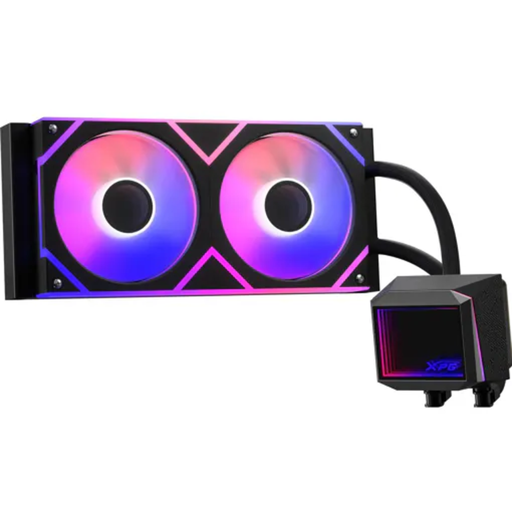
Why we love it?: The XPG LEVANTE II 240 strikes the perfect balance between performance and compactness. Its 240mm AIO format makes it compatible with most standard ATX cases, while offering thermal dissipation far superior to the stock coolers that come with processors.
Pros?:
Who is it for?? For gamers and enthusiasts who want to switch to water cooling with a high-performance solution that is easy to install and compatible with most builds.
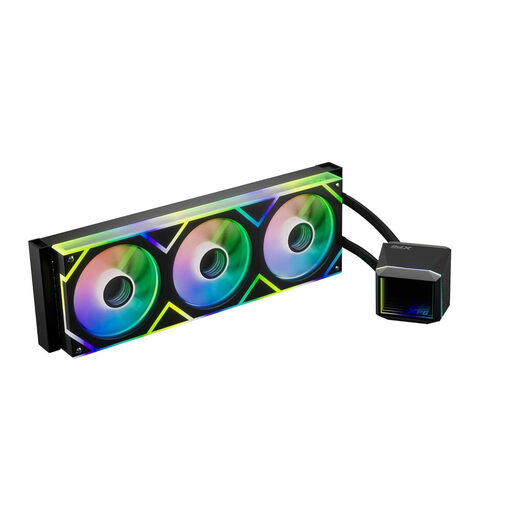
Why we love it?: This is where we kick things up a notch. Designed for the most powerful builds, the XPG LEVANTE II 360 is a no-compromise cooling solution. With its large 360mm radiator, it's built to tame the most powerful processors on the market and handle heavy overclocking sessions. The pump's infinity mirror design is the icing on the cake for a build with a polished look.
Pros?:
Who is it for?? For enthusiasts, overclockers, and demanding creators who need the ultimate PC liquid cooling solution for their high-end processor.
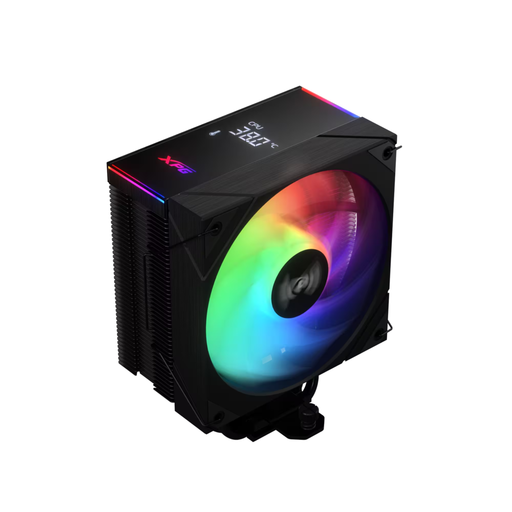
Why we love it?: The XPG MAESTRO PLUS proves that air cooling still has a lot to offer. It's an excellent alternative for those who swear by the simplicity and reliability of an air cooler. It provides highly effective thermal dissipation thanks to its heat pipes and a well-designed heatsink, all at a price point that is often more attractive than an AIO.
Pros?:
Who is it for?? For those who prioritise reliability and silence, or who are building a high-performance rig on a controlled budget without sacrificing CPU cooling.
Our selection is just a glimpse. To discover other models and refine your choice, feel free to explore our full catalogue.
Discover Our Full Range of PC Cooling
1. What is the lifespan of an AIO water cooler?? A good quality AIO generally has an estimated lifespan of 5 to 7 years. The main points of wear are the pump, which can lose efficiency over time, and the very slow evaporation of liquid (permeation) through the tubing. It's wise to monitor your temperatures from time to time to ensure everything is working correctly.
2. Is an air cooler sufficient for a gaming PC?? Absolutely. For the vast majority of gaming builds, a good air cooler is more than enough, especially with mid-range processors. The best air coolers can even compete with 240mm AIOs, while often offering superior long-term reliability. The choice will mainly depend on your processor's TDP and your overclocking ambitions.
3. How do I know if a CPU cooler is compatible with my motherboard and case?? It's simple. First, the socket: the name (e.g., LGA1700, AM5) is listed on your motherboard's spec sheet and on the cooler's spec sheet. Next, the dimensions: for an air cooler, check the maximum height clearance allowed by your case. For an AIO water cooler, check the available mounting locations for the radiator (e.g., 240mm in the front, 360mm on top...). All this information can be found in your case's manual.