
Livraison le jour même ou le lendemain

Qualité garantie

Débloquez vos offres de bienvenue: Livraison GRATUITE | Jusqu'à -80 % | 30 jours d'essai gratuits à JoyPlus
Téléchargez l'application
A suitable CPU cooler keeps temperatures under control, noise levels reasonable, and your system stable, whether you're gaming, editing videos, or working on a workstation. The trouble is, product listings often pile on dimensions, theoretical performance figures and aesthetic arguments without always giving you the most useful information.
Before buying an air cooler or a CPU liquid cooler, here are the main pitfalls to avoid:
The first step is to check compatibility with your motherboard. Current platforms include the AM5 socket, AM4 socket, LGA 1700 socket and LGA 1851. An Intel CPU cooler isn't automatically compatible with all Intel processors, just as an AMD CPU cooler won't work with every generation of AMD chips.
Consult the list provided by the manufacturer and check the following points:
The products featured here state compatibility with several Intel and AMD sockets. However, your motherboard's spec sheet remains the definitive reference before installation.
With an air cooler, measure the maximum height your case allows. For example, the Cooler Master Hyper 212 Black measures 152 mm tall, while the Hyper 612 APEX reaches 159 mm. Just a few millimetres can stop your side panel from closing.
For an AIO liquid cooling kit, also check:
The 360 mm radiator of the MSI MPG Coreliquid P13 360 measures 394 × 120 × 52 mm. This format needs a sufficiently spacious case and consistent airflow.
Noise level expressed in dB(A) lets you compare spec sheets on a common basis, but it doesn't guarantee an identical experience in every PC. The be quiet! DARK ROCK 5 claims 29.8 dB(A) at maximum, compared to 34.8 dB(A) for the PURE ROCK PRO 3 at full speed.
Also consider:
A CPU cooler's silence depends as much on its design as on the fan curve you set in the UEFI or your motherboard's management software.
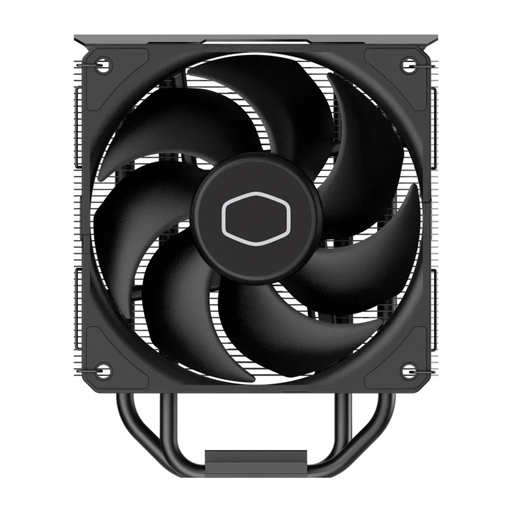
Why this choice suits this profile: This air cooler is simple to install and works with Intel LGA 1700/1851 platforms as well as AMD AM4/AM5. At 152 mm tall, it fits in many mid-tower cases, subject to checking.
The spec sheet details supported sockets, dimensions and the PWM connector, rather than focusing solely on aesthetics. CryoFuze thermal paste is included.
Four direct-contact heatpipes, a 120 mm fan, PWM speed from 690 to 2,500 RPM and a stated noise level of 32.8 dBA.
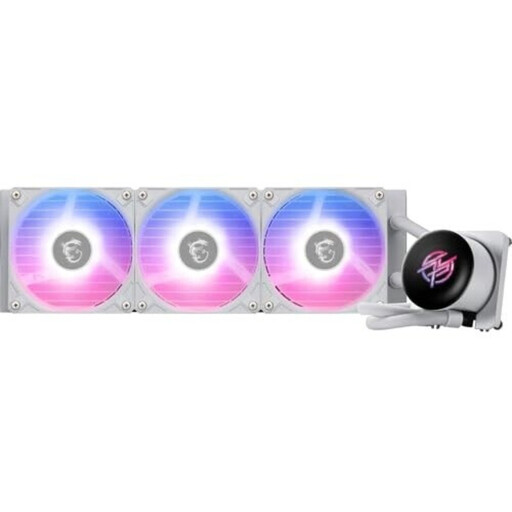
Why this choice suits this profile: This CPU liquid cooler is aimed at builds with a case compatible with a 360 mm radiator and users who want to enjoy an integrated monitoring screen.
The choice starts with the radiator format and compatibility with Intel LGA 1700/1851 and AMD AM4/AM5 sockets, before considering the LCD display requirements.
2.1-inch LCD screen at 480 × 480, pump stated at up to 3,400 RPM and pre-installed fans on the radiator.
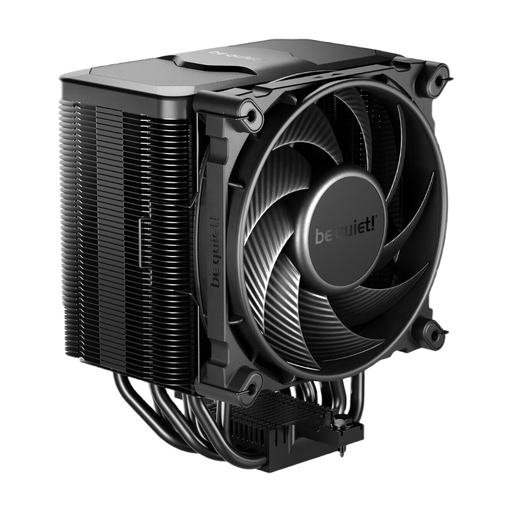
Why this choice suits this profile: This air cooler suits workstations and gamers who prefer a design without a pump or liquid loop.
Its design helps manage constraints around clearance, compatibility and maintenance, without adding a pump or radiator.
Six copper heatpipes, a 120 mm Silent Wings 4 fan and a stated maximum noise level of 29.8 dBA.
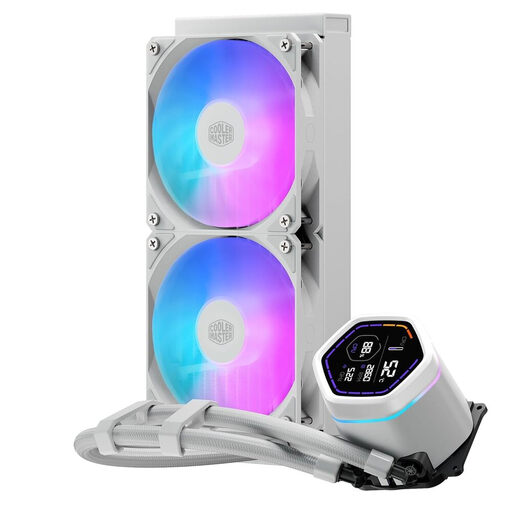
Why this choice suits this profile: This 240 mm AIO liquid cooling kit combines a common format with a digital screen and ARGB lighting, for a build that's firmly gaming-focused.
The 277 mm radiator, 400 mm tubes and Intel LGA 1700/1851 and AMD AM4/AM5 brackets make it easier to check compatibility before purchase.
Digital screen, two pre-installed ARGB fans, pre-applied thermal paste and a stated five-year warranty.
We've put together a comprehensive, real-time updated list of products that meet these strict selection criteria and European safety regulations.
Before you start, turn off your computer, unplug it, then clean the processor surface with a suitable product. If no thermal paste is already applied, apply an amount the size of a small pea. Then tighten the mounting system gradually to distribute the pressure evenly.
With an AIO, never dismantle the sealed loop. Regularly check the condition of the tubes, fans and connections. Regardless of the cooler type, dust the fins and fans with compressed air, taking care not to spin the blades at very high speed.
Yes, it suits many gaming setups, provided you check the processor, its power dissipation, case airflow and available height. Very power-hungry or heavily loaded processors may, however, need a dual-tower model or a larger-format AIO.
An air model has no pump, but its fan remains a moving part to keep an eye on. An AIO adds a pump and a sealed loop. Its actual lifespan depends on usage, dust, temperature and build quality. Stated warranties vary between models.
Its power consumption is generally limited to the pump and fans, but it has more components than an air cooler. To assess the total cost, you need to consider the purchase price, power consumption, maintenance and potential long-term replacement of the system.