
Livraison le jour même ou le lendemain

Qualité garantie

Débloquez vos offres de bienvenue: Livraison GRATUITE | Jusqu'à -80 % | 30 jours d'essai gratuits à JoyPlus
Téléchargez l'application
A cordless rotary tool can be used for engraving wood, deburring a 3D-printed part, polishing metal or drilling into lightweight materials. Yet product listings often mix up maximum speed, electrical power and the number of accessories. This information alone isn't always enough to tell you whether the tool really suits your needs.
Before you place an order, make sure you check the compatibility of the bits, the precision of the speed control and the battery life. A mini rotary tool will be particularly at home with detailed work, while a more powerful corded model or a laser machine will meet very different requirements.
A rotary tool capable of reaching 25,000 RPM can be suitable for polishing, fine sanding or certain engraving tasks. However, a high speed doesn't replace progressive speed control. If it's too fast, the tool risks overheating the material, damaging a plastic edge or making it harder to handle.
For varied tasks, look for several speed levels and adapt them to the material you're working with:
A kit with 145 accessories might seem generous, but you really need to check the shaft diameter and the type of collet supplied. An incompatible bit simply won't fit properly. The 2.3 mm diameter, which corresponds to the 3/32" size, is common on compact tools.
Also look at what's actually in the kit: cutting discs, burrs, drill bits, abrasive bands and polishing felts all serve different purposes. An accessory kit for sanding and polishing is only useful if its consumables work with your materials and can be bought separately afterwards.
A compact tool can quickly become uncomfortable if the button is poorly placed or the body vibrates heavily. For precision work, a low weight, a non-slip surface and a work-area light make a real difference to your control.
USB-C charging is handy both at home and in a mobile workshop. However, it doesn't guarantee the same battery life from one model to another. Check the stated charging time, whether there's a battery indicator, and whether you can use the tool while it's charging if that feature matters to you.
Power expressed in watts gives you an idea of the motor's consumption and capabilities, but it doesn't fully describe how it performs under load. A 160 W tool, like the Tilswall model featured below, is designed for heavier work than a compact electric engraving pen.
For precision work, progressive control matters more than just the top speed. A variable-speed dial with five or six positions lets you switch from delicate work to heavier sanding without changing tools.
If you already own some burrs or drill bits, compare their diameter with what the supplied collet can accept. The 2.3 mm size of the Fanttik F2 Master, for example, needs to be considered before you buy any extra accessories.
For post-processing a 3D print, look for:
A handheld rotary tool is fine for DIY, model-making and small finishing jobs. A professional laser engraver is a completely different proposition: you need to carefully check the safety features, ventilation, compatible materials and usage conditions.
The xTool F2 and xTool F1 Ultra should not be thought of as simple precision drills. Before ordering, read the manufacturer's instructions and make sure the machine matches your status and your working environment. The xTool F2 is stated as being for professional users and commercial activities only.
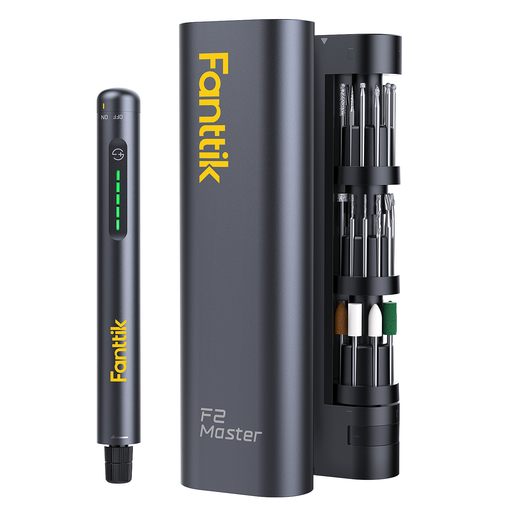
Why this choice suits this profile: At a claimed 100 g, with five speeds and USB-C charging, this mini rotary tool is easy to carry around for small DIY jobs, model-making or 3D finishing.
The speed control stops you from relying only on the 25,000 RPM maximum. The magnetic holder keeps the 35 supplied accessories organised.
Brushless motor, front light, USB-C charging claimed in 60 minutes and compatibility with 2.3 mm accessories.
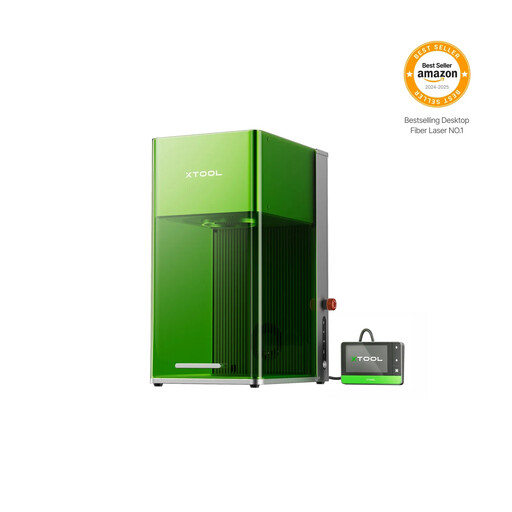
Why this choice suits this profile: This dual-technology engraving machine is aimed at users who want a dedicated desktop setup for working with metal, wood and personalisation projects.
You need to evaluate it as a laser machine, not just a handheld tool. The safety, ventilation and material requirements must be checked before any use.
Claimed fibre and diode technologies, speed up to 10,000 mm/s and built-in smart camera, according to the product sheet.
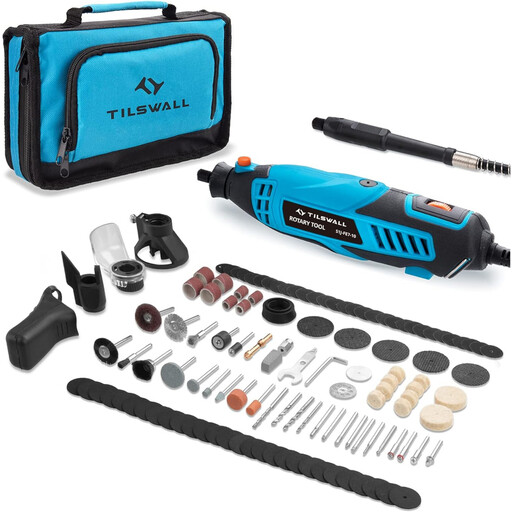
Why this choice suits this profile: Its corded power supply, six speeds and large accessory set suit a workshop that regularly carries out cutting, drilling, sanding, engraving and polishing tasks.
The six levels, from 8,000 to 33,000 RPM, stop you from always using the top speed. The soft-grip handle and auxiliary handle make control easier.
Claimed 160 W power, 145 accessories, built-in light and storage bag included.
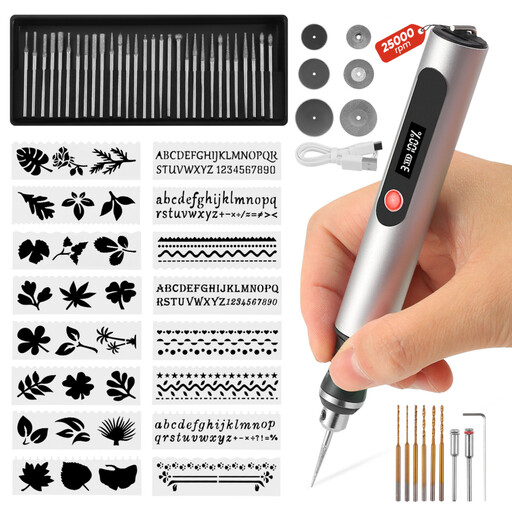
Why this choice suits this profile: Its pen format is ideal for occasional inscriptions on wood, metal or glass, where manoeuvrability matters more than the versatility of a large kit.
The digital display and three speed settings make your choice clearer than with a simple button that has no precise markings.
USB-C charging, three speeds and 30 claimed bits for different engraving tasks.
We've put together a full selection, updated in real time, of products that meet these demanding criteria as well as European safety requirements.
Yes, for removing small burrs, smoothing supports or reaching tight spots. Use a moderate speed, a bit suited to plastic and take regular breaks to limit heat build-up. For large parts or very tough materials, it's better to go for a more powerful model.
The run time depends on the speed you choose, the pressure you apply and the battery's condition. Manufacturers rarely give a battery life measured under comparable conditions. For frequent use, look for a charge indicator, USB-C charging and, if possible, a tool you can easily use between sessions.
A rotary tool works by direct contact and is suitable for touch-ups, sanding, drilling and manual engraving. A laser is more for reproducing patterns and batch personalisation. It requires specific precautions and, for some models, professional use only. So the choice depends on the material, the production volume and the space you have available.