
Livraison le jour même ou le lendemain

Qualité garantie

Débloquez vos offres de bienvenue: Livraison GRATUITE | Jusqu'à -80 % | 30 jours d'essai gratuits à JoyPlus
Téléchargez l'application
A sun-drenched flat, a poorly ventilated office, a car parked in the height of summer, or a computer that heats up during a gaming session: cooling systems cover a wide range of needs. The trouble is that product listings often mix up power, airflow, battery life and noise levels, making the choice sometimes difficult.
Before buying a pedestal fan, a desk model or a CPU cooler, take the time to check the features that actually match how you'll use it. Here are the most common pitfalls, the criteria to compare, and a selection of products available on Joybuy.
A motor with a higher wattage doesn't guarantee better cooling. For a fan, the airflow, number of speeds, direction of the airflow and oscillation are generally more telling than the power consumption alone.
A 35 W fan with an oscillation function and several modes can be perfectly suitable for a bedroom. Conversely, a 124 W appliance designed to move large volumes of air quickly will be more at home in a workshop, basement or drying area.
The stated noise level usually depends on the mode being used. A quiet fan on its lowest speed can become noticeably louder at full power. In a bedroom, opt for a night mode, a timer and a reduced speed. In a car or workshop, airflow may matter more than silence.
A rechargeable fan is only truly practical if its battery lasts long enough for your needs. Also check the charging time, the type of cable and whether you can continue using it while it charges. For a USB fan or a model intended for the car, also check the available power source: USB port, power bank, 12 V socket or cigarette lighter socket.
On the PC side, the most frequent mistakes tend to be about socket compatibility, the available height inside the case, and the space needed to install a 240 mm or 360 mm water-cooling radiator.
The diameter of the blades, their number and the adjustable direction give a more concrete idea of how the air will be distributed. Automatic oscillation or adjustment to several angles also helps prevent the airflow from staying focused on one area.
For a cordless appliance, compare the battery capacity, charging time and the stated battery life for each speed. A maximum duration measured on the lowest setting should not be taken as the battery life at full power.
USB models can be powered by a computer, a mains charger or a power bank. In a car, make sure the accessory matches the available socket. Never leave an electrical appliance plugged in unattended and always follow the manufacturer's instructions regarding the lithium battery.
To choose a processor heatsink, start by checking the socket: depending on the model, the ones shown here support Intel LGA 1700/1851 and AMD AM4/AM5 platforms, among others. You then need to check:
PC liquid cooling requires even more checks: radiator location, tube length, pump and fan connectors, and compatibility with the motherboard. A 240 mm water cooler is often easier to install than a 360 mm model, which needs a case that is long enough and has suitable mounting points.
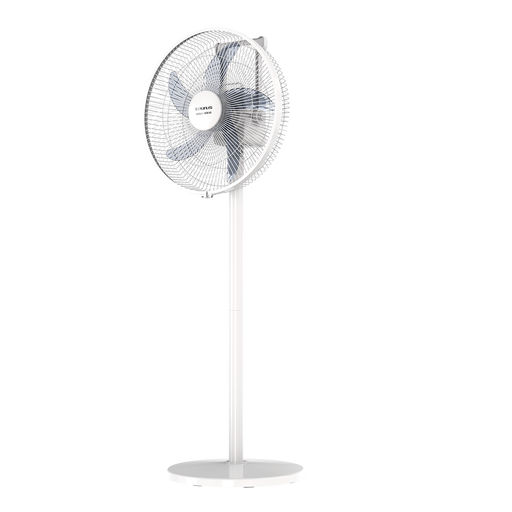
Why this choice suits this profile: This 35 W pedestal fan is suitable for many uses around the home. It can be placed on the floor or on a desk, mounted on a wall or used in a tower configuration.
The five speeds, three modes and adjustable timer up to 8 hours prevent you from relying on a single setting. The stated battery life reaches 8 hours, with a charging time of 4 hours.
40 cm diameter, automatic oscillation, remote control and a DC motor described as quiet.
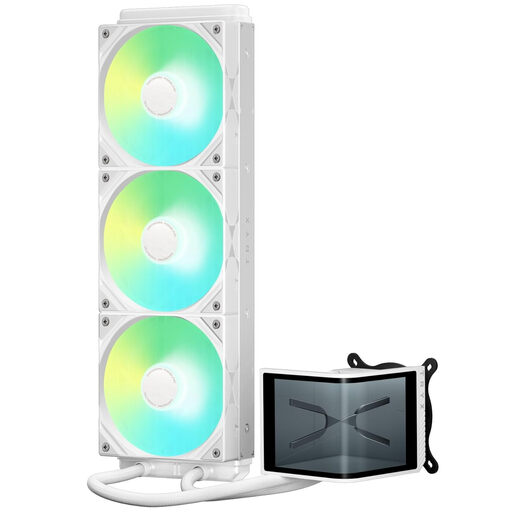
Why this choice suits this profile: This PC liquid cooling system is aimed at builds with space for a 360 mm radiator and that want to integrate a screen into the pump block.
The radiator, dimensions and tube length are all stated, making it easier to check the available space before installation.
Curved AMOLED screen from 6.5 to 6.67 inches, three 120 mm fans and compatibility with Intel LGA 1851/1700/1200/115X and AMD AM5/AM4.
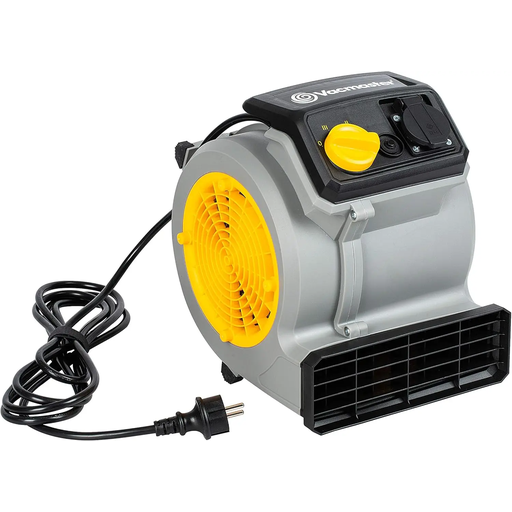
Why this choice suits this profile: Its design is aimed at workshops, gyms, basements and spaces where moving air quickly matters more than a discreet format.
The stated airflow of 245 l/s and the three tilt positions provide more concrete benchmarks than a simple power rating.
124 W motor, three speeds, tilt up to 45 degrees and an integrated socket allowing up to 12 appliances to be connected depending on the configuration.
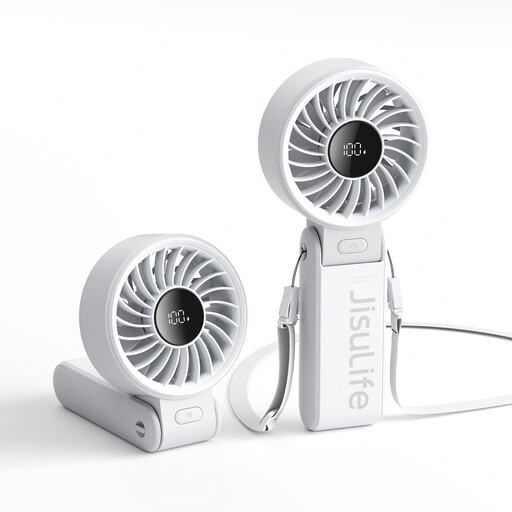
Why this choice suits this profile: Its folding design slips easily into a bag for commuting, festivals, camping or work. It can be held in your hand, placed on a desk or worn around your neck.
The screen displays the speed and remaining battery level. The stated battery life ranges from 3.5 to 19 hours depending on the setting, rather than being limited to a single value without context.
Rechargeable 5,000 mAh battery, five speeds, brushless motor and USB-C cable included.
We have put together a comprehensive, real-time updated list of products that fully meet these strict selection criteria and European safety regulations.
A desk or pedestal fan with a night mode, a timer and several speeds allows you to adjust the airflow precisely. Also check the stability, oscillation and stated noise level, both at reduced speed and at full power.
A rechargeable fan runs on its built-in battery and can be moved around freely. A USB model depends on an external power source, such as a computer, a mains adapter or a power bank. For extended use, compare the actual battery life at different speeds and the charging time.
A processor heatsink is generally simpler to install and has no liquid circuit. A 240 mm or 360 mm water cooler may suit a build that needs a larger radiator, provided the case, motherboard and connectors are compatible. In both cases, turn off and unplug the PC before any installation, then monitor the temperatures after assembly.