
Livraison le jour même ou le lendemain

Qualité garantie

Débloquez vos offres de bienvenue: Livraison GRATUITE | Jusqu'à -80 % | 30 jours d'essai gratuits à JoyPlus
Téléchargez l'application
Choosing Cooler Master PC components isn’t just about comparing clock speeds, wattage or a few RGB effects. A well-balanced build depends first and foremost on compatibility between the processor, graphics card, power supply, case and cooling system.
Whether you’re a gamer, content creator or PC-building enthusiast, the same mistakes crop up time and again. The result ? Unnecessary purchases, inadequate ventilation or a build that’s more complicated than expected.
A 750 W power supply won’t necessarily suit every graphics card. Check the available connectors, the ATX 3.1 standard, whether there’s a 12V-2x6 connector and the total power consumption of your build.
You should also allow some headroom for power spikes from the processor and graphics card. An underpowered supply could limit your options for future upgrades.
A gaming case might accommodate a particularly long graphics card, but become incompatible as soon as you install a radiator at the front. So take the time to check each of the following separately :
ARGB lighting can make your build look great, but it can’t replace well-planned airflow. A case with a tempered glass panel needs sufficient air intakes and correctly positioned fans. If you use your PC for several hours a day, the number, size and layout of the fans matter far more than the lighting.
The 80 PLUS Gold rating certifies a level of electrical efficiency achieved under certain load conditions. According to their specifications, the Cooler Master models featured here claim efficiency of 90 % or higher at a typical load. This doesn’t mean that all the electricity used is converted into useful power, or that your PC will automatically have low power consumption.
The ATX 3.1 standard covers, among other things, how recent components handle power fluctuations and spikes. If you have a modern graphics card, check for the right connector and use only the cables supplied with the power supply.
With a non-modular model, the cables are fixed in place. A fully modular power supply, on the other hand, lets you connect only the cables you need, making installation and cable management inside the case easier.
A CPU cooler is generally easy to install and doesn’t contain a liquid circuit. Check its height and make sure it’s compatible with your motherboard socket. The Hyper 212, V4 Alpha 3DHP and Hyper 612 APEX support several recent Intel and AMD sockets, but always check the product specifications before buying.
A 360 mm AIO liquid cooler needs more space. The radiator must fit your case, and the pump must be connected to the appropriate motherboard headers. AIO circuits are factory-sealed : they must not be opened or modified.
The Cooler Master Elite 600 supports graphics cards up to 425 mm long and can accommodate two 360 mm radiators, depending on your chosen configuration. The Elite 502 features a mesh front panel and supports a front radiator up to 420 mm, although the limits may vary depending on whether a drive cage or other components are installed.
For a more compact build, the Elite 302 Lite supports Mini-ITX and Micro-ATX motherboards, as well as a graphics card up to 365 mm long in certain configurations. In every case, compare these figures with the exact dimensions of your components.
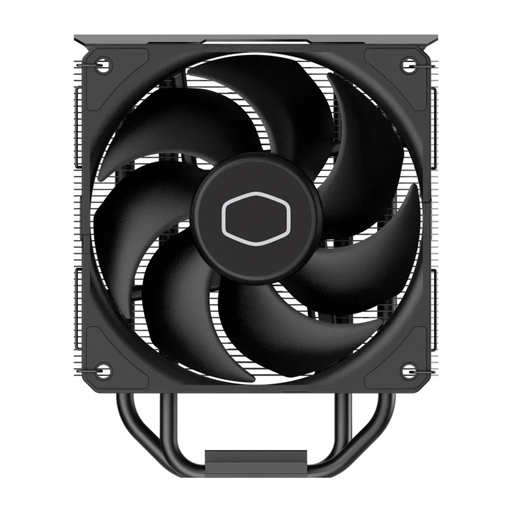
Why it suits this user : this air cooler is an affordable option for a first build. Its stated height of 152 mm and broad compatibility with Intel and AMD platforms make it easier to choose the right fit.
Its compact format makes it easy to check the clearance inside your case, without adding a radiator or pump.
Four direct-contact heat pipes, a 120 mm PWM fan and included CryoFuze thermal paste.
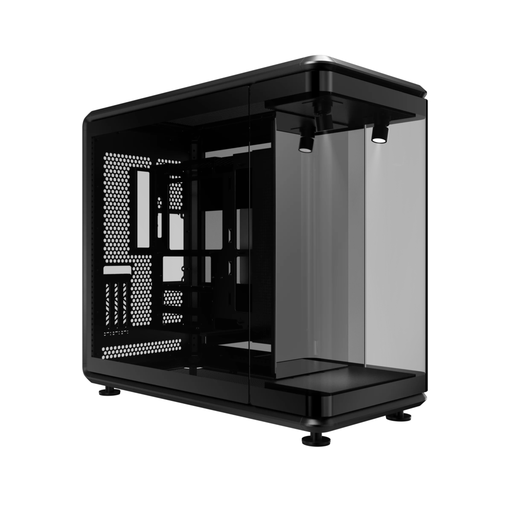
Why it suits this user : this case is designed for highly customised builds, with support for an ATX motherboard, a graphics card up to 430 mm long and radiators up to 360 mm.
Its spacious interior and 110 mm of dedicated cable-routing space help reduce the constraints often found in larger builds.
Tempered glass panels for a panoramic view, a 20 Gb/s USB-C port and a vertical mounting bracket with a PCIe 5.0 riser card included.
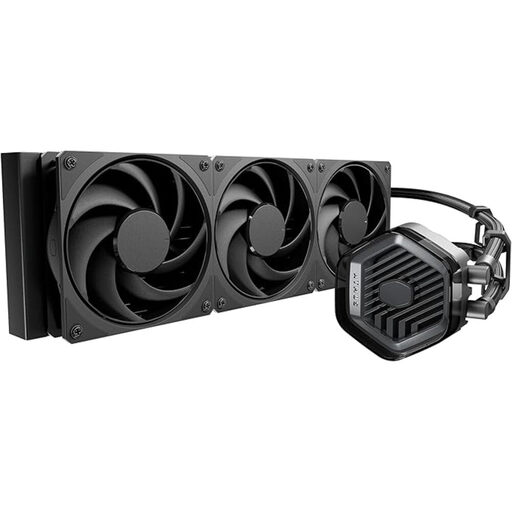
Why it suits this user : this 360 mm AIO liquid cooler is for users with a compatible case who want liquid cooling without built-in lighting.
Socket compatibility and radiator dimensions are clearly listed. You’ll still need to check that your case has the space and mounting points available.
A 394 mm radiator, three pre-installed Mobius 120 fans and a dual-chamber pump rated at 3,400 rpm.
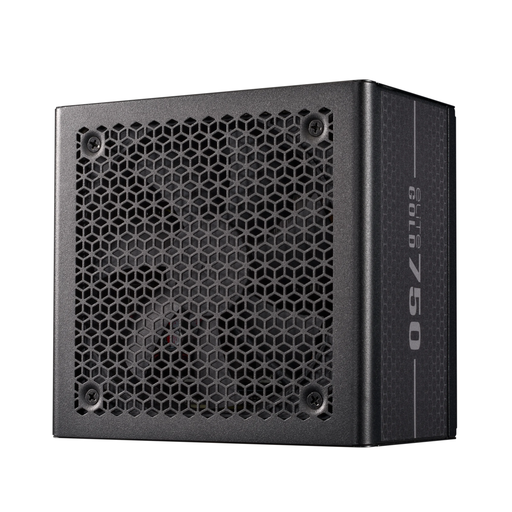
Why it suits this user : this ATX power supply is a good fit for a gaming build with room to grow, provided you’ve calculated your components’ power requirements correctly.
Wattage alone isn’t enough : ATX 3.1 compliance, a 12+4-pin connector and a fully modular design help you check all the essentials.
750 W, 80 PLUS Gold certification, a 12+4-pin connector and a stated 10-year warranty.
We’ve put together a comprehensive, regularly updated selection of products that meet these demanding criteria while complying with European safety regulations.
Add together the recommended power consumption of your processor and graphics card, then allow some headroom for drives, fans and any future upgrades. A mid-range build may be fine with a 650 W power supply, while a system with a more demanding graphics card may need 750 W or more. Always check the graphics card manufacturer’s recommendations.
No. Your case needs a suitable mounting point for the radiator, usually at the front or top. Also check that the combined thickness of the radiator and fans won’t get in the way of the motherboard or memory modules.
Lifespan depends on temperature, dust, workload and maintenance. Warranty periods vary by product : some power supplies are covered for five or ten years, while several cases come with a two-year warranty. Keep your receipt, clean the filters regularly and never modify electrical or cooling circuits.