
Livraison le jour même ou le lendemain

Qualité garantie

Débloquez vos offres de bienvenue: Livraison GRATUITE | Jusqu'à -80 % | 30 jours d'essai gratuits à JoyPlus
Téléchargez l'application
A computer mouse might seem simple to pick, but several details directly affect comfort, precision and the overall cost of use. Between promises of record battery life, high DPI resolutions and shapes marketed as ergonomic, certain features are often highlighted without their real-world benefit being clearly explained.
Before ordering a wireless mouse, a USB mouse or a gaming model, focus on three key points: connectivity, how well the shape suits your hand, and your actual needs.
A high DPI number doesn't automatically make a mouse more pleasant or more precise for office work. DPI refers to cursor sensitivity: the higher the value, the less you need to physically move the mouse to travel across the screen. Conversely, lower sensitivity can make tasks requiring slow, precise movements easier.
For browsing documents, surfing the web or working remotely, a resolution between 800 and 1,600 DPI is usually sufficient. Higher values can be relevant for certain games, high-definition screens, or users who like to fine-tune their settings. An adjustable DPI mouse lets you quickly adapt sensitivity to whatever you're doing.
A Bluetooth mouse frees up a USB port, but it requires a compatible computer and an initial pairing process. A 2.4 GHz mouse with a nano receiver is generally very simple to set up, but it uses a USB-A port. As for a wired USB mouse, it avoids recharging and batteries, while offering an instant connection.
Also think about checking the available ports on your laptop. Some newer models rely mainly on USB-C: an adaptor may then be essential for plugging in a USB-A mouse.
A vertical ergonomic mouse designed for right-handed users won't necessarily suit a left-handed person. Similarly, a compact model slips easily into a bag, but can become uncomfortable for a large hand during long sessions. An ambidextrous mouse offers more flexibility, while a dedicated shape can provide more precise support.
Width, height, weight and thumb position deserve as much attention as the number of buttons.
For rechargeable models, check the type of connector supplied, whether you can continue using the mouse while it charges, and the manufacturer's recommendations regarding the lithium-ion battery.
The products featured here use an optical or laser sensor. An optical sensor works well on most matte, clean surfaces. However, a glass, glossy or very uneven surface can impair tracking quality.
The DPI count should be assessed based on the available adjustment options, not as an absolute quality indicator. For office work, a mouse offering several steps, for example 800, 1,200 or 1,600 DPI, can be perfectly adequate. For a gaming mouse, a wider adjustment range, a high polling rate and programmable buttons can meet more specific needs.
A three-button model covers the essential functions: left click, right click and scroll wheel. Six buttons can speed up navigation with side controls, but they also add functions to configure and extra parts to maintain.
Check the stated compatibility with Windows, macOS, Linux, ChromeOS, Android or iPadOS, depending on the devices you use. The mention "for PC and Mac" doesn't guarantee that all customisable functions will be available on every system.
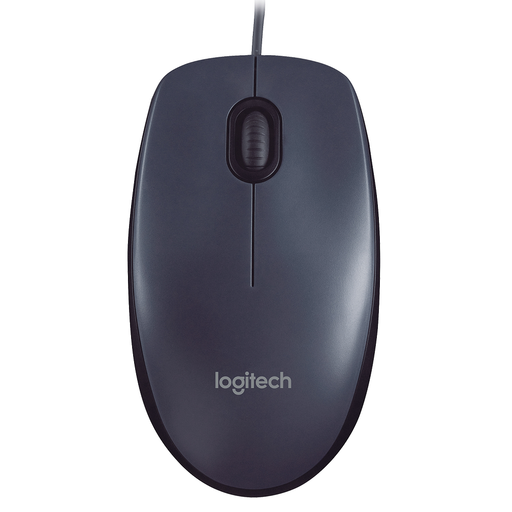
Why this choice suits this profile: This wired USB mouse plugs into a USB-A port and works straight away. Its three buttons, 1.5 m cable and ambidextrous design easily cover the everyday needs of a family or student setup.
The wired connection avoids batteries, Bluetooth pairing and any uncertainty about battery life.
1,000 DPI optical sensor, three buttons, ambidextrous design and stated compatibility with Windows, macOS, ChromeOS and Linux.
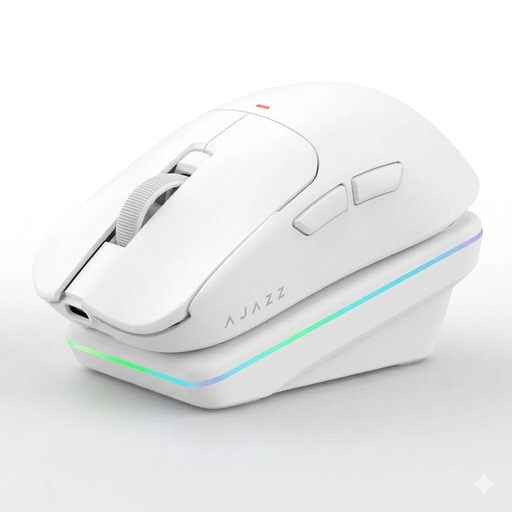
Why this choice suits this profile: This model is for those who want to combine gaming, work and customisation in a single gaming mouse, with three connection modes and a wide range of settings.
The product page details the USB, 2.4 GHz and Bluetooth modes, rather than just a vague mention of compatibility.
Sensor rated up to 24,000 DPI, six buttons, 300 mAh battery and magnetic charging dock.
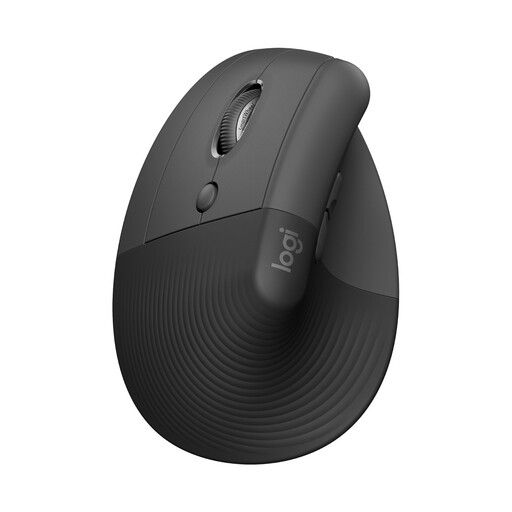
Why this choice suits this profile: Its left-handed design and 57° vertical angle meet a need rarely covered by standard ambidextrous mice.
The dominant hand and stated dimensions are clearly specified, reducing the risk of choosing an unsuitable shape.
Bluetooth or Logi Bolt connection, four customisable buttons, silent clicks and adjustable sensor up to 4,000 DPI.
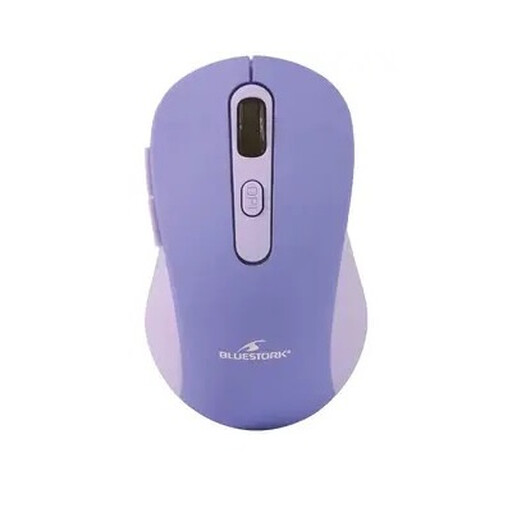
Why this choice suits this profile: The dual Bluetooth and 2.4 GHz connection lets you switch between a laptop and a desktop, while its 79 g weight makes it easy to carry.
Both connection modes are listed separately, as are the six buttons and built-in battery.
Bluetooth, 2.4 GHz RF receiver, six buttons, ambidextrous design and stated resolution up to 4,800 DPI.
We've put together a comprehensive, real-time updated list of products that fully meet these strict selection criteria and European safety regulations.
For a laptop, go for a compact, ambidextrous model that's easy to transport. A Bluetooth mouse avoids using a USB port, while a 2.4 GHz mouse with a nano receiver can be simpler to set up on a computer with a USB-A port.
The lifespan depends on the design, click frequency, maintenance and power type. Some battery-powered models claim up to 12 or 18 months of battery life, according to their product page. A rechargeable mouse instead requires periodic charging and should be protected from moisture, excessive heat and knocks.
A silent mouse can reduce click noise in a shared space, library or during a video call. However, check whether the silence applies to all buttons or only the main clicks. The scroll wheel and side buttons may have a different noise level.