
Livraison le jour même ou le lendemain

Qualité garantie

Débloquez vos offres de bienvenue: Livraison GRATUITE | Jusqu'à -80 % | 30 jours d'essai gratuits à JoyPlus
Téléchargez l'application
Choosing a computer mouse might seem straightforward. Yet a poorly suited connection, an uncomfortable grip or an overestimated battery life can quickly turn a small saving into a repeat purchase. Remote work, laptop use, shared desks or gaming setups: the criteria to prioritise are not the same.
A high DPI count can look impressive, but it doesn't automatically make a mouse more pleasant or more precise in everyday use. A mouse with adjustable DPI becomes especially useful if you switch between fine navigation, photo editing, a large screen and gaming. For standard office work, 1,000 DPI is generally enough to move the cursor smoothly.
A wireless mouse with a USB receiver frees up space around your keyboard, but it takes up a USB-A port. A Bluetooth mouse connects directly to many laptops, PCs and tablets without needing a dongle. So remember to check the available ports and compatibility with Windows, macOS, ChromeOS or Linux.
A wired USB mouse avoids batteries, charging and pairing issues. On the downside, its cable can get in the way of movement or make organising a small desk more difficult.
An ambidextrous mouse can suit both left-handed and right-handed users, making it particularly handy in a shared space. An ergonomic or vertical mouse offers a different grip, but can take a few days to get used to. Width, height and weight should match your hand and the way you hold the mouse.
However, check whether an adapter is needed if your computer only has USB-C ports. A USB-A receiver cannot be plugged in directly without a suitable adapter.
An optical sensor works on most flat surfaces. A mouse mat can still improve movement consistency and slow down wear on the feet. DPI values correspond to movement sensitivity, not an overall quality rating.
For a quick reference:
For a gaming mouse, also look at the polling rate, programmable buttons, stated latency and configuration software compatibility. These features may, however, be unnecessary for administrative use.
A rechargeable mouse saves you from regularly changing batteries, but it does need to be charged from time to time. Battery-powered models can last several months or even longer, depending on their sleep mode and how often you use them. Check the battery type, access to the compartment and whether a standard battery can be used.
To make your equipment last, clean it with a soft, dry cloth, avoid liquids and don't pull on the cable or the scroll wheel. At the end of its life, electrical and electronic equipment should be taken to an appropriate collection point, in line with WEEE recycling regulations.
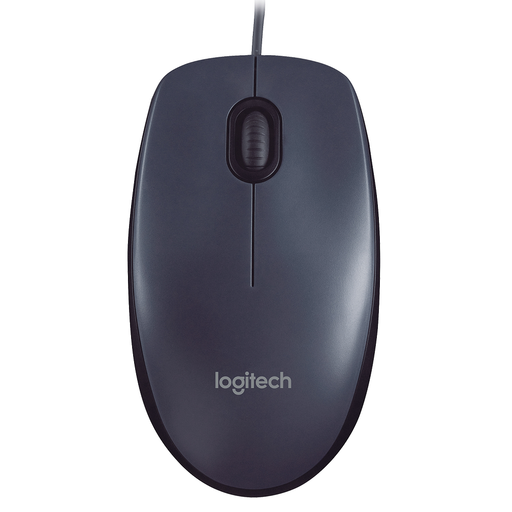
Why this choice suits this profile: This wired USB mouse focuses on simplicity for studies, office work and a first setup on PC or Mac.
The USB-A connection works straight away, with no drivers or batteries to worry about. Its symmetrical shape also reduces the risk of choosing a model designed for one hand only.
Optical sensor 1,000 DPI, three buttons, 1.5 m cable and compatibility with Windows, macOS, ChromeOS and Linux.
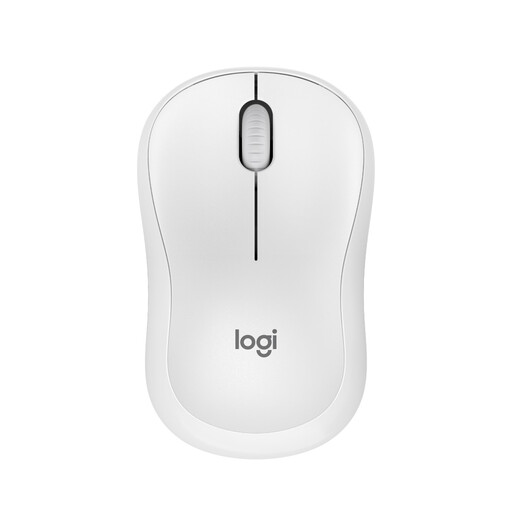
Why this choice suits this profile: Its compact size and Bluetooth connection are well suited to laptops, shared desks and commutes between home and work.
It doesn't need a USB dongle and reduces click noise by 90%, according to its product sheet. Its stated battery life can reach 18 months on one battery.
Bluetooth, optical sensor 1,000 DPI, three buttons and compatibility with Windows, macOS and ChromeOS.
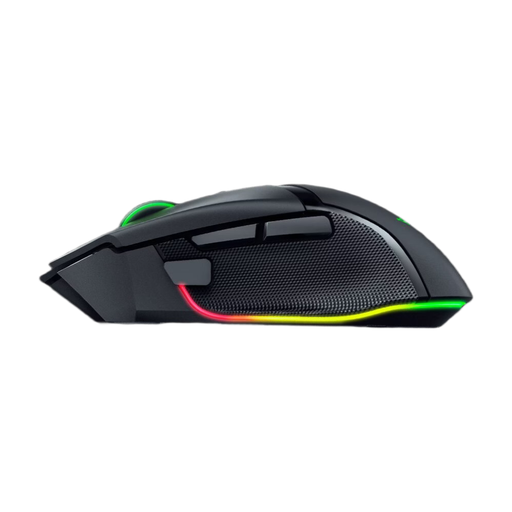
Why this choice suits this profile: It targets gamers and creators who want to customise controls, sensitivity and connection mode.
Its profiles and programmable buttons let you make the most of the advertised features, provided you install the Razer Synapse software. Connection works via 2.4 GHz, Bluetooth or USB-C.
Sensor rated at 30,000 DPI, 11 programmable controls, four-way scroll wheel and stated battery life of 90 hours in HyperSpeed mode.
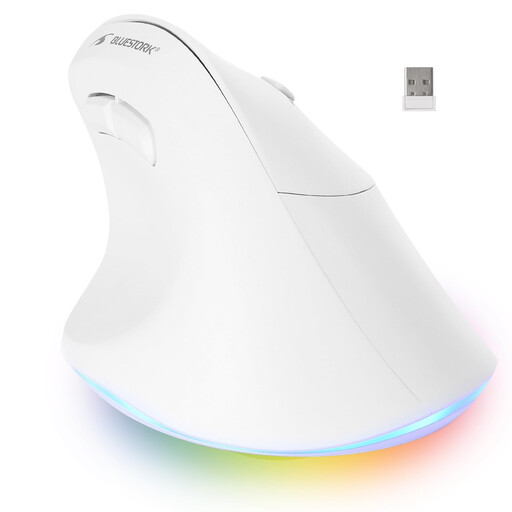
Why this choice suits this profile: Its vertical right-handed design and rechargeable battery are aimed at long work or creative sessions.
The product sheet clearly states it is a right-handed model with a vertical shape and adjustable sensitivity from 800 to 2,400 DPI. This lets you check it suits you before buying, rather than relying on the word 'ergonomic' alone.
2.4 GHz and Bluetooth connections, rechargeable lithium battery via USB-C, adjustable DPI and RGB backlighting.
A Bluetooth mouse is convenient if your devices support this standard and you want to keep your USB ports free. A 2.4 GHz mouse with a receiver can be simpler to set up on a computer with a USB-A port. Always check the compatibility stated by the manufacturer.
It all depends on the battery, click frequency, the switch and your daily usage. Some battery-powered models claim up to 12 or 18 months of battery life, while a rechargeable mouse needs to be plugged in regularly. These figures are indicative and can vary depending on settings and environment.
No. The term 'silent' generally refers to reduced click noise, not a complete absence of sound. The perceived noise level also depends on the scroll wheel, the desk surface and the pressure you apply.