
Livraison le jour même ou le lendemain

Qualité garantie

Débloquez vos offres de bienvenue: Livraison GRATUITE | Jusqu'à -80 % | 30 jours d'essai gratuits à JoyPlus
Téléchargez l'application
A well-designed workspace is key to productivity and comfort, especially when working from home. Yet, choosing the right computer desk often turns into a headache: unsuitable dimensions, non-existent storage, tangled cables... These daily frustrations can sap your concentration and well-being.
This guide is here to clear things up. We'll break down the essential features to help you choose a desk that truly meets your functional and ergonomic needs, cutting through the marketing hype.
Before you start looking, it's crucial to define your priorities. Here are three fundamental criteria to guide your choice.
Sitting for hours on end is the perfect recipe for building up tension. The sit-stand desk offers an incredibly effective solution: it encourages you to alternate postures throughout the day. A height-adjustable desk, usually motorised, adjusts in seconds. This type of electric desk promotes movement, a key factor for well-being at work. Remember to check the adjustment range, speed, and noise level of the motor.
If you're short on space or want to clearly define your office nook, the corner desk (or L-shaped desk) is a particularly smart option. It utilises a corner of the room that is often left empty to provide a generous work surface. This allows you to dedicate one part to your computer and the other to manual tasks, like note-taking or reading, without having to shuffle everything around.
A clear desk means a clearer mind. A desk with storage—integrated drawers, shelves, or cabinets—is therefore essential for keeping your supplies and accessories within reach but out of sight. For a home office desk worthy of the name, also pay attention to the details that make all the difference: cable grommets, a headphone hook, or even integrated USB ports to charge your devices without monopolising your outlets.
To put theory into practice, here are a few models that perfectly embody these different workspace philosophies.
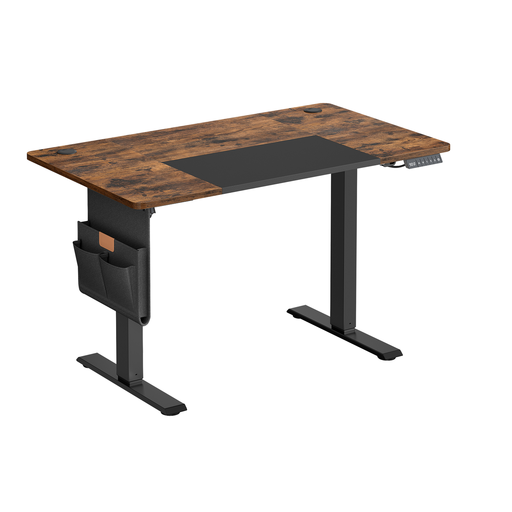
Why it stands out
This model combines the benefits of a height-adjustable desk with compact dimensions (120 x 60 cm), making it ideal for apartments or small rooms. Its smart features, like height memory presets and a USB-C port, make it an excellent choice for a modern and efficient workstation.
Advantages
Who is it for?
Ideal for remote workers or students with limited space who don't want to compromise between the ergonomics of a sit-stand desk and everyday practicality.
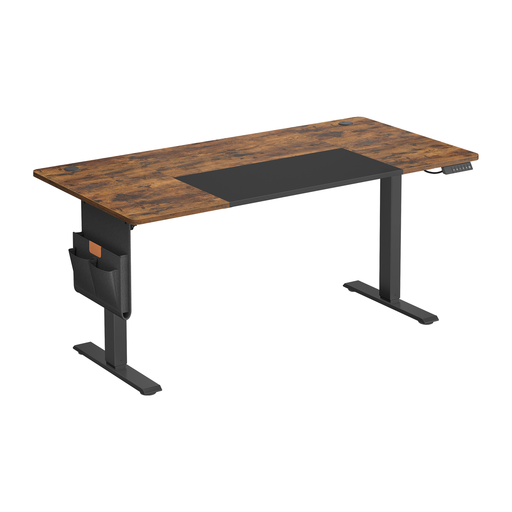
Why it stands out
This version takes all the strengths of the previous model and expands them onto a much more generous 160 x 70 cm desktop. This extra space provides unparalleled comfort for multi-monitor setups, creative equipment, or simply for those who like to spread out while they work.
Advantages
Who is it for?
For professionals, creatives, or gamers looking for a vast, ergonomic, and functional workspace to accommodate a complete computer setup.
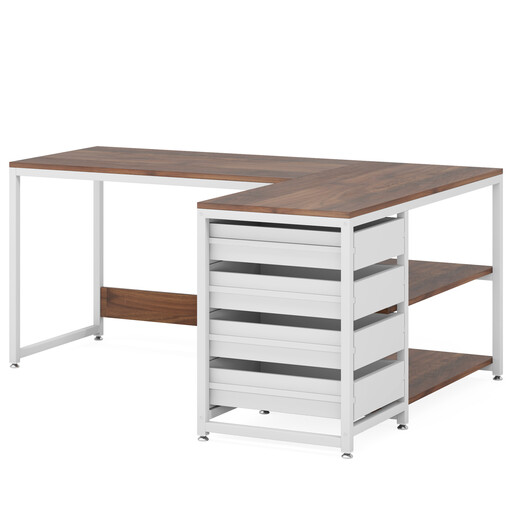
Why it stands out
This L-shaped desk is the all-in-one solution for those who make storage and space optimisation an absolute priority. Its reversible design is a real bonus: the storage module can be placed on the left or right to fit your room's layout.
Advantages
Who is it for?
Perfect for remote workers who juggle numerous documents and supplies. It's the ideal choice for creating a fixed, perfectly organised, and spacious workstation.
Every home is unique, and so are your needs. If you're looking for a corner solution with specific storage or a different design, our full collection might have what you're looking for.
Discover our complete range of corner desks with storage drawers to find the model that fits perfectly into your home.
Yes, more than you might think. The main advantage of a sit-stand desk is that it combats a sedentary lifestyle by encouraging you to change your posture. This simple habit can significantly reduce pain associated with prolonged sitting and re-energise your day. Of course, its effectiveness will depend on your discipline in using it regularly.
A depth of 60 cm is the bare minimum to be comfortable with a laptop and an external monitor. For true visual comfort, and to have enough room for a keyboard, mouse, and documents, we recommend aiming for 70 to 80 cm. This is especially true if you use a large monitor.
The dreaded cable mess! To tackle it, start by using integrated solutions like cable grommets. Then, consider accessories: cable management trays or baskets that attach under the desk are incredibly effective for hiding power strips and chargers. Finally, never underestimate the power of simple cable ties or reusable wraps: they work wonders.