
Livraison le jour même ou le lendemain

Qualité garantie

Débloquez vos offres de bienvenue: Livraison GRATUITE | Jusqu'à -80 % | 30 jours d'essai gratuits à JoyPlus
Téléchargez l'application
A laptop, iPad, iPhone or USB-C device can quickly become less practical without the right accessories. Yet product listings often highlight a long list of features without clarifying compatibility limits, connection standards or usage conditions.
To avoid a wasted purchase, three pitfalls deserve your attention:
A smart selection therefore depends on your actual usage, the connectors available and verifiable specifications.
For a hard-shell laptop case, the product name alone isn't enough. Check the model number printed underneath your device or displayed in its settings. The 13.6-inch hard-shell case available on Joybuy is listed as compatible with models A3449, A3240, A3113 and A2681. This information is far more reliable than simply stating the screen size: two computers of the same size can have different dimensions or cutouts.
The same caution applies to the iPad Pro 11-inch screen protector. This pack of two films is designed for the iPad Pro 11-inch M4 and models A2837, A2836 and A3006. Before ordering, compare your tablet's model number, especially if it has a different sensor or camera.
For a 100 W USB-C cable, three specifications need to be distinguished:
The UGREEN USB 2.0 100 W braided cable features an E-Marker chip and supports up to 5 A with a maximum power of 100 W in certain charging configurations. However, its USB 2.0 data interface tops out at 480 Mbit/s. So it's better suited for charging and everyday syncing than for regularly transferring large video files.
With a charger, also check the power your device actually needs. The Apple USB-C 20 W charger has a single USB-C port and works with many compatible devices, but the cable is sold separately. You'll therefore need to buy a USB-C to USB-C or USB-C to Lightning cable, depending on your device.
A 10-in-1 USB-C hub can simplify a desk setup with a laptop that lacks traditional ports. However, bear in mind that the number of outputs doesn't mean they'll all work simultaneously in every configuration.
The UGREEN CM639 offers:
It's a versatile solution for a fixed workstation, but check that your system supports MST mode, video output and the required resolution. A dual HDMI USB-C docking station also doesn't replace your main power supply: the power delivered by the hub depends on the charger connected and your computer's needs.
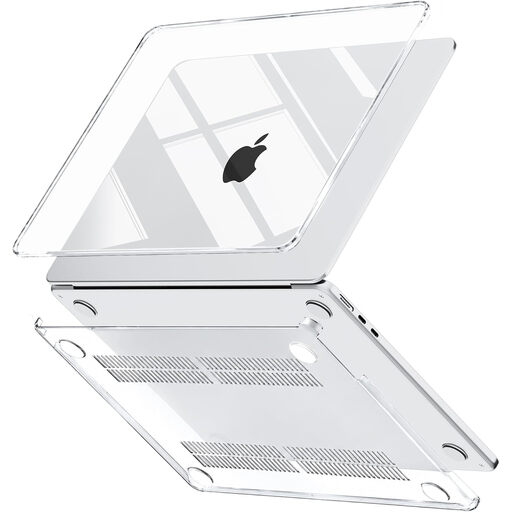
Why this choice suits this profile: It's ideal for a student or user who wants to protect their laptop without investing in a dedicated bag.
The list of model numbers A3449, A3240, A3113 and A2681 lets you check your device before buying, rather than relying solely on screen size.
A stated 13.6-inch size, rigid construction and clip-on fastening for everyday use.
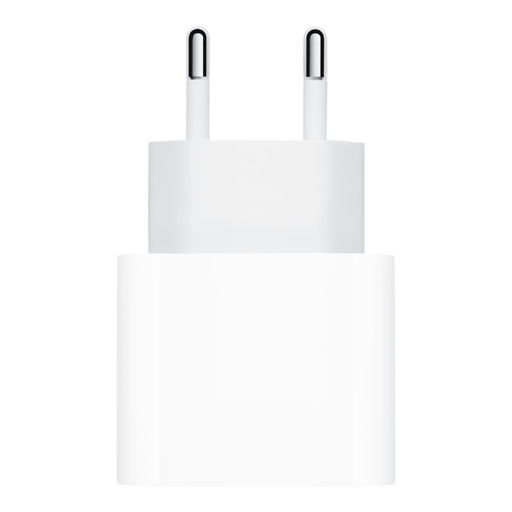
Why this choice suits this profile: This adapter fits seamlessly into an Apple setup at home, in the office or on the go.
The power output is clearly stated as 20 W and the cable is not included – two points to check before ordering.
A single USB-C port, 100–240 V input voltage and a compact design that's easy to carry.
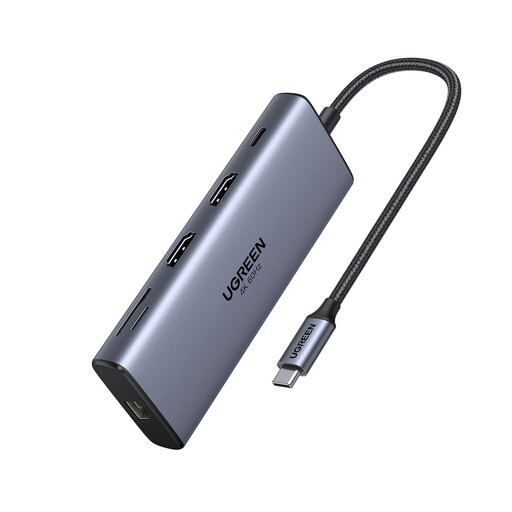
Why this choice suits this profile: This dock is ideal for remote working, content editing and setups with external monitors, wired networking and memory cards.
The ports and their speeds are listed separately: HDMI up to 4K at 60 Hz, USB-C up to 10 Gbit/s and networking up to 1 Gbit/s.
Two HDMI outputs, SD/TF card readers, a Gigabit RJ45 port and PD power delivery up to 100 W in an aluminium housing.
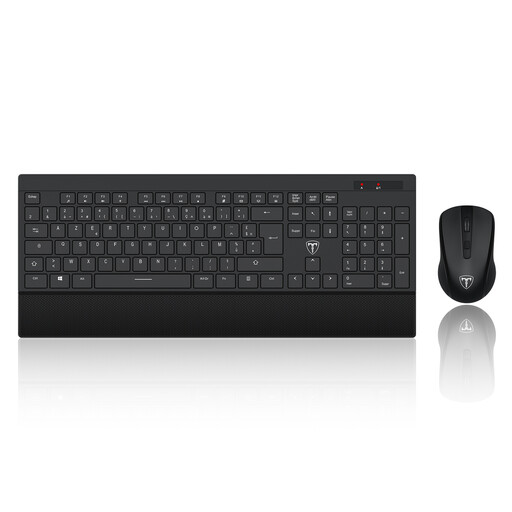
Why this choice suits this profile: It's ideal for a family desk, a shared computer or a remote working setup where simplicity is key.
The keyboard has 105 keys in a French layout and uses a single receiver, so you don't need multiple connections.
A wireless range of up to 10 metres, an optical mouse with adjustable resolution and a battery life of up to 12 months.
For office and remote working accessories, ergonomics matter just as much as connectivity. A monitor light bar for your computer, such as the Thunderobot L1, can free up desk space. Its specifications mention an asymmetric light source, ten brightness levels and a colour rendering index of Ra95. Be sure to adjust the brightness to your room's lighting and follow the manufacturer's instructions.
Content creators might also consider the BOYA BY-V20 USB-C wireless microphone. The kit includes two transmitters and one receiver, with a stated battery life of 9 hours and an activatable noise reduction function. Check that your phone or tablet has a compatible USB-C port, then do a test recording before any important capture.
To protect an iPad, a pack of two screen films gives you a spare, but you must apply it on a clean, dust-free surface. A braided cable, a suitable charger and a correctly sized docking station will then complete your setup, depending on your devices.
We've put together a comprehensive, real-time updated list of products that fully meet these strict selection criteria and European safety regulations.
No. Your laptop must have a USB-C port that supports the necessary functions: data transfer, charging or video output. Check its technical specifications before choosing a hub or dual HDMI dock.
No. The power depends on the charger, the device and the protocol used. A cable that supports 100 W can work with equipment that requires less, but it won't force the device to accept more power than it's designed for.
Lifespan varies depending on how often you plug and unplug them, bending, heat and storage conditions. Avoid moisture, repeated bending near the connectors and damaged adaptors. For a charging accessory, stop using it immediately if it overheats, cracks or gives off an unusual smell.