
Livraison le jour même ou le lendemain

Qualité garantie

Débloquez vos offres de bienvenue: Livraison GRATUITE | Jusqu'à -80 % | 30 jours d'essai gratuits à JoyPlus
Téléchargez l'application
Going back to school or university often involves several purchases: a mouse, keyboard, headset, laptop sleeve, webcam or streaming equipment. However, product pages sometimes highlight impressive figures without explaining what they actually change in everyday use. To choose computer accessories for going back to school that suit your needs, it is best to start by checking compatibility, ergonomics and usage requirements before being tempted by advanced features.
A gaming mouse displaying 26 000 DPI will not help you take notes, browse the web or work on a spreadsheet any more effectively. Similarly, a webcam advertised as 4K needs a sufficiently fast connection, suitable lighting and compatible software to produce an image that is genuinely usable.
The best approach is to link every feature to a specific use — video lessons, video editing, gaming, remote working or live streaming.
A compact gaming keyboard or mechanical keyboard can free up space on a small desk. However, 60% or 75% layouts remove certain dedicated keys. The arrow keys, number pad or function keys may then only be accessible via a key combination. A QWERTY layout may also slow down typing if you usually use an AZERTY keyboard in France.
A splash-resistant sleeve or MacBook Air case is not necessarily waterproof. Water can seep in through zips or seams. Also check the laptop’s generation and exact dimensions: a 14-inch MacBook Pro will not necessarily be compatible with every model featuring the same screen size.
Start by identifying the system you use: Windows, macOS, ChromeOS, console or mobile device. A wireless mouse with a USB receiver may require an adapter on some laptops. A webcam designed for a PC or Mac must also work with the video-conferencing apps you use.
For a desktop setup, a wired connection simplifies installation and means you do not have to think about recharging. For a shared desk or a computer carried around every day, wireless connectivity reduces clutter. Also remember to check for a USB-A, USB-C or Bluetooth connection, or a proprietary receiver.
In a student bedroom or small accommodation, every centimetre counts. A 60% keyboard is easy to carry, while a 75% model retains more keys. For a sleeve, compare its internal dimensions with those of your laptop: the mention of “13 inches” or “15 inches” is not always enough.
Weight eventually becomes noticeable on daily journeys. A lightweight mouse slips easily into a bag, while a wireless gaming headset with a reinforced headband often prioritises stability and comfort over compactness.
A battery-powered mouse, such as the Logitech M171, is managed differently from a rechargeable model. A wireless headset needs regular charging and may work via Bluetooth or a USB transmitter, depending on the device. For long sessions, check the quality of the padding, the headband adjustment and whether the lighting effects can be switched off.
Protection ratings should also be read carefully. The MageGee TS91 specifies an IPX4-rated circuit board, but its USB connector is not waterproof and the keyboard must not be immersed. Precise technical information helps you avoid unpleasant surprises caused by overly flattering marketing language.
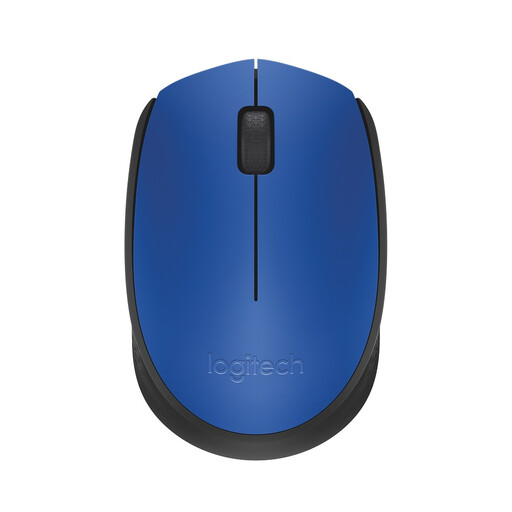
Why this choice suits this profile : Its ambidextrous shape, USB receiver and stated range of up to 10 metres make it a practical option for lessons, administrative work and travelling with a laptop.
It avoids paying for unnecessary gaming settings and works across several systems without complex software installation.
2.4 GHz connection, ambidextrous design, optical tracking and compact size.
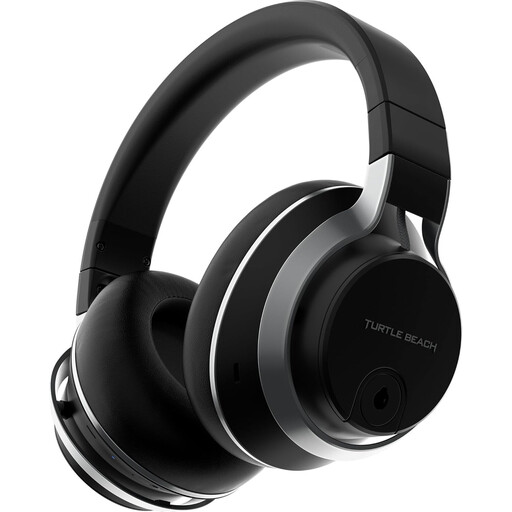
Why this choice suits this profile : This headset is designed for people who move between PlayStation, PC, Mac, Steam Deck and mobile, with high expectations for communication and immersive sound.
Its two microphone options and wireless connectivity, including Bluetooth, mean you do not need separate headsets for different devices.
50 mm speakers, detachable microphone, memory foam ear cushions and active noise cancellation.
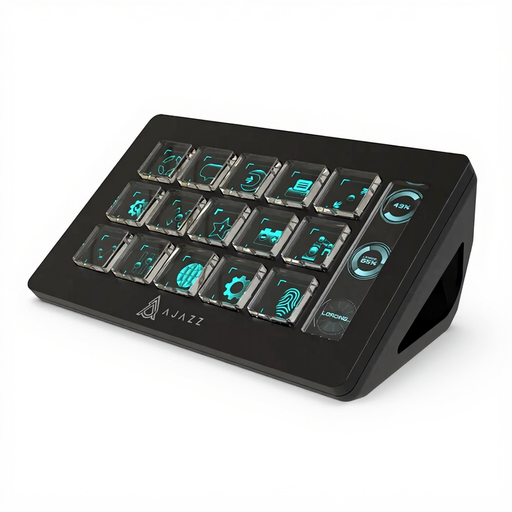
Why this choice suits this profile : Content creators and streamers can assign shortcuts to its 15 LCD buttons to control OBS, Twitch, Zoom, Photoshop or various audio commands.
It replaces difficult-to-remember key combinations with visible, customisable controls.
15 LCD keys, multiple commands per button and advertised PC/Mac compatibility.
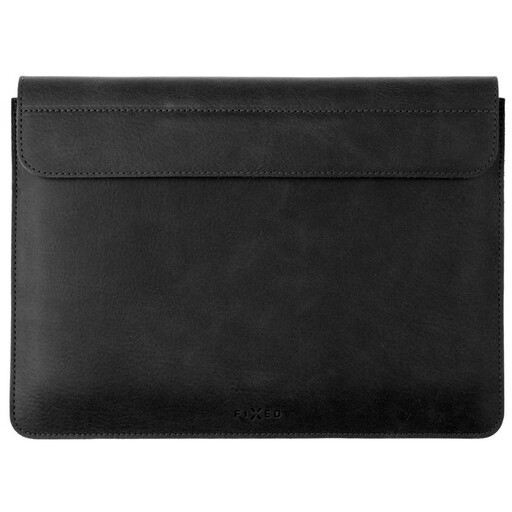
Why this choice suits this profile : This sleeve is designed for regularly carrying a compatible MacBook Air between home, campus, the library and the workplace.
Its suitable dimensions and microfibre lining help you avoid choosing a sleeve that is too large, allowing the laptop to move around inside.
Genuine leather, magnetic closure and scratch-resistant inner lining.
We have put together a complete, real-time-updated list of products that fully meet these strict selection criteria and European safety regulations.
Start with a comfortable mouse, a sleeve that fits your computer and, if necessary, an external keyboard. A 4K webcam for PC and Mac is only really worthwhile for frequent video conferences or content creation. A wireless gaming headset and a macro controller for streaming are suited to more specific needs.
Yes, provided you check the key layout and make sure it includes the functions you need. A 75% layout retains more controls than a 60% keyboard. If you are working in a library or shared accommodation, also check how noisy the switches are.
Take the cost of batteries, charging and any required adapters into account. A battery-powered mouse may last a long time, while a headset or AR/XR glasses will generally need regular charging. Before ordering, check the type of cable supplied, whether a compatible charger is included and whether the device can be used in wired mode.