
Livraison le jour même ou le lendemain

Qualité garantie

Débloquez vos offres de bienvenue: Livraison GRATUITE | Jusqu'à -80 % | 30 jours d'essai gratuits à JoyPlus
Téléchargez l'application
A car dashcam can prove invaluable for documenting an incident, reconstructing a journey, or keeping an eye on a parked vehicle. However, be aware: product specs don't always tell the full story. A flashy resolution, parking mode, or impressive night vision may depend on very specific usage conditions.
Before you buy, take the time to check these three points:
A 2K dashcam generally offers more detail than a 1080p model. Meanwhile, a 4K dashcam can bring out certain elements better when brightness and shooting conditions are favourable. At night, against windscreen reflections or during fast movement, the difference narrows considerably.
Also consider:
If you want to film in multiple directions, a front and rear dashcam will be more suitable than a simple front-facing camera. Three- or four-channel models can also cover the cabin and sides – a useful setup for taxis, private hire vehicles, and commercial vehicles.
A car camera with GPS can tag videos with the vehicle's position, speed, and route, depending on the available settings. This data helps put a journey into context, but it doesn't replace the other elements needed for a case file.
Wi-Fi is mainly used to view and transfer videos to a phone without having to remove the memory card. 5 GHz Wi-Fi can speed up the transfer of large files, provided your smartphone and app are compatible.
A dashcam with a screen lets you check the framing immediately and review footage directly in the car. A screenless model is often more discreet, but relies more heavily on the mobile app for settings and video playback.
Parking mode can rely on several systems: impact detection, motion detection, or time-lapse recording. A permanent power supply via a hardwire kit must be compatible with the vehicle and protect the battery with a discharge prevention feature.
Before installation, check the following:
In the UK, avoid intrusively filming other people's cabins or private spaces. Footage should be used with discretion, especially when it contains information that could identify individuals or number plates.
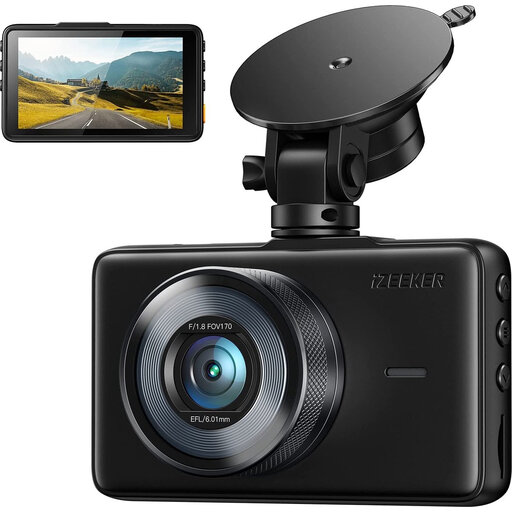
Why this suits this profile: With its 1080p resolution and 3-inch screen, it covers the essentials for daily journeys without piling on extra features.
The listing clearly states that the microSD card is sold separately and recommends a Class 10 card or higher – so the running cost is clear from the start.
3-inch LCD screen, loop recording, G-sensor, and two mounting options.
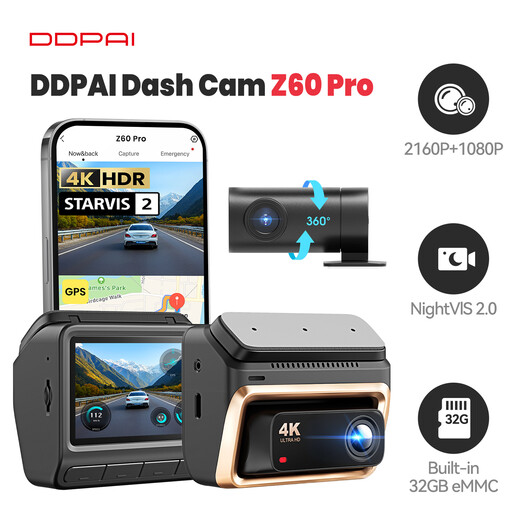
Why this suits this profile: This model combines a 4K front camera, an optional 1080p rear camera, GPS, 5 GHz Wi-Fi, and a 3-inch IPS screen.
The listing clearly distinguishes between parking mode, the 4G module, and the hardwire kit – these accessories must be purchased separately.
32 GB internal storage, compatibility with cards up to 512 GB, GPS, and claimed Sony STARVIS 2 sensors.
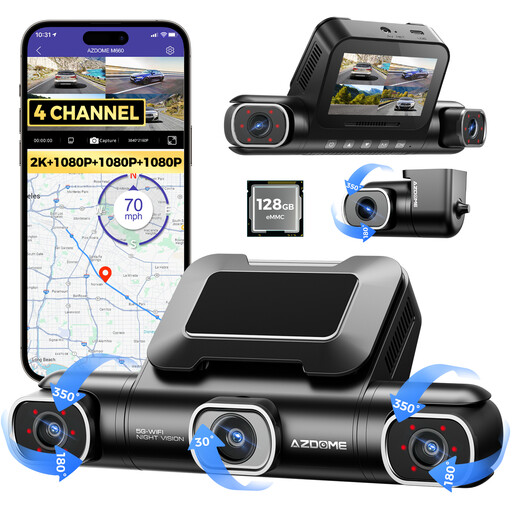
Why this suits this profile: Its four channels cover the front, rear, and sides. A setup particularly well suited to taxis, private hire vehicles, SUVs, and vehicles that are often parked.
128 GB eMMC storage is built in, while the listing notes that the kit required for parking mode is sold separately.
2.5K front recording, three 1080p channels, 3-inch IPS screen, GPS, 5 GHz Wi-Fi, and voice control.
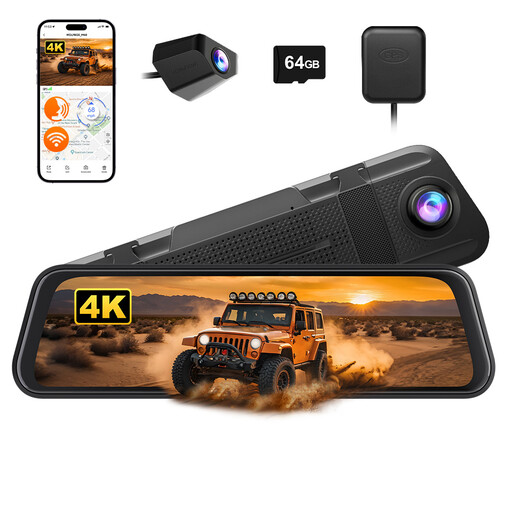
Why this suits this profile: Its rearview mirror format, combined with a 10-inch touchscreen, lets you see what's happening both in front and behind directly.
The stated compatibility covers several vehicle types, but you'll need to check that the system can be properly mounted on your original rearview mirror.
4K front camera, 1080p rear camera, 64 GB card included, GPS, Wi-Fi, and voice control.
We've put together a comprehensive, regularly updated selection of products that meet these demanding criteria, while also taking European safety regulations into account.
Install it behind or near the rearview mirror, in an area that doesn't reduce your field of vision. Run the cable along the trim, making sure not to interfere with airbag deployment. Once installation is complete, check the framing, the horizon, and the visibility of the front number plate.
It all depends on the resolution used, the number of cameras, and the memory card capacity. Loop recording automatically overwrites the oldest ordinary files. Videos locked by the G-sensor, however, must be deleted manually. If a recording is useful to you, remember to save it to your phone or computer promptly.
On top of the camera's price, you may need to add the cost of a suitable microSD card, a hardwire kit for 24-hour parking mode, and, depending on the model, a remote connectivity module. Check these elements before ordering so you can compare the real cost of installation and use.