
Livraison le jour même ou le lendemain

Qualité garantie

Débloquez vos offres de bienvenue: Livraison GRATUITE | Jusqu'à -80 % | 30 jours d'essai gratuits à JoyPlus
Téléchargez l'application
Choosing children's Bluetooth headphones can quickly become a headache. Between marketing promises and confusing technical specs, it's hard to find a model that combines hearing safety with durability. Too many parents end up with unsuitable headphones, or a pair that breaks after just a few months. This guide is here to help you avoid the common pitfalls and choose a model that will truly meet your child's needs.
Before you start shopping, watch out for these common flaws that often lead to disappointment:
To avoid making a mistake, focus on these non-negotiable points. They are your best guarantee for buying a safe, high-quality pair of wireless headphones for kids.
This is THE number one criterion. A child's hearing is delicate, and prolonged exposure to high volumes can cause irreversible damage. Insist on a model with a volume capped at a maximum of 85 dB. This information should be clearly stated by the manufacturer. It's the only feature that effectively protects your child's hearing, even if they turn the volume all the way up on their tablet or smartphone.
Good headphones for kids aged 4-12 must be designed to withstand their active daily lives. Check the following:
Good headphones should also be versatile.
Here are some models that tick all the boxes, recommended for specific uses to help you make the right choice.
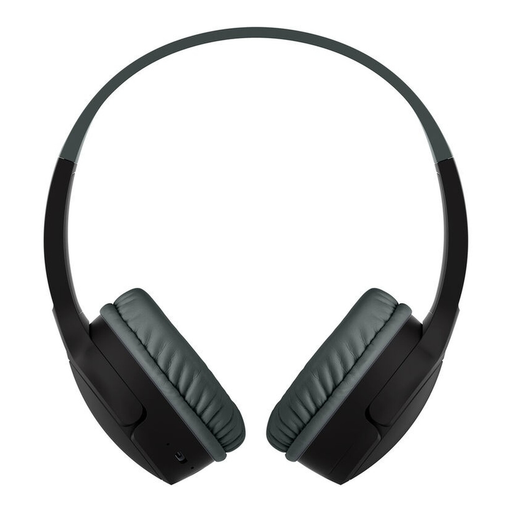
Why it's a great fit: Ideal for homeschooling. Its compatibility with apps like Zoom or Google Classroom and its built-in mic allow for active participation in class. Its robust design is made for rough, daily use.
The volume is reliably capped at 85 dB. Its drop-proof and splash-proof design prevents premature failures and the disappointment of flimsy construction.
Its microphone ensures clear communication, and its touch controls are intuitive enough for young children to master.
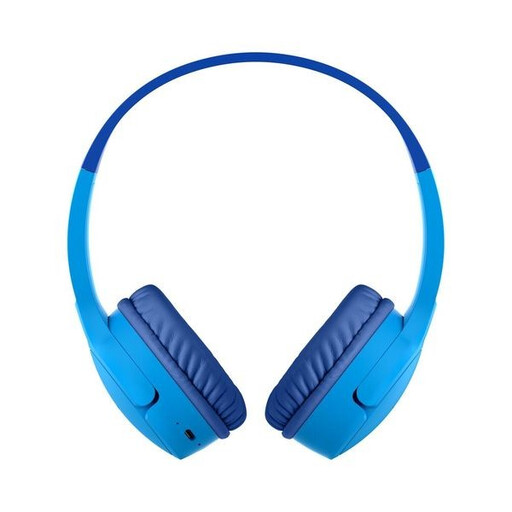
Why it's a great fit: The perfect travel companion to keep kids entertained on long journeys. Its extra-long 30-hour battery life eliminates the hassle of constant recharging, and its comfortable fit means it can be worn for hours without complaint.
Its record-breaking 30-hour battery life puts an end to low-battery anxiety. Its plush cushions and adjustable headband ensure a comfortable fit, even after several hours.
Up to 30 hours of non-stop listening. The included 3.5 mm audio cable is the perfect backup solution when needed.
Explore our full selection of models that meet all our criteria for safety, durability, and quality.
It all depends on the build quality. An entry-level model will rarely last more than a few months. For a long-lasting purchase, it's better to choose products made with robust materials that are tested to withstand drops and twists. The Belkin SoundForm Mini, for example, is designed to handle heavy use for at least two years. For wireless models, battery life is also a key factor.
Hearing safety doesn't depend on the connection type, but on the presence of an effective 85 dB volume limit. Bluetooth has the advantage of eliminating the cable, which can get tangled or pose a risk to younger children. On the other hand, a wired model has no battery and is therefore always ready to use. The best compromise is a pair of Bluetooth headphones that also includes a detachable audio cable for greater versatility.
The process is usually simple and quick: