
Livraison le jour même ou le lendemain

Qualité garantie

Débloquez vos offres de bienvenue: Livraison GRATUITE | Jusqu'à -80 % | 30 jours d'essai gratuits à JoyPlus
Téléchargez l'application
A cable that charges slowly, an adapter that overheats or an incompatible charging point can turn what seems like a simple purchase into a wasted expense. The charging accessories and adapters category actually covers a wide range of products: Apple USB to Lightning cable, USB-C 100 W cable, Thunderbolt 5 cable, electric vehicle charging cable and universal travel power adapter.
To choose the right solution in the UK, it’s best to look beyond marketing claims like “fast charging” or “compatible with all devices”. Here are the key factors to check before you place your order.
Two USB-C cables can look identical yet offer very different capabilities. One may only support charging and basic syncing, while the other handles high power, faster data transfer or video transmission.
So just because a cable has a USB-C connector doesn’t guarantee USB-C fast charging, 100 W power or Thunderbolt compatibility. Always check the power rating, data standard and supported devices.
A USB-C cable rated at 100 W won’t force your device to draw 100 W. The actual power delivered depends on the charger, the cable, the supported protocol and the connected device.
On the other hand, a laptop or docking station may need a cable that can handle a specific power level and data speed. For a phone, a standard USB-C cable is usually fine. For a MacBook, monitor or fast external SSD, you’ll want to look more closely at the specifications.
A European plug adapter, a UK plug adapter or a universal adapter changes the shape of the plug, but doesn’t necessarily convert the electrical voltage. A device designed for 100–240 V can generally be used in different regions with the right adapter, provided you follow the manufacturer’s instructions.
However, a hairdryer or kettle designed only for the UK mains may need a specific voltage converter. Always check the “Input” label on each device before you travel.
Start by identifying both ends of the cable:
A charging and syncing cable can of course transfer data, but its speed may be limited. This distinction matters when you need to move large files or connect a display.
Power is measured in watts. A USB-C 100 W cable can be a good choice for a laptop that supports USB Power Delivery. The UGREEN model shown below is rated for up to 5 A and offers several power profiles, including 20 V/5 A, with support for PD/SCP.
For an electric vehicle, the cable’s power rating alone isn’t enough. You also need to check:
A 22 kW electric vehicle charger won’t let a vehicle limited to 7.4 or 11 kW charge at 22 kW. The Type 2 cable must match the installation.
Look for detailed information about the cable jacket, bend resistance, moisture protection and any stated certifications. These details don’t replace the manufacturer’s instructions, but they do make it easier to compare products.
For cables used at home, avoid repeated bending near the connectors and always unplug by holding the plug, not the cable. With a travel adapter, watch out for signs of overheating, unusual smells or damage. For car charging, make sure the connectors are clean and dry before each use.
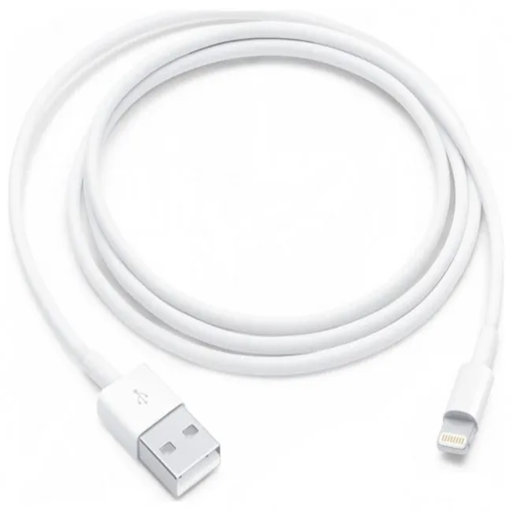
Why it suits them: A straightforward option for iPhone, iPad or iPod users with a Lightning port who have a computer or USB-A charger.
The connector is clearly identified: USB-A to Lightning. There’s no risk of confusing it with a USB-C cable meant for newer devices.
1 m length, reversible Lightning connector and support for charging and USB 2.0 syncing.
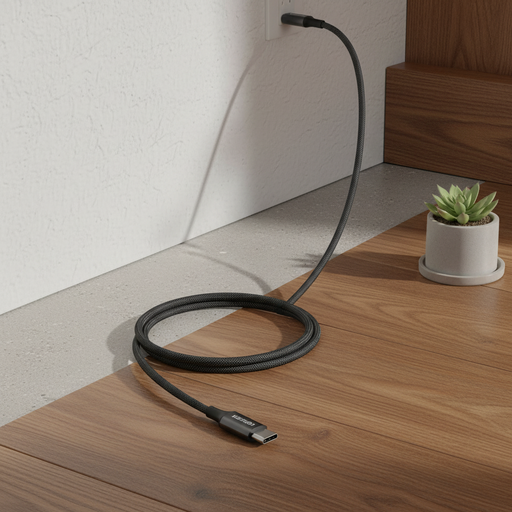
Why it suits them: A good choice for USB-C laptops, tablets and phones that need high charging power in a short cable.
The description clearly states the maximum power and USB 2.0 data speed. So you know that high charging power doesn’t mean high-speed data transfer.
Rated up to 100 W, USB-C connectors and braided cable with E-Marker chip as per the specifications provided.
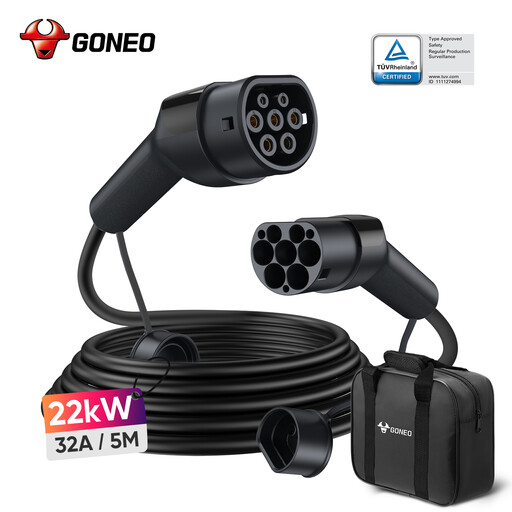
Why it suits them: Ideal for drivers whose vehicle and charging point support three-phase charging up to 22 kW with Type 2 connectors.
The Type 2 compatibility and 22 kW power are listed separately. However, you should still confirm your onboard charger’s capacity before buying.
5 m cable, rated at 32 A, three-phase operation, IP54 rating and stated TÜV, CE, UKCA, RoHS, ISO and IEC certifications.
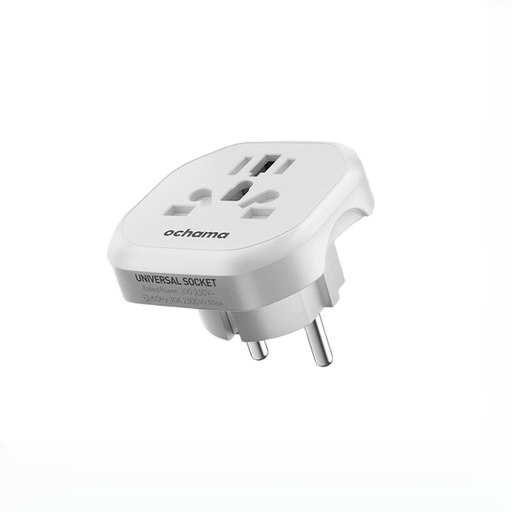
Why it suits them: A versatile solution for taking UK or European devices when travelling to the USA, Australia or other countries.
The description makes clear it’s a plug adapter, not a voltage converter. You still need to check that your device supports 100–240 V.
Compatible with over 150 countries according to the description, with fire-resistant materials and built-in child safety protection.
Browse our updated selection of cables, chargers and adapters for different devices, vehicles and destinations.
First, check the power your device and charger can handle. For a laptop, a USB-C 100 W cable may work if both the charger and computer support that power level. For fast file transfers, also check the data standard: a USB 2.0 cable won’t perform the same as a Thunderbolt 5 cable.
Yes, but not necessarily at the same performance level. The Apple Thunderbolt 5 cable is stated to be compatible with Thunderbolt 3, Thunderbolt 4, USB4 and USB 3, but the speed and features available depend on the port and connected devices. For a monitor or external drive, check the standard supported by both pieces of equipment.
Use a charger and cable that match the power your device needs, keep the connectors dry and avoid sharp bends. Unplug the product immediately if you notice an unusual smell, melting, visible damage or excessive heat. With a universal adapter, also respect its maximum power rating and don’t plug in a high-power appliance without checking first.