
Livraison le jour même ou le lendemain

Qualité garantie

Débloquez vos offres de bienvenue: Livraison GRATUITE | Jusqu'à -80 % | 30 jours d'essai gratuits à JoyPlus
Téléchargez l'application
Fumbling with cables to connect your smartphone, cursing at an outdated infotainment system… it's a frustration too many drivers know. You dream of using Waze, your music, and your calls seamlessly, but the idea of replacing your head unit seems both complex and costly.
Fortunately, simple and affordable solutions exist to integrate or enhance the CarPlay experience without a major overhaul. This guide reviews the different options, from discreet adapters to multi-function displays, to help you make the right choice for your vehicle and your needs.
Before you take the plunge, a few points deserve your attention to ensure you make the right choice.
Your current setup will directly guide your choice:
This is the most critical step. A quick check is essential before any purchase:
Some products go beyond simple connectivity. An external display, for example, can integrate a dashcam, recording the road in 4K while displaying your GPS. If your goal is to be able to watch Netflix via CarPlay (while parked, of course), then an AI box is essential. These combined features can offer excellent value for money.
To give you a concrete overview, here is our selection of products that meet every need.

Key Feature The OTTOCAST Mini has one single mission: to make your wired CarPlay or Android Auto connection finally... wireless. Its ultra-compact form factor, barely larger than a USB drive, allows it to blend discreetly into your car's interior. The connection is established in seconds after the initial pairing.
Pros
Who is it for? For anyone who already has wired CarPlay or Android Auto and simply wants to say goodbye to the cable for more daily convenience.
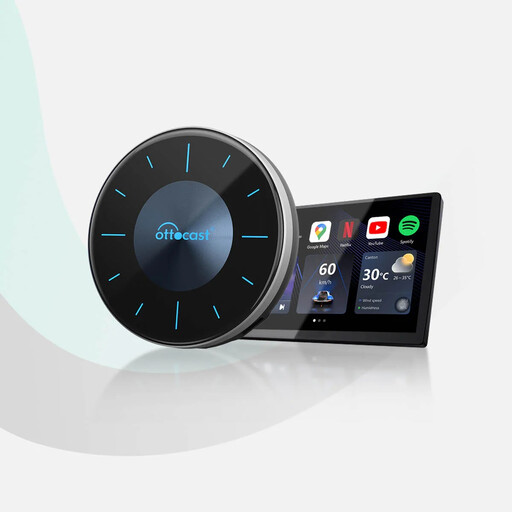
Key Feature This box goes far beyond a simple adapter. It plugs into your USB port and runs a full Android 12 system that displays on your car's factory screen. This gives you access to the Google Play Store to download apps like YouTube, Netflix, TikTok, or Waze. Its HDMI output even allows you to stream content to a screen for rear passengers.
Pros
Who is it for? For tech enthusiasts who already have a wired CarPlay screen and want to turn it into a true multimedia powerhouse for entertainment while parked or for passengers.

Key Feature This is the ultimate upgrade tool for unequipped vehicles. This large 10.26-inch touchscreen mounts on the dashboard and simply plugs into the cigarette lighter. It not only adds wireless CarPlay and Android Auto to any vehicle but also serves as a complete dashcam, with a 4K front camera and a 1080p rear camera.
Pros
Who is it for? Ideal for owners of older vehicles or entry-level models without a screen. It's the easiest and most effective way to add navigation, connectivity, and safety without any permanent modifications to the vehicle.
Our selection covers the most common use cases, but the car accessories market is full of hidden gems. If you're curious to discover other gadgets for your car, feel free to explore our full category.
? Discover more solutions in our Electronic Parts category
Yes, absolutely. The easiest solution is to use a portable CarPlay display like the ESSGOO model mentioned above. It requires no modifications to the car's existing system and operates independently.
Most recent models, like the OTTOCAST Mini, are compatible with both ecosystems. However, it's crucial to check the product specifications, as some older or entry-level adapters are exclusively for CarPlay.
Absolutely not. In most countries, it is strictly forbidden and extremely dangerous for the driver to watch a video while behind the wheel. The ability to watch Netflix via CarPlay or YouTube with an AI box is intended for use only when the vehicle is parked, or for the entertainment of passengers. Driving safety remains the absolute priority.