
Livraison le jour même ou le lendemain

Qualité garantie

Débloquez vos offres de bienvenue: Livraison GRATUITE | Jusqu'à -80 % | 30 jours d'essai gratuits à JoyPlus
Téléchargez l'application
Updating your car’s interior or completing a home cinema setup isn’t just about comparing screen sizes and the number of supported formats. Whether you’re looking at a portable CarPlay screen, a 2DIN Android car stereo or a Blu-ray player for the living room, the needs, connections and constraints vary widely.
Some marketing claims also deserve a closer look. A “wireless” compatibility may depend on your phone and its operating system version. A high resolution doesn’t guarantee a practical fit in the car. And a Blu-ray player might offer an HDMI output without including Wi-Fi or certain streaming apps. Here are the points to check before you place your order.
The mention of wireless CarPlay or wireless Android Auto means the device can connect without a cable in certain setups. That doesn’t mean all smartphones will be compatible. You need to check your phone model, its operating system version and how the screen transmits sound in the car.
With a portable screen, audio can go through the car’s Bluetooth, an FM transmitter, an auxiliary input or the built-in speakers, depending on the model. A 2DIN car stereo can connect to the original audio system, but its installation depends on the vehicle and the connectors available.
A 1080p touchscreen delivers a sharper image, especially on a larger screen. However, readability also depends on brightness, viewing angle and where you place it on the dashboard. Conversely, a 1024 × 600 panel can work perfectly well for a navigation interface on a 7-inch screen, while taking up less space.
For a home player, 1080p output and the ability to upscale DVDs often matter more than a long list of rarely used features.
A portable screen can be moved from one car to another, but you’ll need a secure mount and an easily accessible 12 V power source. For a 2DIN car stereo, check the fascia dimensions, compatibility with steering wheel controls, the reversing camera and any vehicle-specific adaptors.
For a Blu-ray player, also make sure you have a suitable HDMI cable, a nearby mains socket and enough clearance for the device to ventilate properly.
First, check the features you actually need: Bluetooth for the car, Wi-Fi, MirrorLink, wired or wireless connection, USB, HDMI and audio output. Bluetooth 5.0 can simplify pairing with certain devices, while an older version is fine for basic use.
For the living room, the Sony BDP-S1700 offers an HDMI output, a coaxial audio output, a USB 2.0 port and an RJ-45 socket. It doesn’t include wireless connectivity: network access is via an Ethernet cable, for compatible functions.
A device intended for the car must support the formats you need and offer a clear enough interface. The Junsun 8163 Series plays MP4, AVI, MKV and MPG formats, among others. Its 7-inch IPS screen has a resolution of 1024 × 600 pixels.
For the home, the BDP-S1700 plays Blu-ray discs, DVDs and CDs, as well as files stored on USB in MKV, MP4, MP3 and JPEG formats. Its video output reaches 1080p Full HD, with DVD upscaling, according to the stated specifications.
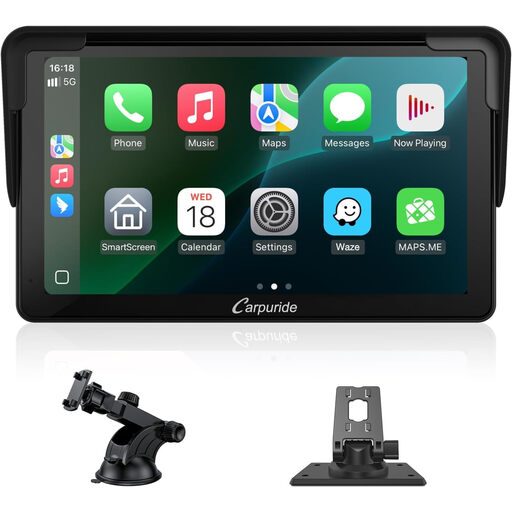
Why this choice suits this profile: This portable screen lets you modernise your car easily without replacing the original stereo. At 7 inches, it’s compact enough for most dashboards.
The listing states compatibility with wireless CarPlay and Android Auto, as well as MirrorLink. It’s still essential to check your smartphone’s compatibility before buying.
1080p touchscreen, Bluetooth 5.0, wireless CarPlay and Android Auto, according to the product listing.
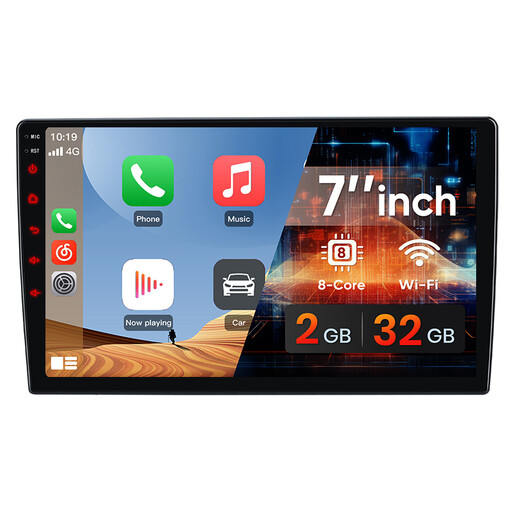
Why this choice suits this profile: This model is aimed at drivers who want to replace their head unit with an integrated Android car stereo, provided the vehicle is physically and electrically compatible.
The listing mentions 2 GB of RAM, 32 GB of storage, a 12 V power supply and wired or wireless CarPlay connection. The necessary adaptors for your vehicle must be checked separately.
7-inch IPS panel, Android 10.0, 2 GB of RAM, 32 GB of storage and support for many video formats.
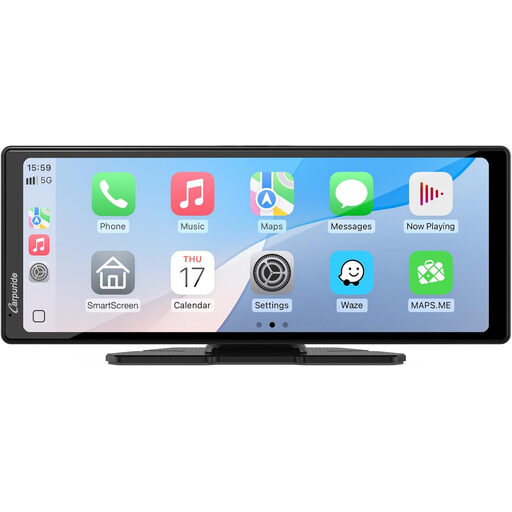
Why this choice suits this profile: Its large screen is aimed at drivers who prioritise clear navigation and a more comfortable interface, while keeping a portable installation.
The 1080p resolution and wireless connection are clearly stated. However, take the time to measure the available space so you don’t reduce the driver’s field of vision.
10.26-inch 1080p touchscreen, Bluetooth 5.0, wireless CarPlay and Android Auto, according to the product listing.
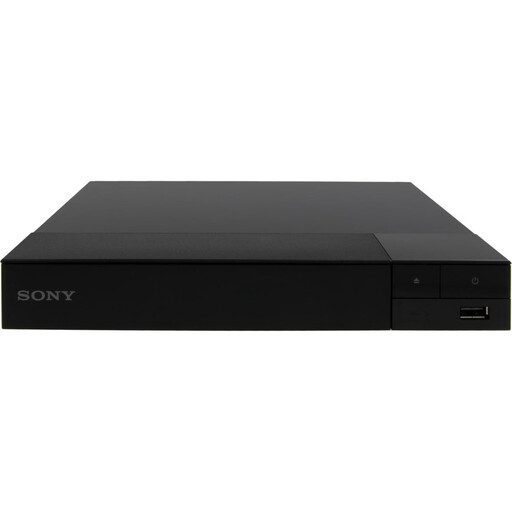
Why this choice suits this profile: This player is for households that regularly watch Blu-rays, DVDs and CDs, or play USB files, and want an HDMI connection to their television.
The listing clearly states the absence of wireless functionality. So you won’t be waiting for a Wi-Fi connection that isn’t there. Network access is via the RJ-45 socket.
Plays Blu-ray, DVD and CD discs, 1080p output, USB 2.0 port, HDMI, coaxial audio and support for Dolby TrueHD and DTS-HD Master Audio.
We’ve selected a full range, updated in real time, of products that meet these demanding criteria as well as European safety standards.
A portable screen can generally be used in more vehicles than a 2DIN car stereo, since it doesn’t replace the original fascia. However, you’ll need a 12 V power source, a stable mount and you should check the audio transmission method offered: Bluetooth, auxiliary input, FM or built-in speaker.
Both features let you use certain phone functions without a cable, but they don’t run on the same software environment. Compatibility depends on your smartphone, its operating system version and the product you choose. Always check the technical specifications and manual before installation.
The Sony BDP-S1700 states compatibility with Blu-ray, DVD and CD discs. It also plays several file formats from a USB stick, including MKV, MP4, MP3 and JPEG. Its HDMI output lets you connect it to a television or compatible amplifier.