
Livraison le jour même ou le lendemain

Qualité garantie

Débloquez vos offres de bienvenue: Livraison GRATUITE | Jusqu'à -80 % | 30 jours d'essai gratuits à JoyPlus
Téléchargez l'application
The check engine light comes on, and panic sets in. Is it a serious failure? A simple electronic glitch? How much will a trip to the garage cost, just to get a diagnosis? Fortunately, taking back control of your vehicle's maintenance has never been easier, thanks to the multi-brand car diagnostic scanner.
This tool, once the exclusive domain of professional mechanics, decodes information from your car's onboard computer, identifies faults, and even lets you perform certain maintenance tasks yourself. But with an overwhelming number of options, how do you choose the right model?
As a senior tech editor, my mission is to clear the path for you. This guide gets straight to the point: clear criteria and a selection of tools to help you find the scanner that truly fits your needs and budget, with no marketing fluff.
Before you pull out your credit card, let's review the key points that will make all the difference.
A simple fault code reader is limited to the engine system (the well-known OBD2/EOBD standard). It's a good starting point, but it's not enough. Modern cars are equipped with dozens of other electronic control units (ECUs) for ABS, airbags (SRS), transmission, air conditioning, and more. For a complete analysis, a tool offering all-system diagnostics isn't a luxury—it's a necessity.
Think about the future, too! Check for compatibility with recent protocols like CAN FD or DoIP. This is your ticket to communicating with the latest vehicles (generally post-2019) and ensuring your investment is future-proof.
A good scanner does more than just read error codes. High-performance models include "service functions" (or "resets"). With a diagnostic scanner with reset functions, you regain control over common operations like:
The next level up is bi-directional control (or actuator tests). This professional-grade feature allows you to send direct commands to a component to test its response (activate a fan, operate an EGR valve, etc.). It's a key advantage for pinpointing the source of a fault with certainty, without having to take everything apart.
We've selected three tools that cover every need, from a simple engine check to the most advanced analysis.
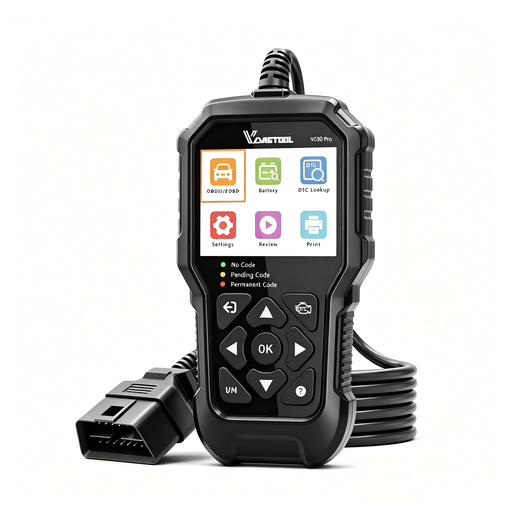
Why we love it: The VD30 Pro is simplicity itself. No battery, no smartphone, no fuss. You plug it in, and it works. Its screen displays codes in plain language, making it extremely accessible for beginners.
Advantages:
Who is it for? For the car owner who wants to know why their check engine light is on, perform an initial diagnosis, and clear simple errors on most OBD2-compatible vehicles.
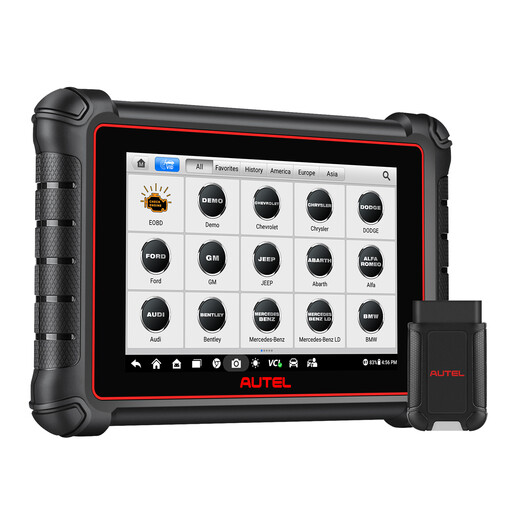
Why we love it: The Autel MK900-BT blurs the line between DIY and professional equipment. This tablet brings high-end features within reach of enthusiasts and independent workshops. Its Bluetooth connection, full bi-directional control, and CAN FD and DoIP compatibility make it a powerhouse of versatility and performance.
Advantages:
Who is it for? For the advanced DIY mechanic, the demanding enthusiast, or the independent professional looking for an ultra-versatile car diagnostic tool capable of deep diagnostics and complex maintenance on a multitude of brands.
See the Autel MaxiCOM MK900-BT
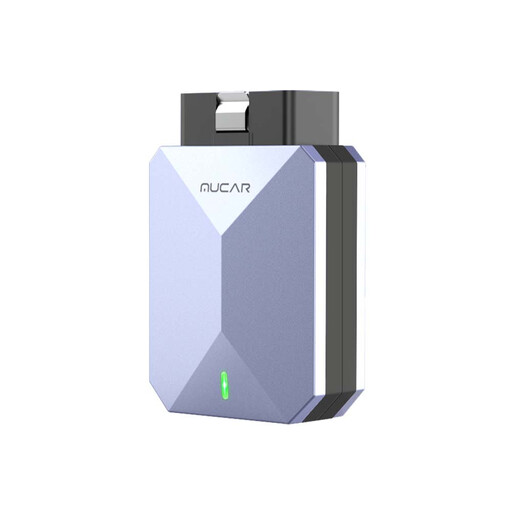
Why we love it: The MUCAR BT200 MAX is the champion of value for money. This Bluetooth OBD2 dongle turns your smartphone into a super-powered diagnostic scanner. Its key strengths? All-system diagnostics, bi-directional control, and, most importantly, free lifetime software updates.
Advantages:
Who is it for? For the smartphone-savvy user who wants a flexible and ultra-complete solution without investing in a dedicated tablet. The smart choice for performing advanced diagnostics and regular maintenance yourself.
Every car and every mechanic has unique requirements. If our selection doesn't check all your boxes or if you're looking for specific accessories, other gems await you.
Explore our full range to find the perfect equipment for your garage.
Discover all our automotive tools
A basic OBD2 reader is limited to the engine control unit for reading and clearing emissions-related fault codes (EOBD standard). A full diagnostic scanner, or multi-brand car diagnostic tool, communicates with ALL of the vehicle's ECUs (ABS, airbags, transmission, A/C...), offering a much more accurate health check and providing access to the valuable service functions.
Yes, technically, you can clear a fault code. But be warned: if the root cause of the problem isn't fixed, the light will inevitably come back on after a few miles. The goal isn't just to turn off the light, but to understand and repair the fault.
The term "multi-brand" means the tool covers a very wide range of makes and models. However, the level of support for the most advanced functions (injector coding, specific adaptations, etc.) can vary from one vehicle to another. For a very specific need on a particular model, you should always check the detailed compatibility list provided by the manufacturer.