
Livraison le jour même ou le lendemain

Qualité garantie

Débloquez vos offres de bienvenue: Livraison GRATUITE | Jusqu'à -80 % | 30 jours d'essai gratuits à JoyPlus
Téléchargez l'application
Is the ink light on your Canon PIXMA TS5350 flashing? That's the classic sign it's time to change the cartridge—and of course, it always happens at the worst possible moment. Faced with multiple part numbers—Canon PG-560 cartridge, PG-560XL, original or compatible—it's easy to feel lost.
This guide is here to help you make sense of it all. Our mission: to give you everything you need to choose the ideal ink cartridge for your Canon TS5350 printer, based on your needs and budget, all without the marketing jargon.
Before diving into our top picks, let's review the key factors that will guide your decision.
This is the big question.
Canon offers its black cartridges in two sizes:
If your black and colour (CL-561) cartridges run out at the same time, opting for a Canon TS5350 cartridge multi-pack is a very smart option. These bundles, which include both the black and colour cartridges, are almost always more economical than buying the two cartridges individually.
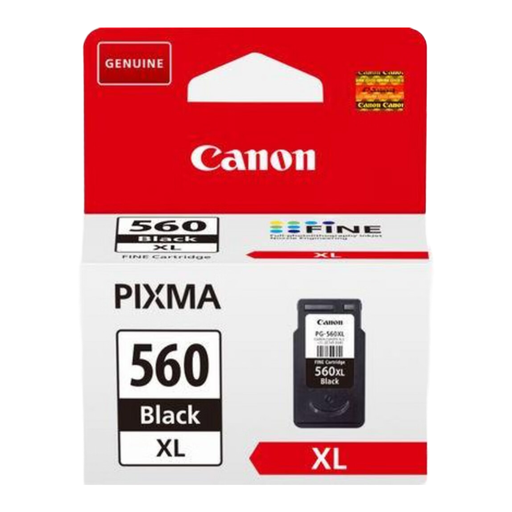
Why it's the top choice: This is the official high-capacity black cartridge from Canon. Tailor-made for your PIXMA TS5350, it ensures perfect synergy with the printer for flawless results and an incredibly simple installation. Its black pigment ink produces razor-sharp text that is resistant to water and highlighters.
Key Strengths:
Who is it for? Ideal for those who print a lot (reports, coursework, invoices) and prioritise reliability and an optimised long-term cost per page.
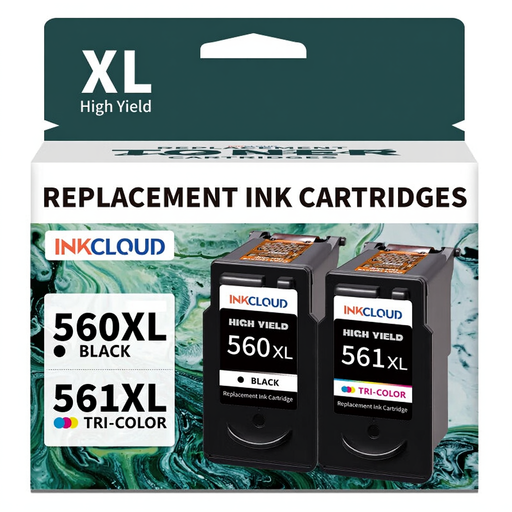
The smart solution: This pack from the compatible brand inkcloud is the ultimate budget-friendly solution. It includes one TS5350 black cartridge and one colour cartridge, both in XL format, at an unbeatable price.
Key Strengths:
Who is it for? Perfect for students and budget-conscious families looking for a versatile solution for everything from everyday documents to holiday photos.
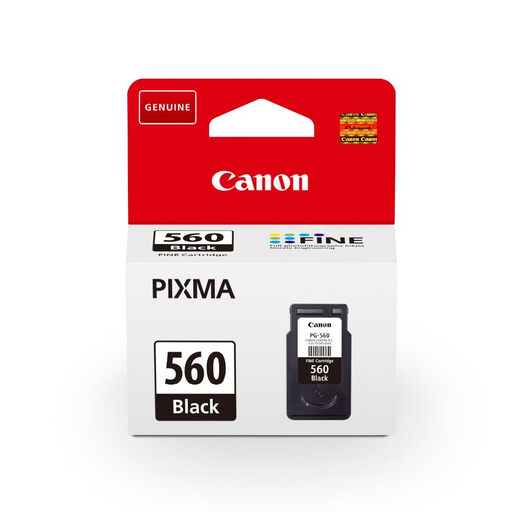
The straightforward choice: This is the official standard-capacity black cartridge from Canon. It features Canon's FINE technology, where the print head is integrated into the cartridge. In practical terms, this means that with every change, it's like your printer gets a new lease on life.
Key Strengths:
Who is it for? For those who only print occasionally (event tickets, administrative forms, etc.) and want the peace of mind of an original cartridge without investing in an XL size.
Don't see what you need? Have a different printer model? Explore our full catalogue to find the right cartridge or toner for you.
? Discover Our Full Range of Ink and Toner Cartridges
1. What's the difference between the Canon PG-560 and PG-560XL cartridges? The difference is simple: the amount of ink. The PG-560 is the standard-capacity cartridge, while the PG-560XL is the high-capacity version. The PG-560XL can print approximately 400 black and white pages (according to the ISO/IEC 24711 standard), compared to 180 pages for the PG-560. Your choice will therefore logically depend on how often you print.
2. Can I safely use a compatible cartridge with my Canon TS5350 printer? Absolutely. The Canon PIXMA TS5350 printer readily accepts third-party cartridges. They are designed to work in the same way as the originals. However, we recommend choosing reputable and well-reviewed compatible brands to ensure optimal quality and reliability.
3. How do I change the ink cartridge in my PIXMA TS5350? It couldn't be simpler: