
Livraison le jour même ou le lendemain

Qualité garantie

Débloquez vos offres de bienvenue: Livraison GRATUITE | Jusqu'à -80 % | 30 jours d'essai gratuits à JoyPlus
Téléchargez l'application
Is your Canon PIXMA's ink light flashing? That's the classic sign of an empty cartridge, and of course, it always happens at the worst possible moment. Navigating the maze of model numbers to choose the right ink cartridge for your Canon PIXMA MG2150 can quickly become a headache. Should you opt for a standard or XL capacity? Is a multi-pack really a better deal?
No need to worry. This guide is here to help you make sense of it all. Our mission: to guide you step-by-step in finding the ideal cartridge for your needs and budget, without drowning you in technical jargon.
To make sure you get it right, there are a few key criteria to consider before choosing your Canon MG2150 ink.
As the manufacturer always emphasizes, choosing original Canon PIXMA ink is a guarantee of peace of mind. Designed specifically for your hardware, these cartridges incorporate Canon's FINE print head technology. The benefits include: flawless compatibility that prevents recognition errors (like error 1401/1403), consistent print quality, and better protection for the print head against premature wear.
The choice between a standard and an XL cartridge depends entirely on your printing volume.
If your black and colour cartridges are running out at the same time, the Canon PG-540L CL-541XL ink pack is often the best solution. Buying both cartridges together is not only more economical, but it also ensures you have a full replacement set on hand. This allows you to face the coming months of printing with peace of mind.
We have selected the best options compatible with Canon PIXMA MG2150, MG2250, MG3150, and other printers in the series.
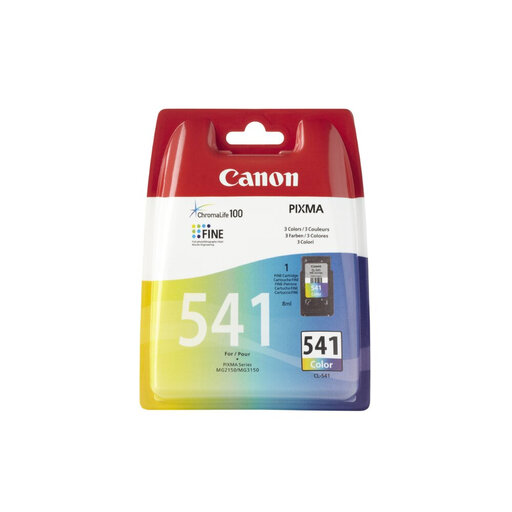
Why it stands out This tri-colour cartridge (cyan, magenta, yellow) is the standard choice for everyday colour printing. It features Canon's FINE technology, with an integrated print head that ejects 2pl ink droplets. The result: photos with vibrant colours. The ChromaLife100 system also ensures your photo prints have long-lasting colour.
Pros
Who is it for? For those who occasionally print colour documents, graphics, or photos and are primarily looking for the lowest purchase price.
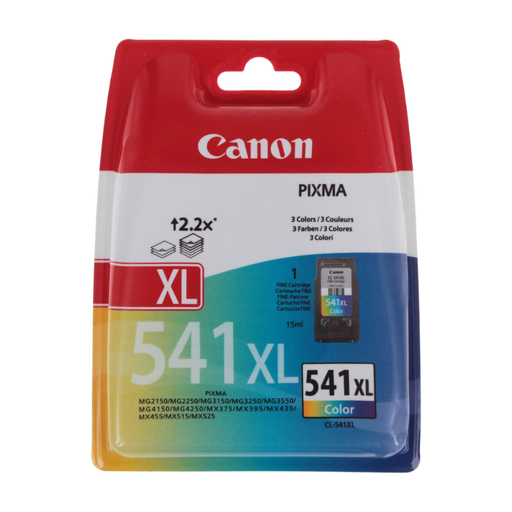
Why it stands out The CL-541XL cartridge is the high-endurance version of the standard colour cartridge. With its 15 ml ink volume, it can print up to 400 pages. It's the most cost-effective choice for those who regularly print in colour, allowing for less frequent cartridge changes and an optimised cost per page.
Pros
Who is it for? Families with school-aged children, students, remote workers, and small businesses that regularly print colour documents.
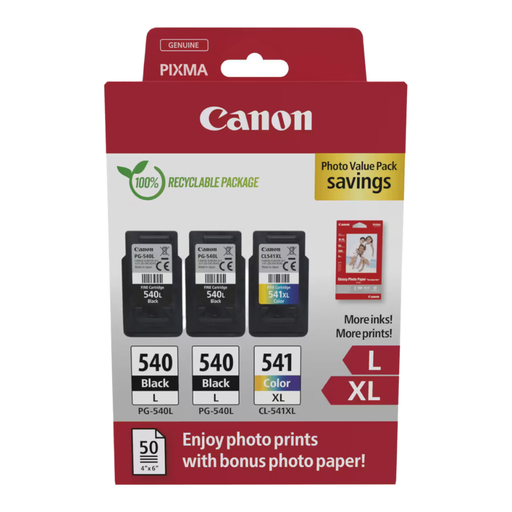
Why it stands out This pack combines a high-capacity pigment black ink cartridge (PG-540L) and a high-capacity colour cartridge (CL-541XL). The pigment black ink ensures perfectly sharp text that is resistant to water and highlighters. It's the complete solution to cover all your printing needs, from simple text to colour photos, while keeping your budget in check.
Pros
Who is it for? Versatile users who print both text documents and colour images and want to optimise their long-term consumables budget.
Is your printer model not on the list, or do you need a different cartridge combination? No problem, many other options are available to meet specific needs.
? Explore our complete selection of colour printer ink cartridges to find the right one for you.
The only difference is the amount of ink. The XL (Extra Large) cartridges contain more ink than the standard ones—that's it. They have the exact same physical dimensions and fit into the printer in the same way. They simply allow you to print more pages, which results in a much more attractive cost per page.
The surest way is to check the compatibility list on the cartridge's packaging or in its online description. The PG-540 and CL-541 cartridges (and their XL versions) are compatible with many models, including the Canon PIXMA MG2150, MG2250, MG3150, MG3250, MG3550, MG4250, and even some newer models like the TS5150.
Generally, no. On most Canon printers that use these cartridges, both the black and colour cartridges must be installed and contain a minimum amount of ink for printing to start. Attempting to force printing with an empty cartridge can damage the print head, as the ink also acts as a coolant. Our advice: replace a cartridge as soon as the printer alerts you.