
Livraison le jour même ou le lendemain

Qualité garantie

Débloquez vos offres de bienvenue: Livraison GRATUITE | Jusqu'à -80 % | 30 jours d'essai gratuits à JoyPlus
Téléchargez l'application
Choosing an original Canon PIXMA ink cartridge seems simple… until you come across two very similar references that show different compatibilities. A wrong model, a misunderstood page yield, or an oversized pack can quickly lead to unnecessary expense and a printer running out of ink at the worst possible moment.
For individuals, students, families, remote workers and small businesses, three common pitfalls keep cropping up:
Note the model printed on the front or in the printer menu, then check the corresponding consumable reference. The PG range usually refers to black cartridges, while CL references are for colour cartridges. Some models also use several separate cartridges, such as the BCI, PGI or CLI series.
For example, the following references are not interchangeable by default:
The printer’s technical data sheet is still the best source to consult before placing an order.
A Canon black cartridge with pigment ink is designed to produce sharp, long-lasting text. Colour cartridges generally use dye-based inks, which are better suited to graphics and photos.
On several references, the FINE technology with integrated print head means the head is replaced at the same time as the cartridge. This can be convenient for maintaining consistent print quality after each change, particularly on entry-level models. Conversely, printers with separate cartridges keep an independent head and let you replace only the colour that has run out.
Avoid printing for long periods when the printer warns that a cartridge is empty. Follow the manufacturer’s instructions and do not touch the electrical contacts or nozzles during installation.
The page yield stated according to ISO/IEC 24711 is a standardised estimate, not a guaranteed quantity for every user. Photo printing, solid colour areas and documents with heavy ink coverage can significantly reduce the actual number of pages.
The XL format can be worthwhile for a remote worker or a family who prints regularly. For a printer used only occasionally, a standard cartridge may be more sensible to avoid keeping an opened cartridge for too long.
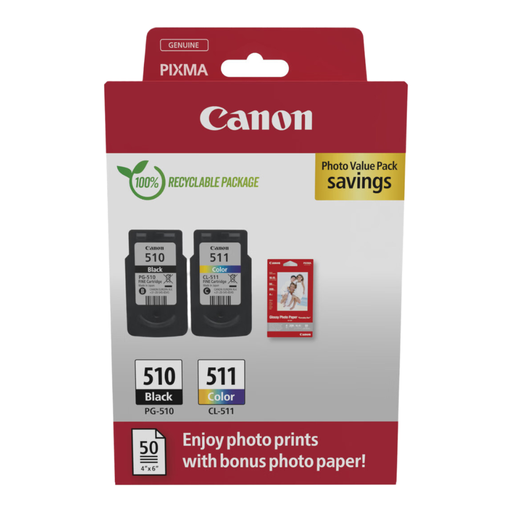
Why this suits this profile: this pack brings together one black cartridge and one colour cartridge. A practical solution for replacing both consumables in a single order.
The stated compatibility covers the PIXMA MP230, MP250, MP280, MX320 and MX340 among others – but do check your model before buying.
Approximately 220 pages in black and 244 pages in colour according to ISO/IEC 24711, with integrated FINE print head.
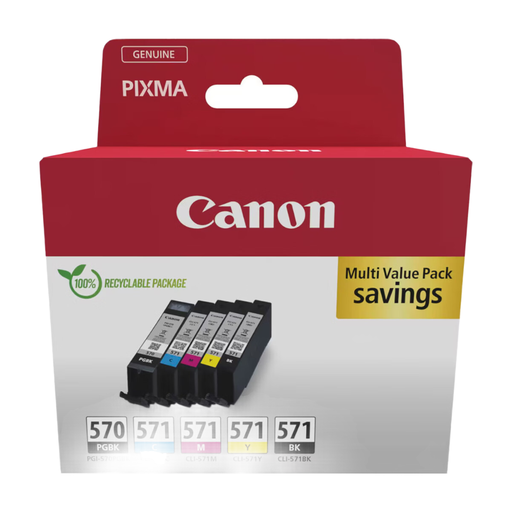
Why this suits this profile: those who regularly print photos or colour documents will appreciate the separation of five individual cartridges.
Each colour is replaced separately. This means you avoid throwing away a colour set when only one shade has run out.
Pack of five cartridges: PGI-570 pigment black and CLI-571 colour. Stated yields range from approximately 300 to 1,795 pages depending on the reference.
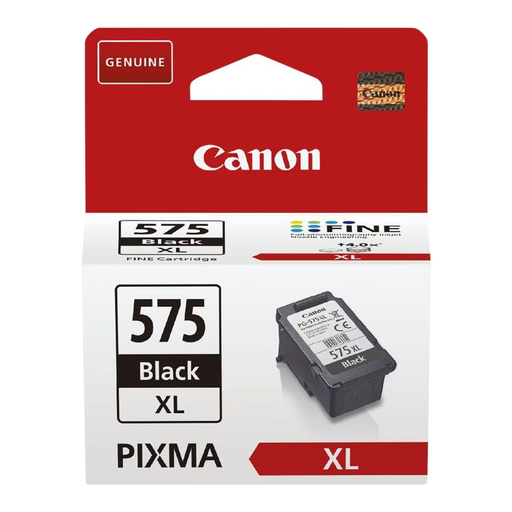
Why this suits this profile: this XL black cartridge is ideal for users of the PIXMA TS3350i, TS3351i, TS3352i or TR4550 who print a lot of text.
The XL format spaces out changes, provided your print volume justifies a 15 ml capacity.
Pigment black ink, integrated FINE print head and a stated yield of approximately 400 pages according to ISO/IEC 24711.
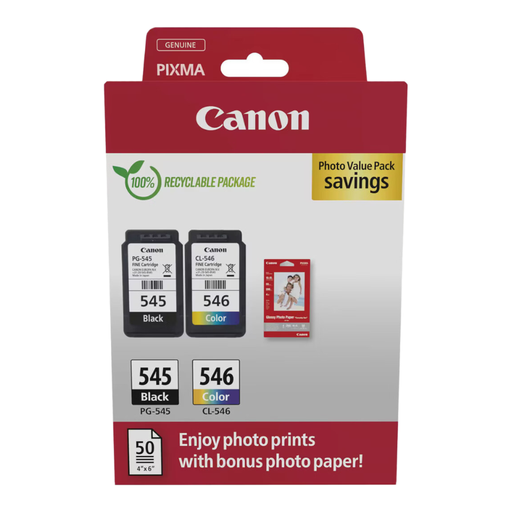
Why this suits this profile: this kit brings together one black cartridge, one colour cartridge and 50 sheets of 10 × 15 cm photo paper for everyday household needs.
The contents are clearly detailed: PG-545L, CL-546 and photo paper. However, do check the compatibility of these references with your PIXMA.
An all-in-one solution with original Canon ink and photo paper for small formats.
We have selected a complete range, updated in real time, of products that meet these demanding criteria and European safety regulations.
Before installation, leave the printer switched on so that the carriage moves into the replacement position. Remove the sealed packaging and the protective tape without touching the nozzles or the gold contacts. Insert the cartridge until you hear a click, then run a check page if the printer prompts you to.
Store unopened cartridges in a dry place at a moderate temperature, away from direct light. Do not refill them or take them apart. Once used, dispose of them through the appropriate collection scheme.
The PIXMA TS5350, TS5351 and TS5352 models use the PG-560 reference for black and CL-561 for colour. A PG-560/CL-561 pack can be handy when both cartridges need replacing. Always check the full printer reference.
It can reduce the cost per page when its higher yield is actually used. For occasional use, a standard cartridge may be better to avoid the risk of long-term storage. Compare the price, ink volume and ISO/IEC 24711 yield rather than relying solely on the XL marking.
Yes, when the printer uses separate cartridges. With a colour cartridge that combines cyan, magenta and yellow, a single colour running out may mean replacing the whole unit. Check your model’s design before ordering a black cartridge or a pack of Canon cartridges.