
Livraison le jour même ou le lendemain

Qualité garantie

Débloquez vos offres de bienvenue: Livraison GRATUITE | Jusqu'à -80 % | 30 jours d'essai gratuits à JoyPlus
Téléchargez l'application
By Joybuy, Your Product ExpertPublished: July 4, 2026
Your Canon PIXMA printer flashing a low ink warning just as you need to print an urgent document?? It's a classic scenario we've all faced. Navigating the jungle of part numbers—like the Canon PG-540 cartridge, its XL version, or various multipacks—can often be confusing.
This guide is here to break down the options available for your printer. We'll review the differences between cartridge models, check their compatibility, and present our top picks to help you make an informed decision that perfectly suits your daily printing needs.
To ensure you make the right choice, there are three key criteria to consider when selecting the best cartridge for your usage and your printer.
The choice between a standard cartridge and its high-capacity (XL) version primarily comes down to your printing volume.
For those looking to combine savings with peace of mind, the Canon 540 541 pack is an excellent solution. These packs include one black ink cartridge (PG-540 or PG-540XL) and one colour cartridge (CL-541 or cl-541xl cartridge).
Buying a pg-540 cl-541 multipack is almost always more cost-effective than purchasing the two cartridges separately. Most importantly, it ensures you have a spare colour cartridge on hand, protecting you from another unexpected ink outage.
This is the non-negotiable point. A cartridge will not work if it isn't specifically designed for your printer model, even if it looks identical. The PG-540 and PG-541 cartridges are developed for the Canon PIXMA ink printer range.
Among the most common models are the MG and TS series. For example, if you're looking for a Canon mg3550 compatible cartridge or a ts5150 cartridge, the PG-540 is the correct part number for you. The best practice is to always check the list of compatible printers on the product packaging or the online technical sheet before completing your purchase.
To help you make a clear choice, here is our selection of genuine Canon cartridges that cater to different user profiles.
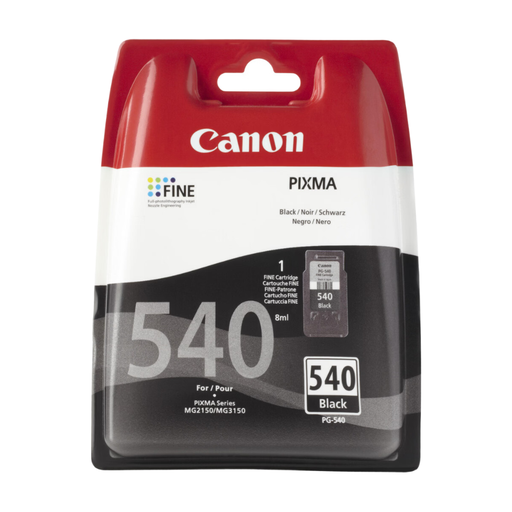
Why we recommend it: This is the reliable choice. The standard genuine cartridge is a guarantee of dependability for your everyday printing. It ensures consistent quality and optimal compatibility with PIXMA printers, thereby protecting your equipment's printhead.
Advantages:
Who is it for?? Ideal for individuals and families with moderate printing needs, such as school documents, emails, or web pages.
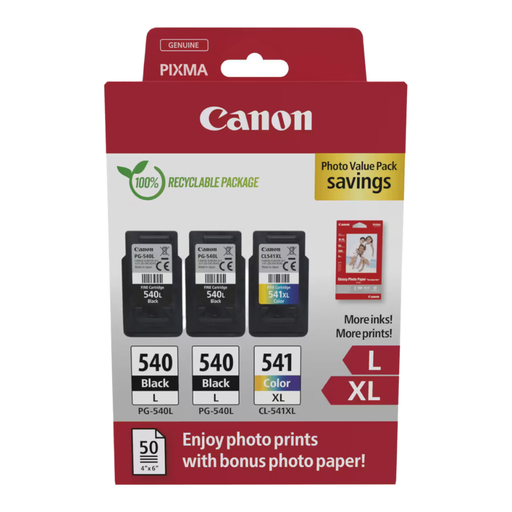
Why we recommend it: This pack combines a high-capacity black cartridge (11 ml) and a very high-capacity colour cartridge (15 ml). It's the ultimate versatile solution for those who print both documents and photos while looking to optimise their budget.
Advantages:
Who is it for?? Perfect for small businesses or families with varied and regular printing needs who want to keep a spare in stock.
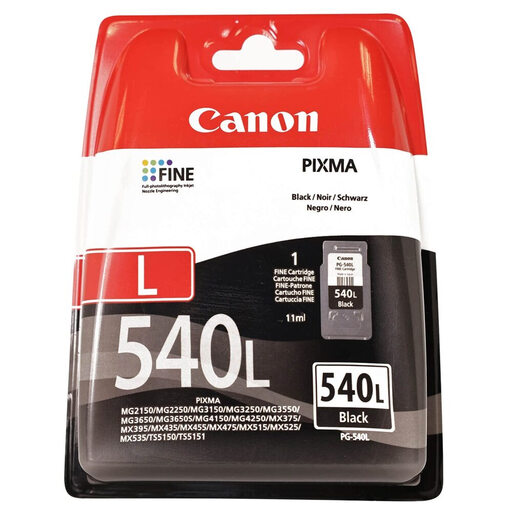
Why we recommend it: With its 11 ml volume, this cartridge is built to last. It offers a yield of approximately 600 pages, more than triple that of the standard cartridge. It's the endurance choice for high-volume printing.
Advantages:
Who is it for?? Recommended for professionals, students, or anyone who prints large volumes of text documents and wants to extend the time between cartridge replacements as much as possible.
If the PG-540 series models don't match your printer, or if you simply want to explore other options, feel free to browse our full catalogue. You'll find an extensive range of consumables for many brands and models.
? Discover our complete selection of black inkjet ink
The main difference lies in the ink capacity and, consequently, the number of pages you can print. The standard PG-540 contains about 8 ml of ink for a yield of approximately 180 pages. The PG-540XL contains 11 ml for a yield of about 600 pages. The choice depends on your printing frequency: the XL version is therefore much more cost-effective if you print a lot.
The surest way is to consult your printer's user manual, where the list of compatible cartridges is always provided. Another tip: open the printer cover to read the part number on the currently installed cartridge. Finally, online product pages systematically list all compatible models (PIXMA MG2150, MG3250, MG3550, MG4250, TS5150, etc.).
On most Canon PIXMA printers that use this system, the answer is no. Printing is blocked if either the black or colour cartridge is empty or missing. This safety feature is designed to protect the cartridge's integrated printhead, which can overheat and become damaged if it runs dry. It is therefore essential to replace the empty cartridge to resume printing.