Your Canon PIXMA's indicator light is flashing, and the screen displays an unmistakable message: low ink. It's a classic scenario for anyone with a home printer. For proud owners of a Canon PIXMA MG2150 (or a similar model), finding the right replacement cartridge can sometimes turn into a real headache. Should you opt for a standard capacity, an XL version, or a complete multipack?
This guide is here to help you make sense of it all. Our mission: to provide clear, practical advice to help you make the right choice, without the unnecessary marketing jargon. Let's review the different compatible cartridges and our selection of the best products for every need.
Buying Guide: What to Check Before Choosing Your Ink
Before making a purchase, a few simple considerations will help you choose the cartridge best suited to your usage.
1. Standard or High-Capacity (XL)?
This is the first question to ask yourself. Ink for the Canon PIXMA MG2150 comes in two main sizes:
- Standard (e.g., CL-541): Ideal for occasional use. If you only print a few documents a month (train tickets, your children's homework, etc.), this is often the most economical option at the time of purchase.
- High-Capacity (e.g., 541XL cartridge): Designed for those who print more frequently. Although its purchase price is higher, the 541XL cartridge has a much lower cost per page because it simply contains more ink. A smart choice if you regularly print multi-page documents or photos.
2. Individual Cartridges or a Value Pack?
Your Canon PIXMA printer uses two cartridges: one black (PG-540) and one colour (CL-541). If only one has run dry, you can of course replace it individually. But if both are at the end of their life, a Canon cartridge value pack often proves to be more economical.
These packs, which combine the Canon 541 and 540 cartridges, offer a more attractive overall price than buying the two cartridges separately. Some packs even include photo paper, providing a turnkey solution for your creative projects.
3. Check Compatibility with Your Model
Good news: the PG-540 and CL-541 cartridges are compatible with a wide range of Canon PIXMA printers. Although this guide focuses on the ink cartridge for the Canon MG2150, these same models also work with other popular printers like the Canon MG3150, MG3650, MG4250, and the MX series. The best practice is to always check the compatibility list on the packaging or the online product page to ensure the cartridge matches your hardware.
Recommended Cartridges for Canon MG2150
To guide you, here is our selection of genuine Canon cartridges, each designed for a specific purpose.
Canon CL-541 Colour Cartridge
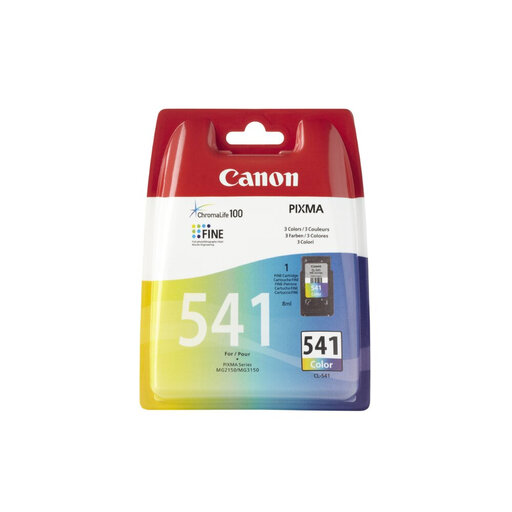
- Why it stands out: This is the go-to colour cartridge for standard home use. It combines all three colours (cyan, magenta, yellow) into a single unit, which greatly simplifies installation. Its reliability makes it a risk-free choice for quality everyday printing.
- Advantages:
- Genuine Canon Quality: Guarantees perfect compatibility and true-to-life colours.
- FINE Technology: Its integrated print head ensures high-precision details, especially on photos.
- Versatility: Suitable for both documents and occasional photo printing.
- Who is it for?: Those who print infrequently and are looking for a simple, reliable solution to replace their colour cartridge.
Canon CL-541XL High-Capacity Colour Cartridge
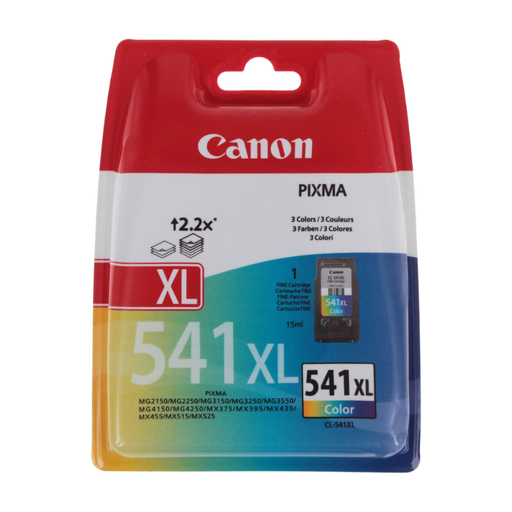
- Why it stands out: The XL version is the ideal solution for optimising your long-term printing budget. It contains significantly more ink than the standard version, allowing you to print many more pages before needing a replacement.
- Advantages:
- High Yield: Print longer between cartridge replacements.
- Optimised Cost Per Page: More cost-effective for regular printing.
- Consistent Quality: Canon's print quality is maintained over a larger volume.
- Who is it for?: Families with school-aged children, students, or remote workers who have regular colour printing needs.
Canon PG-540/CL-541 Value Pack + Photo Paper
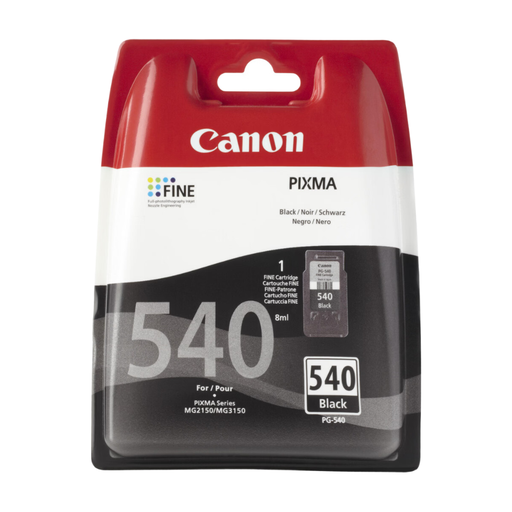
- Why it stands out: The ultimate all-in-one bundle. It not only includes the PG-540 black and CL-541 colour cartridges but also a pack of 50 sheets of 10x15 cm glossy photo paper.
- Advantages:
- Complete Solution: Replace both your cartridges at once and be ready to print your photos.
- Value for Money: The pack is often cheaper than buying the items separately.
- Ideal for Photos: The included Canon paper is specially designed to work in tandem with the brand's inks to guarantee high-quality prints.
- Who is it for?: Photo enthusiasts and families who want to print their holiday memories or work on creative projects without worrying about buying paper separately.
Looking for Other Options?
If the products in this selection don't quite meet your needs, or if you have a different printer model, many other options are available. To explore a wider range of consumables, feel free to browse our complete category.
? Discover our full selection of replacement ink
Frequently Asked Questions (FAQ)
What's the difference between the 541 and 541XL cartridges?
The main difference lies in the amount of ink they contain. The 541XL (high-capacity) cartridge can print a much higher number of pages than the standard 541 cartridge. According to the manufacturer's data (ISO/IEC 24711 standard), the standard CL-541 cartridge can print approximately 180 pages, compared to about 400 pages for the CL-541XL version. The choice, therefore, depends on your printing frequency.
Are MG2150 cartridges compatible with other printers?
Yes, the PG-540/CL-541 series cartridges are designed for a wide range of Canon PIXMA printers. In addition to the MG2150, they are compatible with the MG22xx, MG31xx, MG32xx, MG35xx, MG36xx, MG41xx, and MG42xx series, as well as the MX37x, MX39x, MX43x, MX45x, MX47x, MX51x, MX52x, and MX53x series. When in doubt, always verify the exact compatibility with your model.
How do I replace the ink cartridge on a Canon PIXMA MG2150?
Replacement is a very simple process:
- Turn on your printer and open the front cover: the cartridge holder will automatically move to the centre.
- Gently press down on the empty cartridge to unclip it, then remove it from its slot.
- Unpack the new cartridge and carefully remove the orange protective tab, being careful not to touch the gold contacts or the print nozzles.
- Insert the new cartridge into its slot (black on the right, colour on the left) and push it until you hear a click, confirming it is locked in place.
- Close the printer cover. The device will then run a short initialisation before it is ready to print again.
By our Joybuy product expert


