
Livraison le jour même ou le lendemain

Qualité garantie

Débloquez vos offres de bienvenue: Livraison GRATUITE | Jusqu'à -80 % | 30 jours d'essai gratuits à JoyPlus
Téléchargez l'application
Choosing an original Canon ink cartridge seems simple enough… until you come across two very similar references with nearly identical names. Between a standard Canon PIXMA cartridge, an XL model, a black cartridge or a colour cartridge, picking the wrong reference can quickly lead to a return, incomplete printing or unnecessary expense.
For individuals, students, remote workers and small businesses in the UK, three common pitfalls keep cropping up:
Compare the reference printed on the front of the printer or shown in its menu with the list of compatible models on the product page. Codes beginning with PG usually denote black cartridges, while CL references are for colour cartridges. Some ranges also use PGI and CLI references, which are typically associated with separate ink tanks.
For example, the PG-545XL and CL-546 references are compatible with several PIXMA models, including the TS3350i, TS3351i, TS3352i and TR4550. The PG-560 and CL-561 cartridges, on the other hand, are designed for the PIXMA TS5350, TS5351 and TS5352.
The page count given under the ISO/IEC 24711 standard provides a useful comparison point between different models. However, this is an estimate obtained under standardised conditions: the actual yield depends on factors such as coverage rate, the number of photos printed and automatic cleaning cycles.
A standard cartridge can be perfectly adequate for occasional use. The XL format becomes more worthwhile if you regularly print course materials, invoices, forms or professional documents. When comparing offers, it is better to weigh up the price against the stated page count rather than relying solely on the ink volume in millilitres.
On some ranges, Canon FINE cartridges have their own built-in print head. This means each replacement gives you a fresh print assembly. Other printers use separate ink tanks, allowing you to replace only the colour that has run out.
Pigment-based black ink is generally preferred for sharp, smudge-resistant text. Dye-based colour inks are more suited to printing images, graphics and photos. These features describe the product design, but they do not on their own guarantee identical results in every situation.
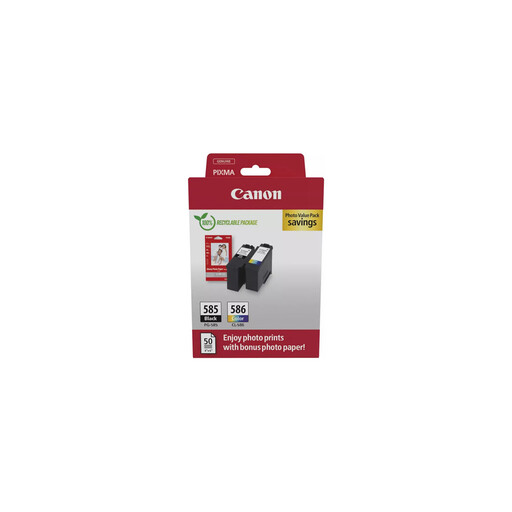
Why this suits this profile: This multipack brings together one black and one colour cartridge. It is ideal for users who prefer to replace both consumables in a single order, particularly with a PIXMA TS7450i or TS7451i.
The PG-585 and CL-586 references are clearly distinguished, reducing the risk of ordering the wrong colour or an incompatible format.
Approximately 180 pages per cartridge under ISO/IEC 24711, with an integrated FINE print head and pigment-based black ink.
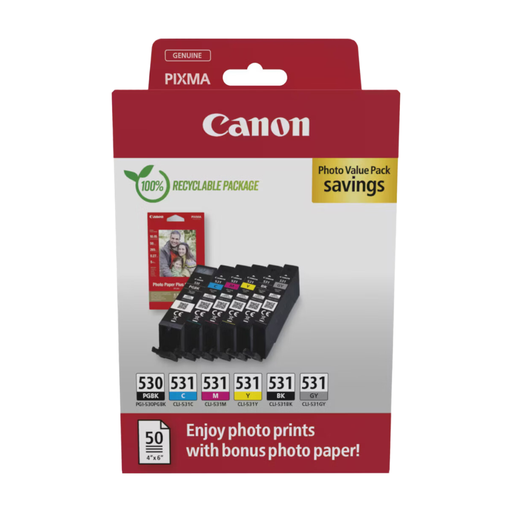
Why this suits this profile: This six-ink system is aimed at users of compatible PIXMA PRO models who want finer nuances, smoother gradients and better control over photo prints.
Check compatibility with your PIXMA PRO series before buying – this avoids mistaking this specialist photo pack for a standard Canon PIXMA cartridge.
The pack includes PGBK, cyan, magenta, yellow, photo black and grey, plus Canon photo paper as per the product description.
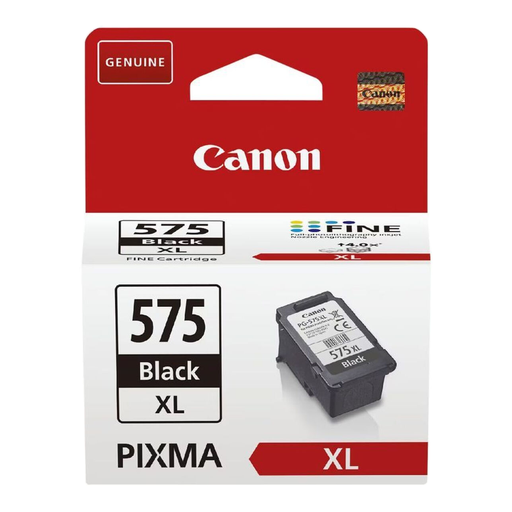
Why this suits this profile: This Canon PG-545XL black cartridge is ideal for people who frequently print text documents with a compatible PIXMA TS3350i, TS3351i, TS3352i or TR4550.
The XL marking and stated yield of approximately 400 pages mean fewer replacements compared to a standard cartridge.
15 ml volume, pigment-based black ink and integrated FINE print head according to the product sheet.
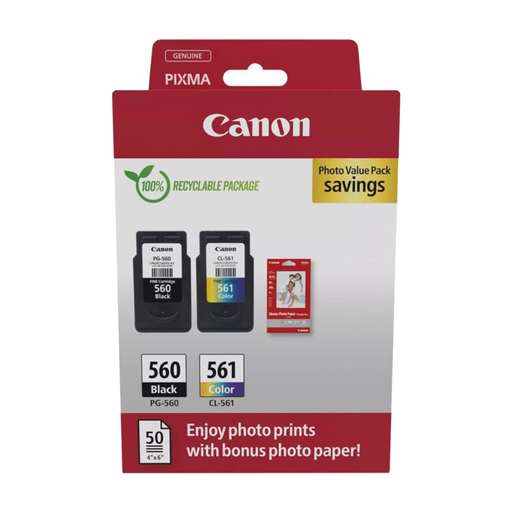
Why this suits this profile: This black and colour pack meets the needs of a household or remote workspace equipped with a PIXMA TS5350, TS5351 or TS5352 that sees regular use.
The PG-560 and CL-561 references are designed for a specific PIXMA family; checking your model avoids ordering based solely on the cartridge's appearance.
Approximately 180 pages for both black and colour under ISO/IEC 24711, with stated volumes of 7.5 ml and 8.3 ml.
We have compiled a complete, up-to-date selection of products that meet these strict criteria and European safety requirements.
To install a cartridge compatible with your Canon printer, remove the sealed packaging and then the orange protective tab. Do not touch the metal contacts or the nozzles. Insert the cartridge into the corresponding slot until you hear a click, then let the printer run its preparation cycle.
Store your consumables in a dry place at a stable temperature, away from direct light. An opened cartridge should not be left unused for too long. Do not attempt to refill or pierce it – you risk causing a leak, colour mixing or a recognition problem with the printer.
When the printer indicates that the ink is empty, replace the cartridge rather than continuing to print with a dry one. Afterwards, dispose of used cartridges through an appropriate collection scheme or follow the guidelines in your local area.
In this selection, the PG-545XL is for black ink and the CL-546XL is for colour. Always check the full reference of your printer, including any suffix.
Not necessarily. Compare its price, its yield under ISO/IEC 24711 and your usual print volume. The XL format can space out replacements, but it may not be worthwhile if you only print a few pages now and then.
Follow the instructions on the packaging and keep the cartridge sealed in a dry, temperate environment away from direct light. Once opened, install it promptly to minimise the risk of drying out.