
Livraison le jour même ou le lendemain

Qualité garantie

Débloquez vos offres de bienvenue: Livraison GRATUITE | Jusqu'à -80 % | 30 jours d'essai gratuits à JoyPlus
Téléchargez l'application
A fraying cable, excruciatingly slow charging, the infamous “?Accessory Not Supported?” message… Who hasn’t experienced these everyday annoyances?? With the widespread adoption of the USB-C port on our smartphones (from the iPhone 15 to the Samsung S24), tablets, and even gaming consoles, the need for a reliable cable to connect to the myriad of chargers, computers, and power banks equipped with the legacy USB-A port has never been more critical.
This guide is designed to help you cut through the noise and choose the right braided USB-C to USB-A cable for your needs. We'll break down the essential criteria of durability, safety, and convenience to help you find the perfect companion for your devices, without falling for marketing traps.
Before diving into our selection, let's review the key points to check to make an informed choice and avoid unpleasant surprises.
A cable's weak point?? It's almost always the junction between the connector and the wire. Standard plastic models inevitably wear out and break from repeated bending. A durable USB-C cable with a braided nylon sheath offers far superior mechanical protection. This external mesh shields the internal wires from twists, pinches, and everyday abrasion. Some manufacturers, like Belkin, highlight a resistance to tens of thousands of bend cycles—an excellent indicator of longevity.
A poor-quality cable doesn't just charge slowly?: it can damage your device's battery or even pose a fire hazard. To avoid such issues, opt for a USB-IF certified cable. The USB Implementers Forum (USB-IF) is the organization that oversees the development of USB standards. A certification from them guarantees that the cable strictly adheres to all technical specifications for performance and safety. It's your assurance of optimal syncing and charging for your valuable devices.
The cable length should primarily match your habits?:
Here is our selection of models that tick all the boxes?: durability, performance, and safety, to meet various needs.
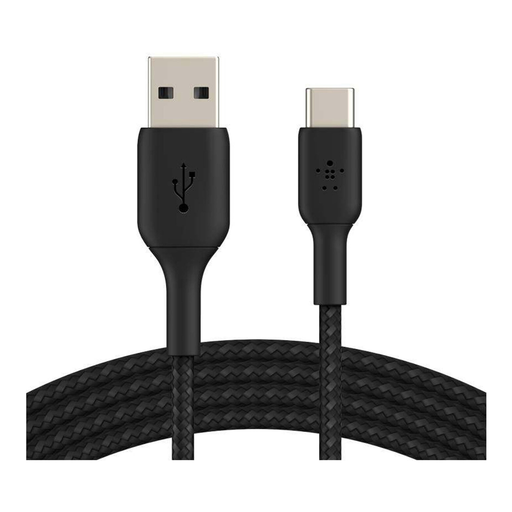
Why we love it: This cable offers the ideal balance of length and convenience. Its braided nylon sheath is built to last, and its USB-IF certification is a guarantee of compatibility and safety with a wide range of devices, from the iPhone 15 to the Google Pixel.
Pros:
Who is it for?? For anyone looking for a reliable, durable, do-it-all cable for daily use, whether for charging an iPhone 15 or syncing a Samsung S24.
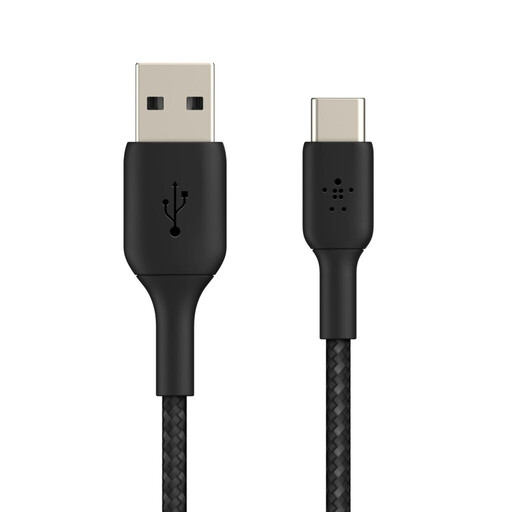
Why we love it: No more being tethered to the wall outlet?! With its 3-meter length, this cable offers maximum freedom of movement. Despite its length, it retains the same strengths in durability and safety as other models in the range.
Pros:
Who is it for?? Ideal for users who prioritize comfort above all else, or for those whose power outlets are always just out of reach.
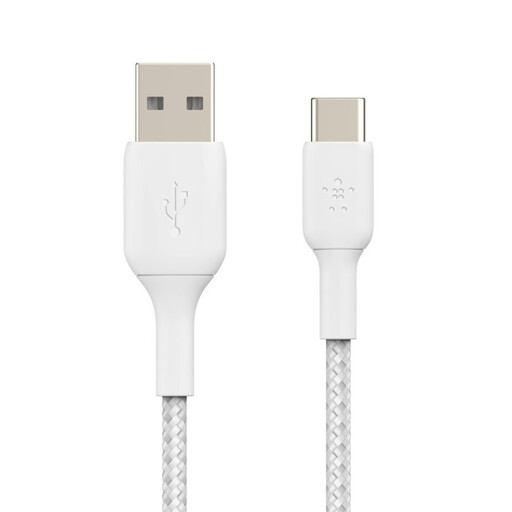
Why we love it: The king of minimalism. This ultra-compact cable is designed for nomads and organization enthusiasts. At 15 cm, it fits anywhere and helps create a clean, clutter-free charging setup with a power bank or laptop.
Pros:
Who is it for?? For travelers, minimalists, and anyone tired of cables that get in the way and tangle up.
This guide focuses on the USB-A to USB-C connection, the most common for plugging recent devices into older chargers and computers. If you need a different connector type, for example to link two older devices together, you will need another type of cable.
To discover our full range, including our USB-A to USB-A cable models, feel free to browse our catalog.
Absolutely, as long as it's a high-quality one. Keep in mind that charging speed is a chain, and the cable is just one link. To benefit from fast charging, your charger (wall or power bank) and your smartphone must also be compatible. A good cable, like a USB-IF certified model, will simply deliver the maximum power safely without being the limiting factor.
The name says it all?! The difference lies in the connectors. A USB-A to USB-C cable features a classic rectangular connector (USB-A) and a reversible oval connector (USB-C). It bridges the gap between recent devices (smartphones, tablets, etc.) and older power sources (most computers, wall chargers, power banks, etc.). A USB-C to USB-C cable has two identical, reversible connectors. It has become the new standard for connecting modern devices to each other or to next-generation chargers.
Here are a few tell-tale signs?: