
Livraison le jour même ou le lendemain

Qualité garantie

Débloquez vos offres de bienvenue: Livraison GRATUITE | Jusqu'à -80 % | 30 jours d'essai gratuits à JoyPlus
Téléchargez l'application
The Bose QuietComfort Ultra 2nd Generation Bluetooth noise-cancelling headphones are designed for anyone who wants to listen to music, watch films or work without being disturbed by background noise. However, a high price and a long list of specifications do not necessarily guarantee the right purchase for your needs.
Before choosing wireless Bose headphones, check the battery life available with immersive audio, the comfort of the over-ear design and compatibility with your devices. Here are the key points to consider to avoid the most common mistakes.
Active noise cancellation uses microphones and electronic processing to reduce certain background sounds, particularly the consistent noise of a train, aeroplane or open-plan office. It will not necessarily make voices, ringtones or sudden noises disappear.
On the Bose QuietComfort Ultra 2, the Quiet, Aware and ActiveSense modes are designed for different uses. Aware lets more outside sound in, while ActiveSense is designed to reduce the impact of sudden peaks in sound, according to the brand. In all cases, it is best to keep the volume moderate and remain aware of your surroundings in public places.
The “ up to 30 hours ” battery life applies to Quiet or Aware modes in the specifications provided for several colours. With Bose Immersive Audio, it drops to 23 hours. That is far from insignificant when you are undertaking long journeys or working a full day without the opportunity to recharge.
Quick charging lets you enjoy several hours of listening after just 15 minutes of charging, but the exact duration depends on the version and conditions of use. Some models are supplied without a mains charger : make sure you have a compatible USB-C adapter.
Over-ear headphones completely enclose the ears with their padded earcups. This design helps with passive isolation, but may become uncomfortable if the headband is too tight or your ears tend to get warm.
The Bose QuietComfort Ultra 2 features soft earcups and a headband designed to distribute pressure more evenly. However, individual head and ear shape still plays a decisive role. For a teenager aged 14 or over, precise headband adjustment and controlled volume are particularly important.
A good comparison should not stop at the mention of ANC. Look at the modes actually offered and how easily you can switch between them :
Noise cancellation is no substitute for staying alert when walking, cycling or using public transport.
Bose Immersive Audio creates the impression that sound is coming from the space in front of the listener, rather than being centred inside their head. This feature can be especially appealing for films, concerts and content created for spatial listening.
Cinema mode is aimed more specifically at video, balancing dialogue, effects and background sound. However, bear in mind that battery life decreases when immersive audio is enabled. If you mainly listen to podcasts or make lots of calls, you may not need this feature.
These Bluetooth headphones offer wireless connectivity as well as several wired listening options. Depending on the version, the product listing specifically mentions :
Multipoint is very convenient for switching between a computer and a phone, but check that it is available on the listing for your chosen colour. CustomTune adapts the sound output to the shape of your ears detected by the headphones : it is a personalisation feature, not a promise of identical results for everyone.
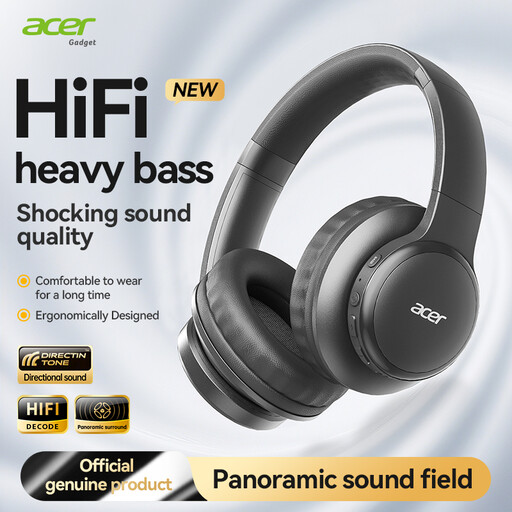
Why this choice suits this profile : A more affordable Bluetooth option for discovering wireless listening and spatial audio, without making active noise cancellation a priority.
Its listing clearly distinguishes spatial audio from ANC : you are not paying for a noise-cancelling feature that is not offered.
Bluetooth 5.3, foldable design, USB-C port and a low-latency mode advertised for gaming.
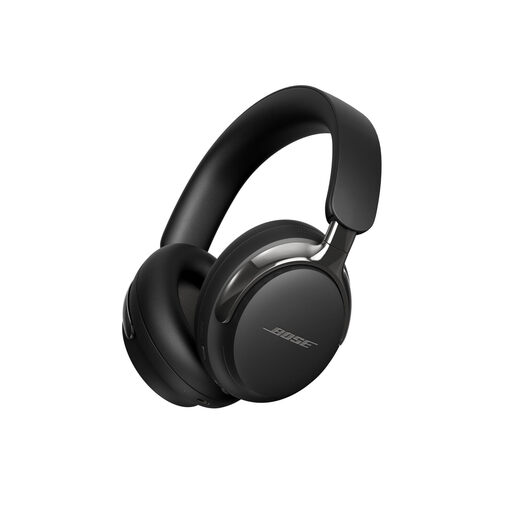
Why this choice suits this profile : For anyone looking to enjoy the most complete Bose experience, with noise cancellation, immersive audio and sound personalisation.
The listing details battery life with and without Immersive Audio, and specifies the Bluetooth, USB-C and wired connections.
Bluetooth 5.4 with multipoint indicated, CustomTune, Cinema mode and up to 30 hours of advertised battery life without immersive audio.
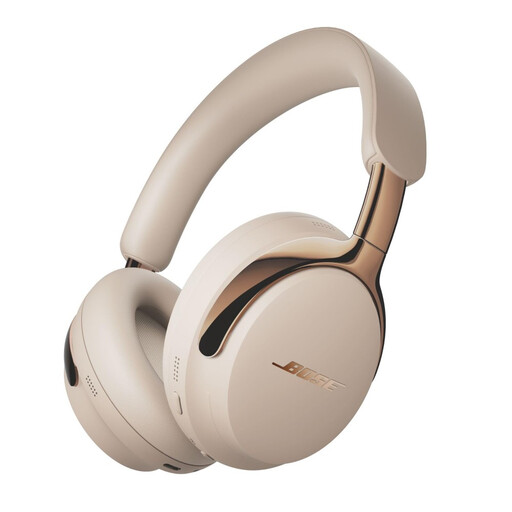
Why this choice suits this profile : A version suited to travel, working from home and long listening sessions, with a light finish that offers an alternative to black or white Bose headphones.
The listing specifies the battery-life limitations with immersive audio and the lack of a mains adapter : two details to consider before ordering.
Up to 30 hours in Quiet or Aware modes, advertised lossless USB-C listening and automatic shut-off in power-saving mode.
We have brought together a complete, real-time updated selection of products that meet these demanding choice criteria and European safety standards.
Yes. The product listing states that the Bose app is compatible with iOS and Android, and that the headphones connect via Bluetooth. Pairing is carried out through the phone’s Bluetooth settings, after which the app guides you through completing the set-up.
The published figures state up to 30 hours in Quiet or Aware mode, and up to 23 hours with Bose Immersive Audio. Actual battery life varies depending on the volume, connection, calls and settings used.
Yes. The listings specify wired listening via USB-C, advertised as lossless, as well as an audio cable supplied with certain colours. Check the exact contents of your chosen bundle and make sure your phone or computer supports the audio output being used.