
Livraison le jour même ou le lendemain

Qualité garantie

Débloquez vos offres de bienvenue: Livraison GRATUITE | Jusqu'à -80 % | 30 jours d'essai gratuits à JoyPlus
Téléchargez l'application
A Bluetooth headset can be your companion on the Tube, during work calls, gaming sessions or outdoor workouts. But the features highlighted on product pages aren't always enough to guarantee an experience that suits your needs. Comfort, compatibility and real-world battery life all deserve a closer look before you head to the checkout.
The maximum playback time is usually measured under very specific conditions. Activating active noise cancellation, listening volume, taking calls and temperature can all reduce that figure. So check whether the stated battery life is with or without ANC, and whether the headphones have a quick-charge feature.
A Bluetooth headset needs to work with your phone, computer, tablet or console. Some models also offer a wired connection, a USB adapter or a dedicated wireless receiver. If you work from home, multipoint Bluetooth can save you from having to manually disconnect one device every time you take a call.
Circum-aural (over-ear) headphones enclose your ears and can offer better passive isolation, but they also take up more space. On-ear models are generally lighter, while true wireless earbuds slip easily into a pocket.
For cycling or running, an open-back design can help you stay aware of surrounding sounds. The trade-off is that it also lets in more external noise.
Active noise cancellation uses microphones and electronic processing to reduce certain ambient sounds. It can be very useful on a train, a plane or in a shared office, but it won't eliminate every noise.
If you make a lot of phone calls, look for a headset with a microphone positioned near your mouth or one that features advertised ambient noise reduction technology.
An 'ambient mode' or 'transparency' function is handy on the street or at the station. For outdoor activities, it should be your go-to whenever you need to stay aware of your surroundings.
Compare the numbers on a like-for-like basis: battery life with ANC switched on, charging time and how much listening time you get from a quick charge. A long-lasting Bluetooth headset will suit travellers and heavy users better, while a wired model frees you from any reliance on a battery.
A USB-C port is now convenient, but it doesn't necessarily mean the headphones can transmit audio over USB-C. You'll need to check this in the spec sheet. A 3.5 mm jack socket is still useful with a computer, console or media system.
Look at the weight, headband adjustment, cushion material and whether the ear cups fold. Foldable headphones are much easier to stow in a bag.
For sports use, check the stated IP rating carefully: splash resistance doesn't mean the headphones can be submerged.
Finally, follow the volume recommendations and take breaks during long listening sessions. Prolonged listening at high volume can damage your hearing.
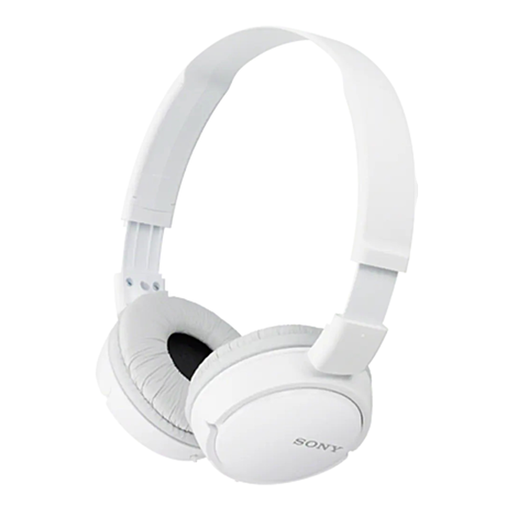
Why this fits the profile: These wired headphones are ideal for first-time use with a smartphone or computer that has a jack socket, with no need for charging or Bluetooth pairing.
The spec sheet clearly states the 3.5 mm connection, built-in remote and microphone on the cable: the features are simple and easy to identify.
Adjustable headband, foldable design, built-in microphone and a flat cable that's said to be less prone to tangling.
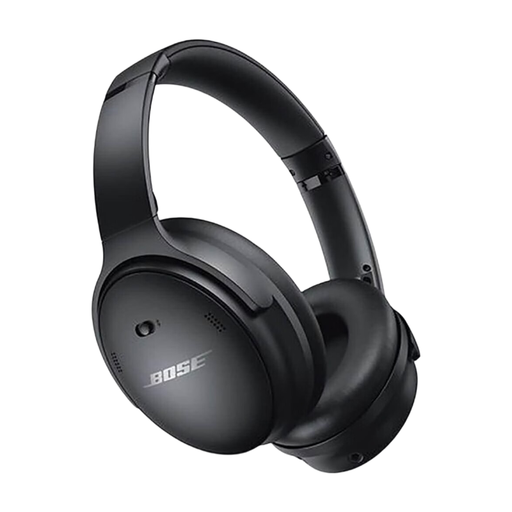
Why this fits the profile: Their over-ear design, Quiet and Aware modes, plus wired or Bluetooth connectivity, make them suitable for long listening sessions and travel alike.
The spec sheet distinguishes the stated 24-hour battery life from the 15-minute quick charge, which provides around 3 hours of playback.
Active noise cancellation, ambient sound mode, dedicated app and supplied audio cable.
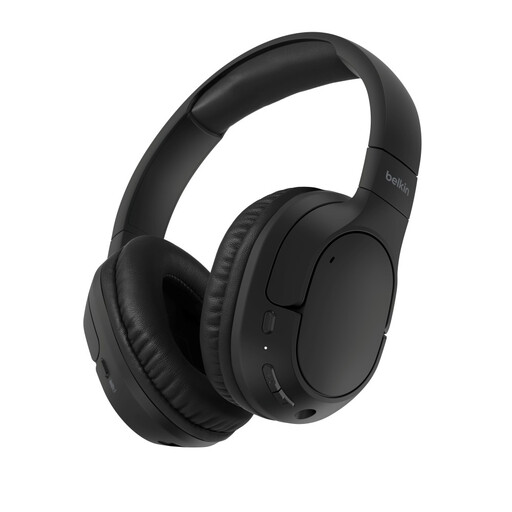
Why this fits the profile: These are aimed at people who switch between computer and phone, with a stated 60-hour battery life and multipoint functionality.
Both wireless and wired connections are listed, reducing reliance on the battery during a commute or work session.
Bluetooth 5.4, dual-device connection, advertised quick charge and foldable over-ear cushions.
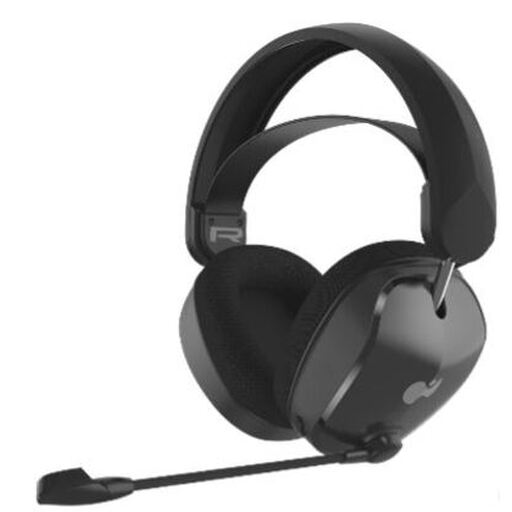
Why this fits the profile: This gaming headset is designed for Xbox players who want to use Bluetooth or the supplied dongle depending on their setup.
The spec sheet states compatibility with Xbox Series X|S, dual connectivity and a bidirectional microphone with a mute function.
50 mm drivers, fabric ear cushions, suspended headband and stated battery life of up to 40 hours.
We've put together a comprehensive, real-time list of products that meet these demanding selection criteria and European safety regulations.
Turn on Bluetooth on your phone, put the headphones into pairing mode, then select their name from the list of available devices. With a multipoint model, connect the first device first, then follow the procedure to add the second. If the connection fails, temporarily disable Bluetooth on any devices that are already paired.
Their lifespan depends on the battery, how often you use them, charging cycles and how well you look after them. Avoid heat, moisture and knocks, and use the recommended cable or charger. The ear cushions and cables are often among the first parts to wear out: their replaceability and availability can therefore be a factor in your decision.
Their power consumption is generally low, because the battery has a limited capacity. The cost of use mainly depends on how often you recharge and your electricity tariff. Quick charging reduces waiting time, but it doesn't replace the need to check the stated battery life and the conditions under which it was measured.