
Livraison le jour même ou le lendemain

Qualité garantie

Débloquez vos offres de bienvenue: Livraison GRATUITE | Jusqu'à -80 % | 30 jours d'essai gratuits à JoyPlus
Téléchargez l'application
Wireless headphones can keep you company on your commute, while working from home, during calls or gaming sessions. But a product page packed with promises isn’t enough to help you make the right choice. Battery life, noise cancellation and compatibility can all vary significantly depending on how you use them.
Here are the key things to check to avoid any surprises and find the pair that really suits you.
Closed-back or over-ear headphones naturally reduce external noise with their ear cushions. This is known as passive isolation: no electronic processing is involved.
Noise-cancelling headphones, or headphones with active noise cancellation (ANC), use microphones and signal processing to reduce certain sounds around you. How well they work depends on factors such as the type of noise, the fit of the ear cushions and the ambient noise level. ANC won’t make every sound disappear: nearby voices and irregular noises are often still audible.
An advertised battery life of ‘up to’ a certain number of hours usually refers to a specific set-up. Active noise cancellation, listening volume, calls, RGB lighting and the audio mode you use can all reduce actual battery life.
If you’re looking for wireless headphones with long battery life, also check how long they take to recharge, whether they have a fast-charging feature and whether you can use them in wired mode when the battery runs out.
Bluetooth headphones will work with a smartphone, tablet or computer that supports Bluetooth, but that doesn’t guarantee they’ll work with every console. If you’re looking for headphones for PC and console, check the available connections: Bluetooth, a 2.4 GHz USB receiver, USB-C or a 3.5 mm jack.
Some computers have separate headphone and microphone sockets. You may need an adapter or splitter cable.
Over-ear headphones fully cover your ears, making them well suited to long listening sessions. Check their weight, how much pressure the headband applies, the material of the ear cushions and how adjustable they are. A foldable pair is also easier to carry on public transport or business trips.
Synthetic ear cushions generally provide better isolation, while fabric coverings are often more breathable. Comfort is still very much down to your individual head shape and preferences.
Bluetooth makes headphones easy to use with mobile devices. A jack socket is still useful, though, with devices that don’t have Bluetooth, on a plane or when the battery is running low. Some models offer several options, such as Bluetooth and a 2.4 GHz wireless receiver.
For calls and gaming, look for headphones with a built-in or detachable microphone. A directional microphone can reduce the amount of background noise it picks up, but the results also depend on its position and the software you use.
When the information is available, compare battery life with ANC switched on and off. A quick charge lasting just a few minutes can make all the difference before you head out. USB-C is handy too, as you can often use a cable you already have at home.
Keep your headphones away from moisture and high temperatures, and avoid liquid cleaning products. Wipe the surfaces with a soft, dry cloth, then store the headphones in their case if one is included.
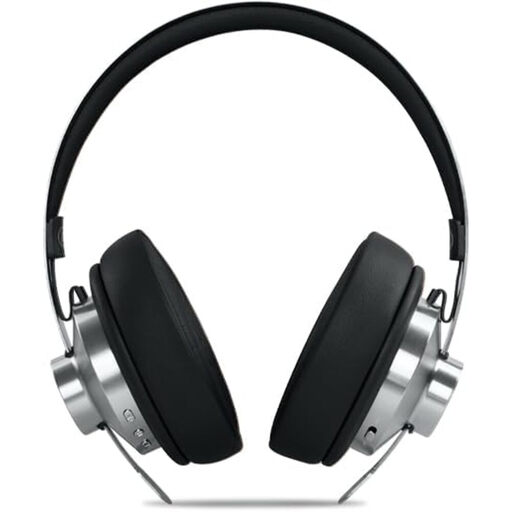
Why this is a good fit: these Bluetooth headphones combine wireless connectivity, an auxiliary input and an over-ear design suited to commuting and everyday listening.
The product details state up to 66 hours of battery life, a 3.5 mm input and an included cable, so you’re less reliant on the battery.
ANC rated at up to -35 dB, Bluetooth 5.4, hands-free microphone, carry case and adjustable headband.
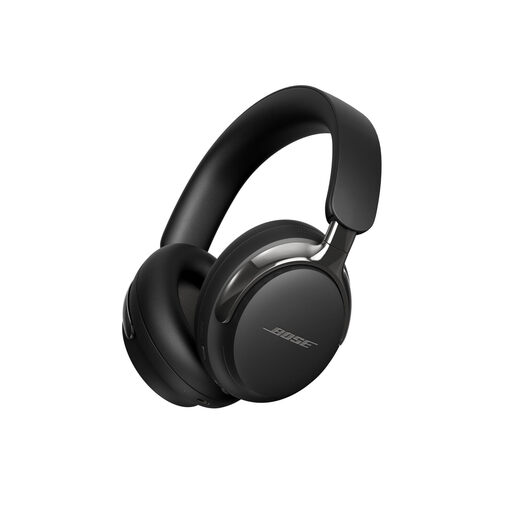
Why this is a good fit: these versatile Bose QuietComfort headphones are for listeners who want several listening modes for everything from the office to travelling.
Quiet and Aware modes let you tailor your listening to your surroundings instead of keeping noise cancellation on all the time.
Bluetooth 5.4, multipoint connectivity, lossless audio over USB-C, cinema mode and up to 30 hours of stated battery life.
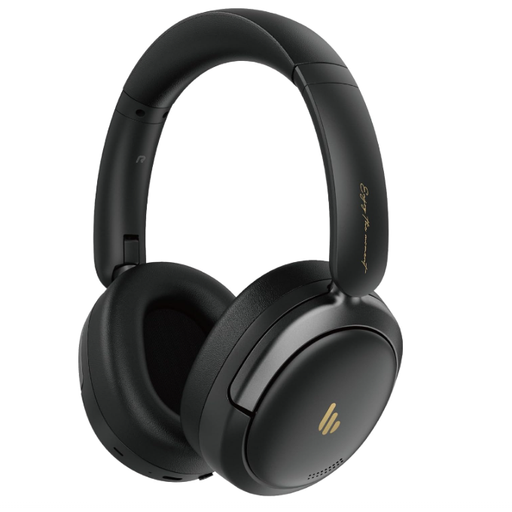
Why this is a good fit: the foldable design, built-in microphone and dual connectivity make these headphones suitable for working from home, travelling and long listening sessions.
The product details mention connection to two devices and hybrid noise cancellation rated at up to -44 dB. Bear in mind, though, that this figure will vary depending on your surroundings.
Up to 45 hours of stated battery life, Bluetooth 5.4, fast charging, a microphone with background noise reduction and a personalisation app.
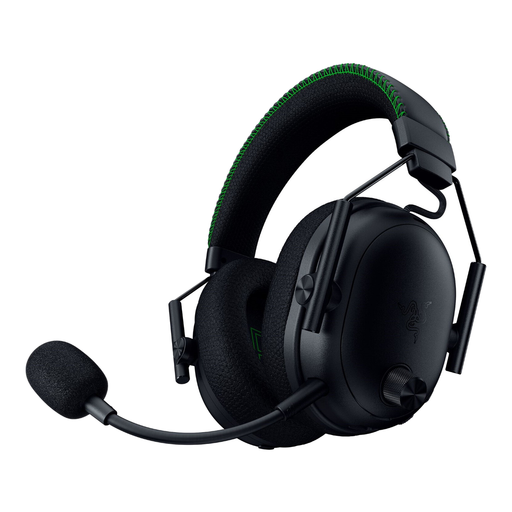
Why this is a good fit: this gaming headset is designed for players who switch between Xbox, a computer, a mobile device or a wired connection.
Its four connection modes reduce the risk of ending up with a headset that only works with one device. Still, check that it’s compatible with your set-up.
2.4 GHz, Bluetooth, USB-C and 3.5 mm jack connectivity, detachable microphone, hybrid ANC and up to 48 hours of stated battery life on Xbox.
We’ve brought together a comprehensive, regularly updated selection of products that meet these demanding criteria and European safety standards.
Turn on Bluetooth on your phone, put the headphones into pairing mode, then select their name from the list of available devices. You may be prompted to use an app to complete the set-up, adjust the equaliser or install updates.
Their lifespan depends on the battery, how often you recharge them, how well you look after them and whether replacement parts are available. A pair with a wired input can still be used even when the battery no longer supports wireless listening. It’s also worth checking the warranty terms and information about replacement parts.
Yes. Active noise cancellation can reduce certain continuous sounds, such as the rumble of a train or plane. For calls, though, check the microphone quality and how well it filters out background noise. When you’re outdoors, stay aware of your surroundings and switch off ANC when you need to hear traffic or announcements.