
Livraison le jour même ou le lendemain

Qualité garantie

Débloquez vos offres de bienvenue: Livraison GRATUITE | Jusqu'à -80 % | 30 jours d'essai gratuits à JoyPlus
Téléchargez l'application
Bluetooth earbuds offer genuine freedom of movement, but not every pair is suited to the same situations. Listening to music on the Tube, making work calls, exercising, working from home or gaming on PS5: the right choice depends above all on compatibility, comfort and the features you actually need.
Before ordering a pair of wireless earbuds, take the time to identify the most common pitfalls.
The term “noise reduction” can refer to two very different technologies. The tips on in-ear earbuds naturally block out some external sounds: this is passive isolation. Active noise cancellation, or ANC, uses microphones and electronic processing to reduce certain background noises.
A model without active noise cancellation may be perfectly suitable for listening to podcasts at home, but less comfortable on public transport or in an open-plan office. Conversely, an “Aware” mode — or its equivalent — helps you stay aware of your surroundings and hear announcements when necessary.
Actual battery life varies depending on listening volume, call duration, use of noise cancellation and the codecs enabled. Check each of the following separately:
A pair advertised as offering several hours of listening may need recharging more often if you make lots of calls or keep active noise cancellation switched on continuously.
Earbuds that do not stay securely in your ears quickly become uncomfortable to wear. Multiple ear-tip sizes or stabilising fins can improve the fit, although they cannot guarantee that the shape will suit every ear.
Remember to check compatibility with your devices too. Some gaming earbuds for PS5 require an adapter or a dedicated connection to minimise latency. Likewise, a USB-A wired headset cannot be connected directly to a USB-C phone without the appropriate adapter.
For listening to music, making calls or watching videos, a recent version of Bluetooth generally provides a straightforward connection to a smartphone, tablet or computer. Multipoint connectivity lets you link several compatible devices and switch easily between them — for example, from a laptop to a smartphone.
For gaming, latency becomes much more important. The Sony PlayStation Pulse Explore uses PlayStation Link with compatible devices, while also supporting Bluetooth for certain mobile and computing uses. Nevertheless, check the contents of the box and the exact compatibility with your PS5 or PC setup.
A built-in microphone is sufficient for occasional calls, but quality depends on its position and how surrounding noise is processed. For a headset designed for working from home, a headband with an adjustable microphone can provide more consistent voice pickup than a small microphone built into an earbud.
If your computer only has USB-A ports, a wired headset with an integrated sound card can work straight away, without any special installation. On a device with a combined socket, choose a four-contact 3.5 mm headset or a model supplied with a dual-jack adapter.
A certification such as IPX4 guarantees resistance to water splashes, light perspiration and moderate rain. It does not mean that the product can be submerged. After use, wipe the earbuds with a soft cloth and store them in their case.
To protect your hearing, always start at a moderate volume and take breaks during long listening sessions. Also avoid using noise cancellation when you need to hear traffic or announcements clearly in a public place.
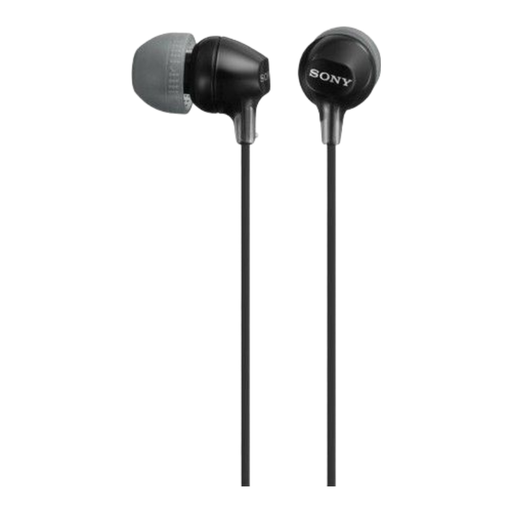
Why this choice suits this type of user : This wired pair is a great first choice for listening to music or podcasts without worrying about battery life or Bluetooth pairing.
The 3.5 mm jack removes battery-life concerns, while the 1.2 m cable means you do not need to invest in wireless accessories.
S, M and L tips included, 1.2 m cable, angled jack and lightweight 30 g design.
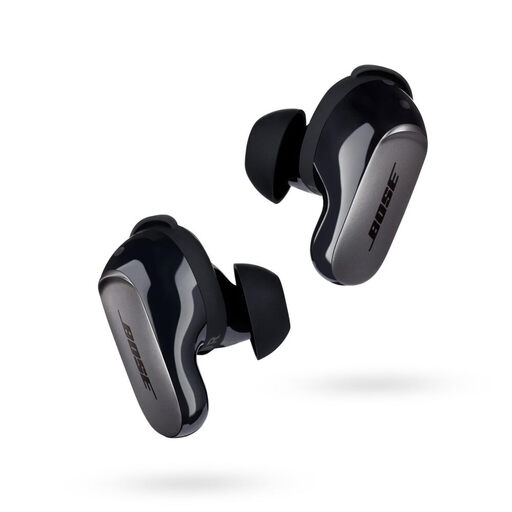
Why this choice suits this type of user : Anyone looking for noise-cancelling earbuds with several listening modes and extensive customisation options will find a particularly complete solution here.
Quiet, Aware and Immersion modes let you adjust the level of isolation to suit your surroundings and activity.
Bluetooth multipoint, quoted battery life of up to 6 hours, fast charging and IPX4 resistance.
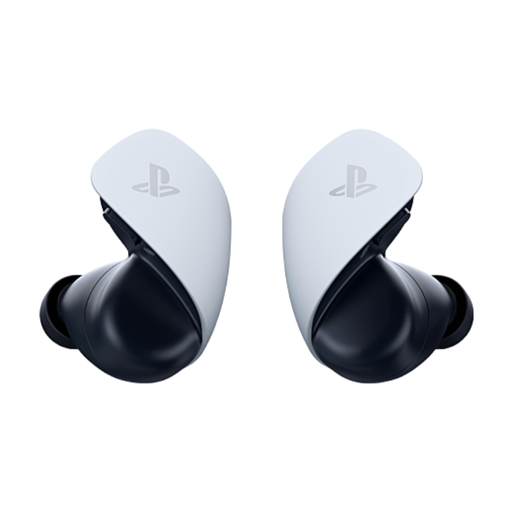
Why this choice suits this type of user : PS5, PC and mobile gamers who want to switch between gaming, calls and listening on the go get connectivity designed for all these uses.
PlayStation Link is dedicated to compatible devices, while Bluetooth handles mobile connections and certain computers.
Two noise-reducing microphones, planar magnetic drivers and a USB-C case offering up to 10 hours of total quoted battery life.
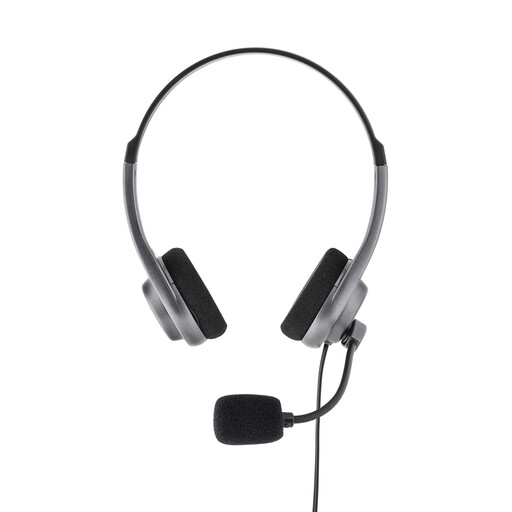
Why this choice suits this type of user : This wired headset is ideal for anyone who moves between meetings, calls and training sessions on devices fitted with a 3.5 mm socket.
The analogue connection does not rely on a battery, while the adjustable microphone sits close to your mouth for clearer voice pickup.
Stereo headset, adjustable headband, soft ear cushions and a 3.5 mm jack requiring no drivers.
We have put together a complete, real-time updated selection of products that meet these strict criteria, while complying with European safety regulations.
Place the earbuds in their case, activate pairing mode, then open your phone’s Bluetooth settings. Select the product name from the list displayed. If the earbuds do not appear, switch Bluetooth off and back on, and check that they are not already connected to another device.
This depends on the battery, frequency of use, heat and the number of recharge cycles. To keep them working for longer, store the earbuds in their case, avoid leaving them in direct sunlight and do not expose them to damp conditions. A gradual reduction in battery life is normal for a rechargeable battery.
No. The phone must have a USB-C port that supports digital audio output and, depending on the model, the relevant audio accessories. USB-C earbuds with a microphone and integrated controls may also have some functions limited on specific devices. Check your smartphone’s specifications before buying.