
Livraison le jour même ou le lendemain

Qualité garantie

Débloquez vos offres de bienvenue: Livraison GRATUITE | Jusqu'à -80 % | 30 jours d'essai gratuits à JoyPlus
Téléchargez l'application
Wireless technology has conquered the gaming world, offering a freedom of movement that has become essential. But when it comes to choosing a wireless gaming mouse, doubts remain: will it really be responsive enough? Can the battery survive a long night of raiding? And most importantly, which model is right for my play style and my budget?
This guide is here to help you make an informed decision. We'll break down the technical specs that truly matter and present our selection of the top models for 2026, all tested and approved for real-world use.
Before you jump on a specific model, let's review the key technical features that really make a difference in-game.
A mouse's sensitivity is measured in DPI (Dots Per Inch). Contrary to popular belief, a high-DPI mouse isn't automatically better. A very wide DPI range (e.g., from 400 to over 16,000) is primarily a sign of versatility. FPS players will often opt for low DPI settings to improve precision, while strategy gamers will appreciate high DPI to zip across the map in a flash. The most important factor remains the quality of the sensor: it must translate your movements perfectly, without any unwanted software acceleration.
Playing for hours on end puts a lot of strain on your hand. An ergonomic gaming mouse, perfectly suited to your hand and grip style (palm, claw, or fingertip), is therefore crucial to prevent fatigue and pain. The trend is clearly towards featherlight designs: a lightweight gaming mouse is a major asset in competitive games where every millisecond counts. A mouse under 80 grams is considered lightweight, facilitating swift, sweeping movements.
The Achilles' heel of a wireless mouse? Battery life. A good rechargeable mouse must provide several dozen hours of gameplay, especially if you turn off the backlighting. For gaming, a 2.4 GHz connection via a USB dongle is non-negotiable: it's the only way to guarantee the near-zero latency required for competitive play. Bluetooth remains a nice bonus for office work or connecting the mouse to a tablet. Finally, consider compatibility: while the PC gaming mouse is the standard, more and more models are also advertised as console-compatible mice (PlayStation, Xbox).
Here are three models that caught our eye, catering to a variety of needs and budgets.
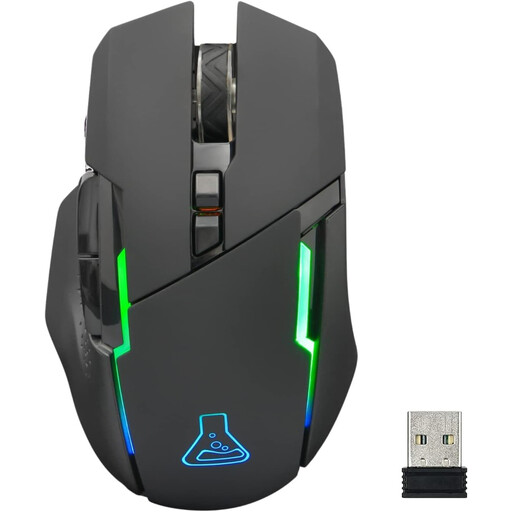
THE G-LAB Kult Caesium Wireless Gaming Mouse 7200 DPI, 6 Buttons, RGB Lighting, Black
Why it stands out
The Kult Caesium stands out as one of the best value-for-money options on the market. It delivers the wireless gaming essentials at a very competitive price point, without sacrificing key features.
Advantages
Who is it for?
Ideal for those looking to get into wireless gaming without breaking the bank, or for gamers who switch between PC and console.
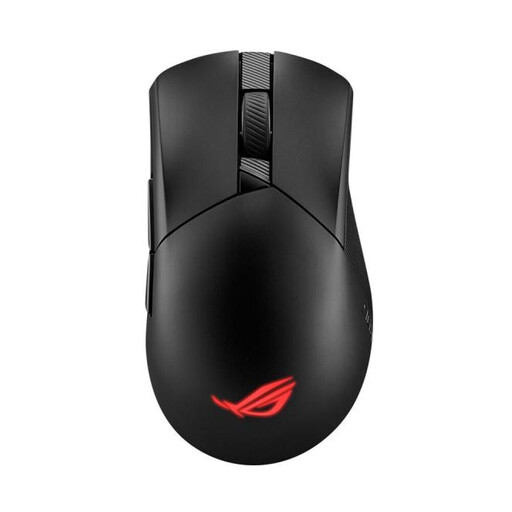
Asus ROG Gladius III Wireless Aimpoint Gaming Mouse - 36000 DPI, 6 Buttons - Black
Why it stands out
This model from the Republic of Gamers (ROG) line is clearly aimed at demanding gamers looking for raw performance and deep customisation. Its optical sensor and interchangeable switches make it a precise and durable tool.
Advantages
Who is it for?
For competitive gamers and hardware enthusiasts who demand surgical precision and love to customise their gear down to the smallest detail.
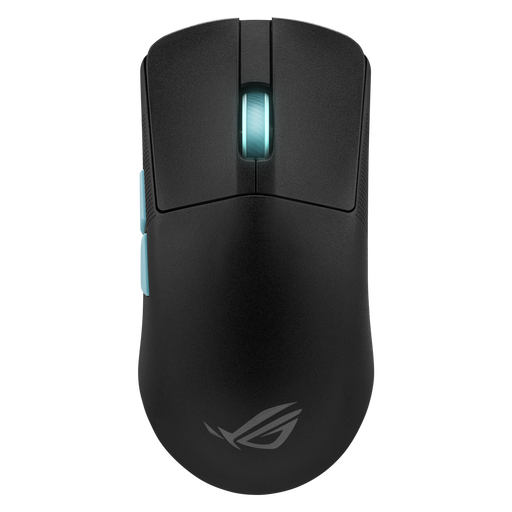
Asus ROG Harp Ace Aim Lab Edition Wireless Gaming Mouse - 36000 DPI, 5 Buttons - Black
Why it stands out
This is a competitive beast, co-developed with e-sports pros and the creators of Aim Lab. Its killer feature: a featherlight weight of 54 grams.
Advantages
Who is it for?
For hardcore competitors and e-sports players for whom every gram and every millisecond makes a difference. This is a tool built for pure performance.
The models presented here are versatile, but the market is full of options. If your play style, especially in MMOs or MOBAs, requires a more complex setup with numerous shortcuts, you might need a more specialised model.
To discover mice with different features, such as more thumb buttons, check out our selection of computer mice with top side buttons.
A gaming mouse is a powerhouse of technology: a more precise and responsive sensor (high DPI and polling rate), programmable buttons, ergonomics designed for long sessions, and more durable materials. An office mouse sticks to the basics.
This is a persistent myth: no. Modern models using a 2.4 GHz connection (via a dongle) have response times in the one-millisecond range, a performance identical to that of a wired mouse. Latency is no longer a valid argument against wireless for gaming.
Yes, and significantly! The light show of an RGB mouse can cut the battery life in half, or even more. That's why all manufacturers allow you to disable it with a single click and often provide two battery life estimates: with and without lighting.