
Livraison le jour même ou le lendemain

Qualité garantie

Débloquez vos offres de bienvenue: Livraison GRATUITE | Jusqu'à -80 % | 30 jours d'essai gratuits à JoyPlus
Téléchargez l'application
Modern laptops, from MacBooks to Dell XPS models, are thinner and lighter than ever. This race for design, however, often sacrifices connectivity for portability, leaving you with just one or two lonely USB-C ports to handle all your needs. Connecting an external display, a mouse, a keyboard, and charging your PC at the same time? It's a real headache.
Whether you're a professional, student, or content creator frustrated by this lack of ports, a USB-C hub is the ideal solution to reclaim a functional, no-compromise workspace. In this guide, we break down the essential criteria and present our selection of the best models for 2026. Our goal: to help you make the right choice.
Before you jump on the first model you see, let's review the key technical features that will make all the difference in your daily use.
The first and simplest step: take inventory of the peripherals you connect on a daily basis.
The Power Delivery (PD) feature is crucial: it allows you to charge your laptop through the hub. The principle is simple: you plug your USB-C charger into the hub, and it simultaneously powers your machine and the connected peripherals. While 60?W is enough for a standard ultrabook, aim for a hub that supports 100?W for more power-hungry machines. This guarantees efficient charging, even when your computer is running at full throttle.
The two terms are often used interchangeably, yet a significant difference separates them.
We have selected three models that meet distinct needs, from the most portable to the most comprehensive.
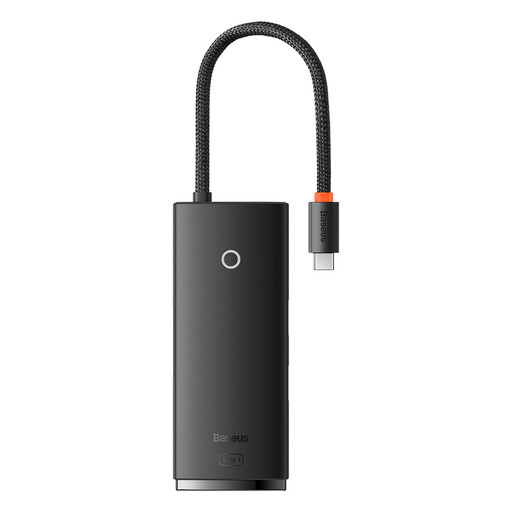
Why we like it: Simple and effective, it gets straight to the point. This hub covers all the essential needs without any unnecessary frills. Its pocket-sized format makes it the ideal travel companion to give your ultrabook's connectivity some breathing room.
Its strengths:
Who is it for? Students, mobile professionals, and anyone looking for a reliable, compact solution to connect a display, a few accessories, and charge their machine on the go.
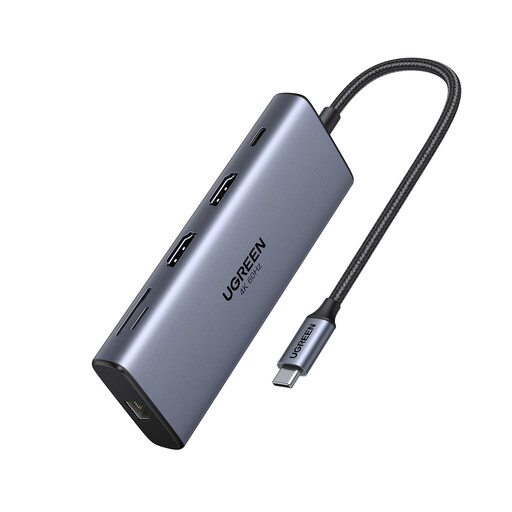
Why we like it: More than just a hub, this UGREEN docking station transforms a single USB-C port into a true command centre. With its 10 ports, including dual HDMI outputs and ultra-fast data ports, it's aimed at demanding users who juggle multi-screen setups.
Its strengths:
Who is it for? Creatives (videographers, designers), developers, and office-based professionals who need a high-performance dual-monitor docking station and comprehensive connectivity. A safe bet to pair with a MacBook Pro or any other powerful laptop.
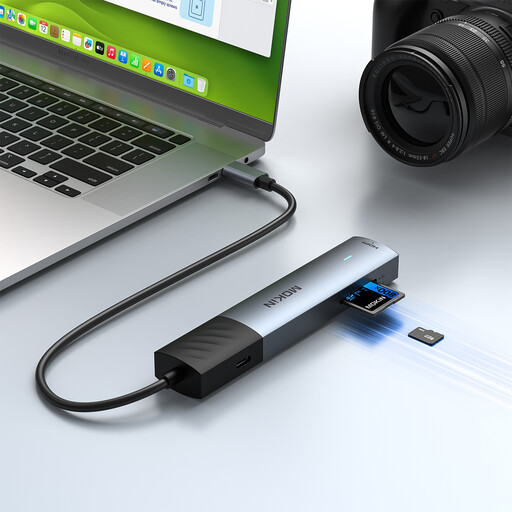
Why we like it: This is the perfect compromise between performance, versatility, and a compact form factor. Its main advantage? Support for 4K HDMI at 60?Hz, a rare feature at this price point that guarantees a much more pleasant visual experience than the competition.
Its strengths:
Who is it for? Remote workers and versatile users looking for a high-performance USB-C to HDMI and USB 3.0 adapter. It's the smart choice for enjoying a smooth 4K video output and comprehensive daily connectivity.
Our selection covers the most common needs, but the world of connectivity is vast. If you have more specific requirements or are simply curious to discover other models, our full catalogue is here for you.
To put it simply, the USB-C hub is portable: small, lightweight, and powered by the computer. The USB-C docking station is stationary: larger, it plugs into an AC outlet to power more ports and deliver better performance. It's designed to stay on a desk.
No, almost all modern USB-C hubs are "plug-and-play." This means you just need to plug them in, and they work instantly, without any driver installation on Windows, macOS, or Linux.
The risk is minimal if you choose a hub from a reputable brand. Quality products include surge protection. For charging via Power Delivery, the safest bet is to use your computer's original charger or a certified model from a trusted third-party manufacturer. Finally, avoid connecting a multitude of power-hungry devices that could exceed the hub's capacity.