
Livraison le jour même ou le lendemain

Qualité garantie

Débloquez vos offres de bienvenue: Livraison GRATUITE | Jusqu'à -80 % | 30 jours d'essai gratuits à JoyPlus
Téléchargez l'application
The promise of USB-C? A universal connector for everything: charging your laptop, connecting your smartphone, transferring large files, or plugging in an external display. The reality? A complete headache where all cables look the same but are not created equal. Charging power, transfer speed, length, durability… the differences are numerous, and making the right choice can quickly become a minefield.
This guide is here to cut through the confusion and help you identify the model that is perfectly suited to your devices and needs, whether for charging, data transfer, or both.
To see things clearly, there are three criteria to scrutinize before any purchase.
This is one of USB-C's superpowers: its ability to deliver high charging power thanks to the Power Delivery (PD) standard. Be careful, however, as the maximum supported wattage varies enormously from one cable to another.
To take advantage of a fast-charging USB-C cable, make sure your charger and device are also compatible with the Power Delivery standard.
A USB-C cable isn't just for charging. If you frequently juggle large files, transfer speed is an absolutely critical factor.
The cable's length directly impacts your convenience. While a 1.2m cable is practical on a desk, a 2m USB-C cable offers much more freedom to use your device far from an outlet.
On the durability front, our advice is simple: opt for a braided USB-C cable. A sheath made of nylon or recycled materials offers far better resistance to wear, twisting, and repeated bending than classic plastic cables.
We have selected three standout models, each tailored to a specific user profile.
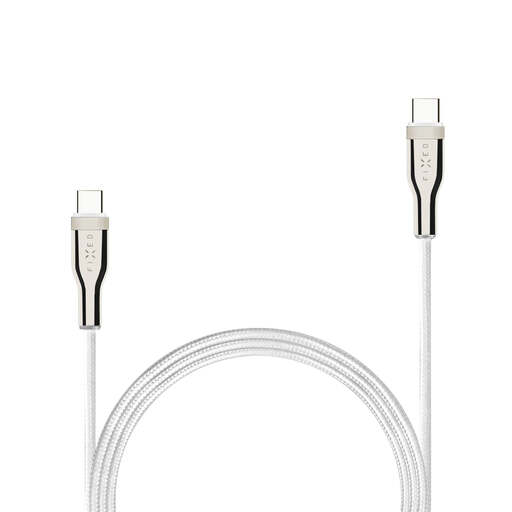
What sets it apart
The FIXED cable is the perfect everyday companion. Reliable and versatile, it combines a high charging power of 100?W with a robust braided design, all in a 1.2-meter length that's ideal for the office or bedside table.
Key features
Who is it for? For the user who wants a primary charging cable capable of powering both their smartphone and their laptop (like a MacBook Pro or Dell XPS). It is optimized for charging and basic syncing (USB 2.0 speed).
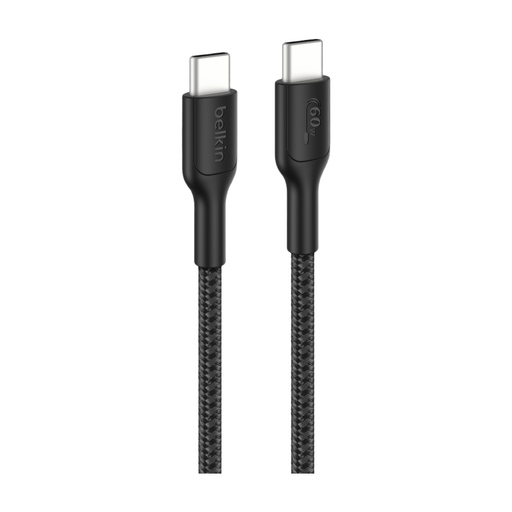
What sets it apart
This Belkin cable is all about flexibility and endurance. Its generous 2-meter length is a major asset for gamers or anyone who likes to use their devices while charging. Made from recycled materials, its braided sheath is designed to withstand tens of thousands of manipulations.
Key features
Who is it for? Ideal for gamers, digital nomads, and anyone who is tough on their cables. Its 60?W power is perfect for portable consoles, smartphones, tablets, and most ultraportables.
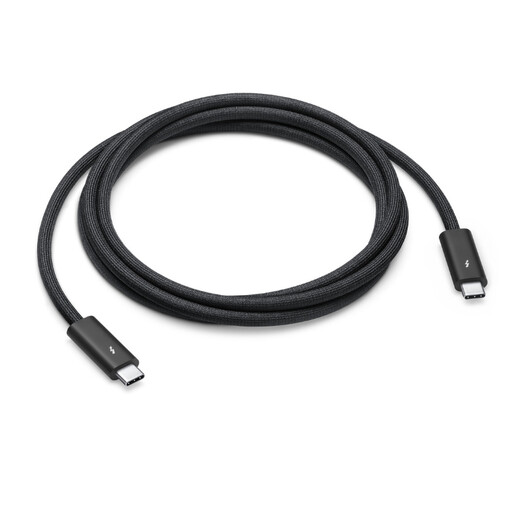
What sets it apart
This cable is aimed at the most demanding users. It doesn't just charge; it delivers cutting-edge performance for data transfer and video. Thanks to Thunderbolt 4 technology, it reaches stratospheric speeds of up to 40 Gbit/s—80 times faster than a standard USB 2.0 cable.
Key features
Who is it for? For video professionals, photographers, developers, and tech enthusiasts equipped with a Thunderbolt-compatible MacBook or PC. It's an investment for anyone seeking maximum performance for their data and video workflows.
Our selection covers the most common uses, but the world of USB-C cables is vast. If your needs are different or if you're looking for a specific length or color, many other options exist.
To discover a wider range of charging and connectivity solutions, explore our complete Power Cords category.
Far from it! In fact, it's quite the opposite. As detailed in this guide, they differ in their charging power (in watts), transfer speed (USB 2.0, USB 3.2, Thunderbolt 4), and construction (length, materials). For example, a cable designed only for charging will be extremely slow for transferring files.
Check the technical specifications or the packaging: the maximum power (e.g., 60?W or 100?W) and the Power Delivery (PD) mention should be listed. For the magic to happen, your charger and device must also be compatible.
Yes, it is fully backward compatible. A Thunderbolt 4 cable plugged into a "classic" USB-C port will work perfectly, but its performance will be limited by the port's capabilities. For example, it will charge and transfer data at the maximum speed allowed by the port (e.g., 10 Gbit/s for a USB 3.1 Gen 2 port), not at Thunderbolt's 40 Gbit/s.
By the Joybuy editorial teamPublished July 16, 2026